On-Page SEO: Meaning and How to Optimize Your Content in 2026
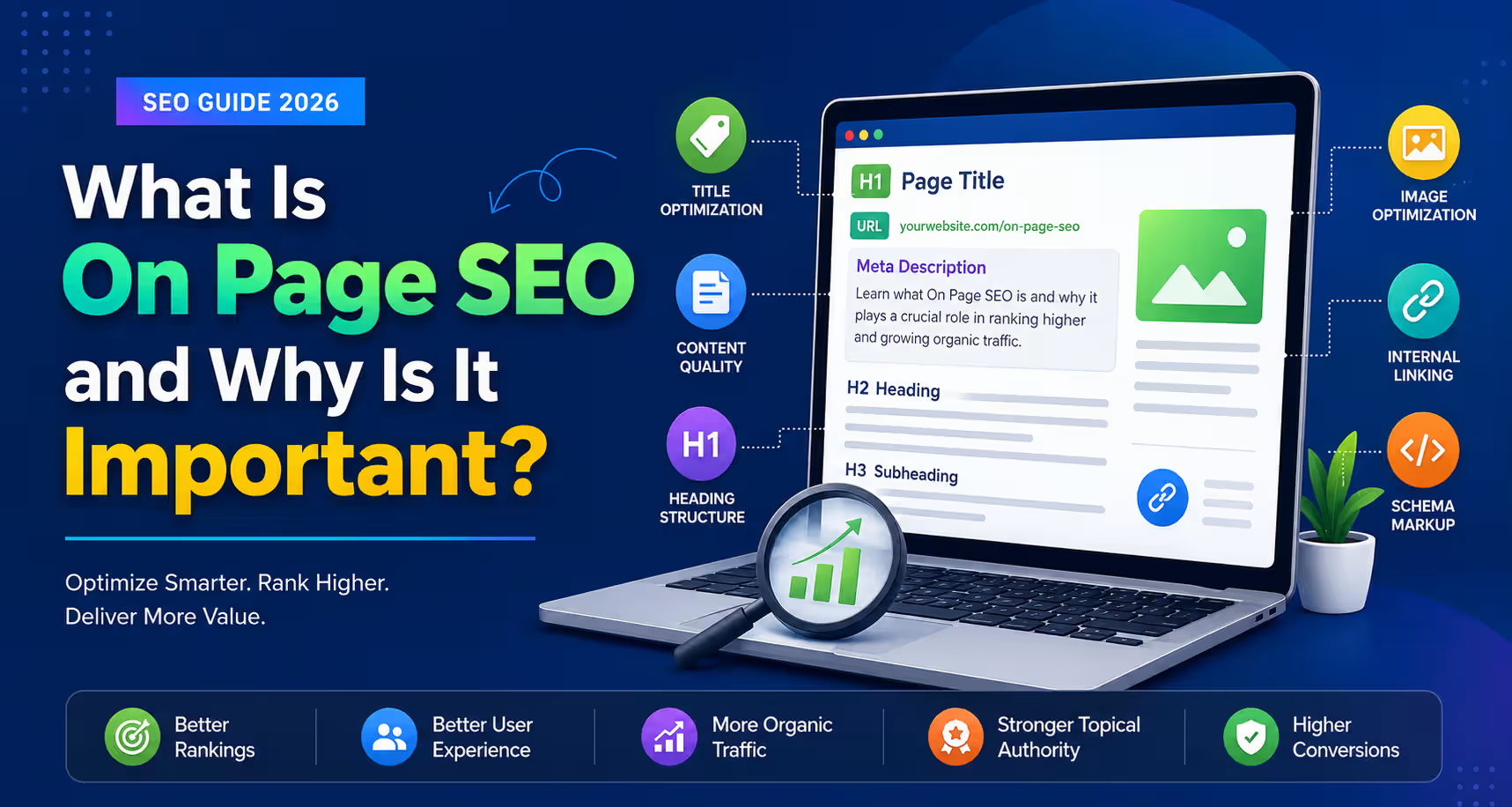
What is On-Page SEO?
On-page SEO is the process of optimizing everything that exists on an individual web page so that search engines can understand it better and users can find it more useful. It includes improving your content, headings, title tags, images, internal links, page speed, and many other elements that directly affect how your page performs in search results.
Unlike many older SEO practices that focused mainly on inserting keywords, modern on-page SEO is about creating helpful, trustworthy, and well-structured content that answers the user’s question better than competing pages. In 2026, successful on-page SEO also helps your content appear in Google AI Overviews, Featured Snippets, voice search, and AI-powered search engines by making information easy for both humans and machines to understand.
A well-optimized page doesn’t just aim for higher rankings—it also provides a better reading experience, builds trust, encourages engagement, and increases conversions.
Simple Definition of On-Page SEO
In simple terms, On-Page SEO means improving the content and HTML elements of a webpage so it ranks higher in search engines and provides a better experience for visitors.
Think of your webpage as a classroom presentation. Even if you know the topic well, your presentation needs a clear title, organized sections, helpful visuals, and easy-to-understand explanations. On-page SEO works in the same way. It organizes your webpage so both search engines and readers can quickly understand what it is about.
For example, imagine you publish a blog on “Best Laptops for Students.” Simply mentioning the keyword several times is no longer enough. A properly optimized page would also include:
- A descriptive SEO title
- Helpful headings
- High-quality images with alt text
- Internal links to related buying guides
- Expert recommendations
- Comparison tables
- Fast loading speed
- Mobile-friendly design
- Structured data that helps search engines understand the page
When all these elements work together, your content becomes easier to discover, easier to understand, and more valuable to readers.
Expert Insight: Modern search engines evaluate the overall usefulness of a page, not just its keyword usage. Pages that genuinely solve users’ problems, demonstrate expertise, and provide original value are far more likely to earn long-term rankings.
Why Is It Called “On-Page” SEO?
The name “On-Page SEO” comes from the fact that all optimizations are made directly on the webpage itself.
These are elements that you can control without depending on other websites. Every change you make happens within your own page, such as:
- Writing better content
- Optimizing title tags
- Improving headings
- Adding relevant images
- Creating internal links
- Improving page speed
- Adding structured data
- Enhancing readability
- Optimizing URLs
In contrast, Off-Page SEO focuses on activities that happen outside your website, such as earning backlinks, building brand mentions, and digital PR.
A simple way to remember the difference is:
- On-Page SEO: Everything you improve on your own webpage.
- Off-Page SEO: Everything that happens outside your website to improve authority and trust.
Difference Between Optimizing a Page and Optimizing a Website
Many beginners assume that optimizing one page automatically means the entire website is optimized. In reality, search engines evaluate both individual pages and the website as a whole.
Optimizing a page focuses on making a single piece of content more relevant, useful, and user-friendly for a specific search query. Website optimization takes a broader approach by improving the overall structure, performance, and authority of the entire site.
| Factor | Optimizing a Page | Optimizing a Website |
| Focus | One specific webpage | Entire website |
| Primary Goal | Rank for a target keyword or topic | Improve overall SEO performance |
| Content | Improve a single article or landing page | Build topical authority across multiple pages |
| SEO Elements | Title, headings, content, images, internal links | Site architecture, navigation, crawlability, Core Web Vitals |
| Search Intent | Matches one user query | Covers multiple topics and user journeys |
| Impact | Helps one page rank better | Strengthens rankings across the entire website |
Example
Suppose you run a digital marketing blog.
- Optimizing your article “What is On-Page SEO?” involves improving its content, title, headings, internal links, and schema.
- Optimizing your entire website involves creating topic clusters, improving navigation, increasing page speed, fixing technical SEO issues, and building authority across all SEO-related content.
The best SEO strategy combines both approaches. Strong individual pages supported by a well-optimized website are much more likely to achieve consistent rankings.
What Does On-Page SEO Include?
On-page SEO is not a single optimization technique. It is a combination of multiple elements that work together to improve your page’s visibility, usability, and overall quality.
The table below highlights the most important on-page SEO elements and explains how each one contributes to better rankings and a better user experience.
| On-Page SEO Element | Purpose | Impact on Rankings | Impact on User Experience |
| High-Quality Content | Answers user queries with accurate, original, and comprehensive information | ⭐⭐⭐⭐⭐ Very High | Builds trust, increases engagement, and encourages users to stay longer |
| SEO Title Tag | Clearly communicates the page topic to search engines and users | ⭐⭐⭐⭐⭐ Very High | Improves click-through rate by attracting attention in search results |
| Meta Description | Summarizes the page and encourages clicks from search results | ⭐⭐⭐ Medium | Helps users decide whether the page matches their intent |
| Heading Tags (H1–H6) | Organize content into logical sections | ⭐⭐⭐⭐ High | Makes content easier to scan and understand |
| SEO-Friendly URL | Creates clean, descriptive page addresses | ⭐⭐⭐ Medium | Improves readability and makes URLs easier to share |
| Optimized Images | Enhance content while providing context through filenames and alt text | ⭐⭐⭐ Medium | Improves visual appeal and accessibility while supporting image search |
| Internal Links | Connect related pages within your website | ⭐⭐⭐⭐ High | Helps users discover additional useful content and improves navigation |
| External Links | Reference trustworthy sources for supporting information | ⭐⭐⭐ Medium | Increases credibility and helps readers verify information |
| Structured Data (Schema Markup) | Helps search engines better understand page content | ⭐⭐⭐⭐ High | Can improve search result appearance with rich results and enhanced visibility |
| User Experience (UX) | Makes the page intuitive, readable, and easy to interact with | ⭐⭐⭐⭐⭐ Very High | Increases satisfaction, engagement, and conversions |
| Page Speed | Ensures pages load quickly across devices | ⭐⭐⭐⭐ High | Reduces frustration and lowers abandonment rates |
| Mobile Friendliness | Delivers a seamless experience on smartphones and tablets | ⭐⭐⭐⭐⭐ Very High | Essential for users who browse primarily on mobile devices |
| Accessibility | Makes content usable for people with disabilities using assistive technologies | ⭐⭐⭐ Medium | Improves inclusivity, readability, and overall usability for all visitors |
Key Takeaway: On-page SEO works best when all these elements complement one another. A page with excellent content but poor user experience—or a fast page with weak content—will struggle to perform consistently. In 2026, the most successful pages combine helpful content, strong technical implementation, excellent usability, and clear signals of experience and trust, making them valuable to both users and AI-powered search systems.
Why On-Page SEO Matters More Than Ever in 2026
On-page SEO has changed dramatically over the past few years. There was a time when adding your target keyword multiple times, building a few backlinks, and publishing a long article could help you rank on the first page of Google. That approach no longer works consistently.
In 2026, search engines are far better at understanding what your content is about, who created it, whether it solves the user’s problem, and whether it deserves to be recommended in AI-generated answers.
Google, Bing, and AI-powered search platforms no longer evaluate pages based only on keywords. Instead, they assess content quality, user satisfaction, topical expertise, context, credibility, and overall page experience before deciding which pages deserve visibility.
This shift means that on-page SEO is no longer just a ranking tactic—it’s the foundation of creating content that both users and AI search systems trust.
Let’s look at the major reasons why on-page SEO has become more important than ever.
AI Overviews Are Changing How People Discover Content
Google’s AI Overviews often provide direct answers at the top of search results by summarizing information from multiple trusted sources. Instead of clicking through several websites, users may get their answer immediately.
This changes how content is evaluated.
To increase your chances of being referenced in AI Overviews, your page should:
- Answer questions clearly and directly.
- Explain complex topics using simple language.
- Include definitions, lists, comparison tables, and FAQs.
- Demonstrate first-hand experience or expert knowledge.
- Cite trustworthy sources where appropriate.
- Cover the topic comprehensively instead of focusing only on one keyword.
Well-structured pages are much easier for AI systems to interpret and summarize.
AI Search Rewards Helpful, Well-Organized Content
AI-powered search engines don’t simply match keywords—they try to understand meaning.
Instead of asking:
“Best running shoes”
A user may search:
“Which running shoes are best for beginners with flat feet under ₹5,000?”
AI systems look for content that provides the most relevant and complete answer rather than pages that repeat the exact phrase.
This means your content should:
- Solve specific problems.
- Cover related questions naturally.
- Include practical examples.
- Explain concepts step by step.
- Provide context instead of isolated answers.
The more useful your content is, the more likely it is to be surfaced in AI-generated responses.
Google’s Helpful Content System Prioritizes People-First Content
Google’s Helpful Content System is designed to reward pages that are genuinely useful to readers.
Instead of asking:
“Did this page use the keyword enough times?”
Google increasingly asks questions like:
- Does this content answer the user’s question?
- Is it written by someone with real knowledge or experience?
- Does it provide original insights?
- Is it more useful than competing pages?
- Would someone bookmark or share this page?
Pages created primarily to manipulate search rankings often struggle because they lack originality, depth, or practical value.
When writing content, your goal should always be to help the reader make a better decision, solve a problem, or learn something new.
Understanding User Intent Is More Important Than Keywords
Every search begins with a purpose.
Someone searching for:
“What is On-Page SEO?”
wants to learn.
Someone searching for:
“Best On-Page SEO Tool”
is looking to compare products before making a purchase.
Although both searches mention “On-Page SEO,” they require completely different content.
Successful on-page SEO starts by understanding why the user searched, not just what they typed.
Ask yourself:
- What problem is the user trying to solve?
- What information are they expecting?
- What format would help them most?
- What questions might they ask next?
When your content matches user intent, visitors stay longer, interact more, and are more likely to trust your website.
Semantic Search Helps Search Engines Understand Context
Modern search engines no longer rely solely on exact-match keywords.
They understand relationships between words, topics, and concepts.
For example, an article about On-Page SEO should naturally discuss related concepts such as:
- Meta titles
- Meta descriptions
- Heading tags
- Internal linking
- Search intent
- Schema markup
- Page speed
- Content optimization
- Core Web Vitals
- User experience
You don’t need to force every keyword into your content.
Instead, focus on covering the topic thoroughly so search engines understand its complete context.
This approach is called semantic SEO, and it produces content that is more helpful for readers while giving search engines stronger signals about your expertise.
Entity-Based Search Improves Content Understanding
Search engines now understand entities, which are clearly identifiable people, places, organizations, products, concepts, or events.
For example, in an article about On-Page SEO, search engines recognize entities such as:
- Google Search
- Google Search Console
- HTML
- Schema Markup
- Core Web Vitals
- Meta Tags
- Search Intent
- Structured Data
Connecting these related entities naturally throughout your content helps search engines understand your topic more accurately.
Rather than writing isolated keyword-focused articles, aim to create pages that explain how important concepts relate to one another.
Multi-Modal Search Is Expanding Beyond Text
Search is no longer limited to written queries.
People now search using:
- Images
- Voice
- Videos
- Screenshots
- Camera search
- AI assistants
As a result, on-page SEO now includes optimizing multiple content formats.
A modern page should include:
- Relevant images
- Descriptive alt text
- Infographics
- Videos where appropriate
- Comparison tables
- Charts
- Step-by-step illustrations
Providing information in multiple formats improves accessibility and increases your chances of appearing across different search experiences.
Voice Search Favors Clear, Conversational Answers
Voice searches tend to be longer and more conversational than typed searches.
Instead of typing:
“On-page SEO”
Someone may ask:
“How can I improve my on-page SEO for Google in 2026?”
Pages that answer questions naturally, use simple language, and include FAQ sections are more likely to be selected for voice responses.
To optimize for voice search:
- Write in a conversational tone.
- Answer questions directly near the beginning of each section.
- Use short, clear paragraphs.
- Include commonly asked questions.
- Avoid unnecessary jargon.
Think about how people speak—not just how they type.
Experience Signals Build Long-Term Trust
Google increasingly rewards content that demonstrates real experience, not just theoretical knowledge.
Readers also trust advice more when it comes from someone who has actually done the work.
Instead of simply defining On-Page SEO, explain:
- What strategies worked in your own projects.
- Common mistakes you’ve seen clients make.
- Real optimization examples.
- Before-and-after improvements.
- Lessons learned from testing different approaches.
For example:
“After optimizing over 500 content pages across different industries, one consistent pattern we’ve observed is that improving search intent alignment and internal linking often delivers stronger long-term results than simply increasing keyword usage.”
Statements like these provide original value that generic AI-generated content cannot easily replicate.
Including personal observations, examples, and practical recommendations strengthens your credibility while helping readers make better decisions.
Expert Insight: Modern Rankings Depend on User Satisfaction, Not Keyword Frequency
One of the biggest misconceptions in SEO is that adding a keyword multiple times will improve rankings. While keywords still help search engines understand the topic of a page, they are only one small part of the equation.
Today’s search engines evaluate whether your content genuinely satisfies the user’s need. They look at signals such as content depth, topical coverage, readability, originality, page experience, internal linking, credibility, and evidence of real expertise.
A page that clearly answers the user’s question, includes practical examples, demonstrates first-hand experience, and is easy to navigate will almost always outperform a page that simply repeats the target keyword.
The goal of modern on-page SEO is no longer to optimize for algorithms alone—it is to create the best possible resource for your audience. When users find your content genuinely helpful, search engines are much more likely to reward it with sustainable visibility across traditional search, AI Overviews, and AI-powered search experiences.
On-Page SEO vs Off-Page SEO vs Technical SEO
Search Engine Optimization (SEO) is often divided into three main categories: On-Page SEO, Off-Page SEO, and Technical SEO. While they all work toward improving your website’s visibility in search engines, each focuses on a different aspect of optimization.
Think of your website like building a house:
- On-Page SEO is about designing and organizing each room so people enjoy spending time inside.
- Technical SEO ensures the house has a strong foundation, proper wiring, and easy access.
- Off-Page SEO builds the house’s reputation by getting recommendations from neighbors, experts, and the community.
To achieve sustainable rankings in 2026, you need all three working together. Strong content alone cannot compensate for a slow or poorly structured website, and a technically perfect website cannot rank well if its content fails to satisfy users.
On-Page SEO vs Off-Page SEO vs Technical SEO Comparison
| Factor | On-Page SEO | Off-Page SEO | Technical SEO |
| Definition | Optimizing the content and HTML elements of individual web pages to improve rankings and user experience. | Improving your website’s authority, trust, and popularity through signals from other websites and online platforms. | Optimizing your website’s technical infrastructure so search engines can crawl, render, index, and understand it efficiently. |
| Primary Focus | Content quality, search intent, user experience, semantic optimization, and page relevance. | Backlinks, brand mentions, digital PR, online reputation, and authority building. | Website performance, crawlability, indexing, Core Web Vitals, structured data, and site architecture. |
| Main Objective | Help users find the most helpful answer while making it easy for search engines to understand the page. | Build credibility and demonstrate that other trusted sources recognize your website. | Ensure search engines can access, interpret, and process every important page without technical barriers. |
| Ranking Influence | ⭐⭐⭐⭐⭐ Very High | ⭐⭐⭐⭐ High | ⭐⭐⭐⭐⭐ Very High |
| Examples | Writing high-quality content, optimizing title tags, improving headings, adding internal links, optimizing images, improving readability, implementing schema markup, and matching search intent. | Earning backlinks, guest blogging, digital PR campaigns, influencer mentions, social media visibility, brand citations, podcast appearances, and online reviews. | Improving page speed, fixing broken links, optimizing XML sitemaps, robots.txt, canonical tags, HTTPS, mobile usability, structured data, and Core Web Vitals. |
| Typical Tools | Google Search Console, Semrush, Ahrefs, Surfer SEO, Clearscope, Frase, Grammarly, Screaming Frog. | Ahrefs, Semrush, BuzzSumo, Majestic, HARO alternatives, Brand24, Google Alerts. | Google Search Console, PageSpeed Insights, Lighthouse, Screaming Frog, Sitebulb, Rich Results Test, Chrome DevTools. |
| Difficulty Level | Beginner to Intermediate | Intermediate to Advanced | Intermediate to Advanced |
| Level of Control | ⭐⭐⭐⭐⭐ Full control (you manage every element on your own website). | ⭐⭐ Limited control (other websites decide whether to link to or mention your content). | ⭐⭐⭐⭐⭐ Full control (assuming you have access to your website or development team). |
| Beginner Friendly | ✅ Yes — the best place for beginners to start learning SEO. | ⚠️ Moderate — building quality backlinks and authority takes time and experience. | ⚠️ Moderate — requires an understanding of website architecture and technical concepts. |
| Long-Term Value | Continues delivering value as long as content remains relevant and updated. | Authority grows gradually through consistent reputation building and quality references. | Provides a strong foundation that supports every other SEO effort. |
How These Three Types of SEO Work Together
Many website owners focus heavily on one type of SEO while ignoring the others. In reality, the best-performing websites treat them as complementary parts of the same strategy.
Imagine you publish an excellent guide on “On-Page SEO.”
- If your content is comprehensive, well-structured, and satisfies user intent, that’s On-Page SEO.
- If the page loads quickly, works perfectly on mobile devices, includes structured data, and is easy for search engines to crawl, that’s Technical SEO.
- If respected websites link to your guide, industry experts reference it, and people share it across the web, that’s Off-Page SEO.
Only when these three areas work together does a page have the strongest opportunity to earn and maintain high search visibility.
Which Type of SEO Should You Focus on First?
If you’re just starting with SEO, prioritize your efforts in this order:
- On-Page SEO – Create genuinely helpful, original, and well-optimized content that satisfies user intent.
- Technical SEO – Ensure your website is fast, mobile-friendly, secure, and easy for search engines to crawl and index.
- Off-Page SEO – Build authority naturally through high-quality backlinks, digital PR, brand mentions, and valuable partnerships.
Trying to build backlinks to weak content rarely produces lasting results. Likewise, publishing excellent content on a slow, technically broken website limits its potential.
Expert Insight: In 2026, successful SEO is no longer about choosing between On-Page, Off-Page, or Technical SEO. Search engines evaluate the complete user experience. A page with helpful content, excellent technical performance, and strong authority signals is far more likely to rank than one that excels in only a single area. Think of these three pillars as working together—not competing with one another.
How Search Engines Understand a Web Page in 2026
Search engines have evolved far beyond matching keywords. In 2026, they use advanced artificial intelligence, Natural Language Processing (NLP), machine learning, and semantic analysis to understand what your page is about, how trustworthy it is, and whether it is the best answer for a user’s query.
When someone searches on Google or another AI-powered search engine, the system doesn’t simply look for pages containing the exact keyword. Instead, it tries to answer questions like:
- What is the main topic of this page?
- Does it completely answer the user’s question?
- Is the information accurate and trustworthy?
- Does the content demonstrate real experience?
- How does this page compare with other pages on the same topic?
- Is this page suitable for an AI-generated summary or direct answer?
Understanding how search engines process your content helps you optimize pages for both traditional search rankings and AI-powered search experiences.
Crawling
Crawling is the first step in the search engine process.
Search engines use automated programs, commonly known as crawlers or bots, to discover webpages across the internet. Google’s crawler, Googlebot, follows links between pages to find new content and revisit existing pages.
When Googlebot visits your webpage, it checks:
- The page URL
- HTML source code
- Internal links
- Images
- Videos
- Structured data
- Canonical tags
- Robots directives
- Page updates
If your website has poor navigation, broken links, or blocked resources, crawlers may struggle to discover all of your important pages.
SEO Tip: A logical internal linking structure and an updated XML sitemap help search engines discover your content more efficiently.
Rendering
After discovering your page, search engines attempt to render it.
Rendering means processing the page in a way similar to how a web browser displays it to visitors. This allows search engines to understand the complete layout and content, including elements loaded by JavaScript.
During rendering, search engines evaluate:
- Visible text
- Images
- Interactive elements
- Navigation menus
- JavaScript-generated content
- CSS styling
- Structured data
- Embedded media
If essential content only appears after JavaScript executes and isn’t rendered properly, search engines may not fully understand your page.
For this reason, important SEO content should remain easily accessible within the page’s HTML whenever possible.
Indexing
Once a page has been crawled and rendered successfully, search engines decide whether it deserves a place in their index.
The index is a massive database containing billions of webpages that can appear in search results.
A page may not be indexed if:
- It contains duplicate content.
- It has a noindex directive.
- It provides very little original information.
- It has technical errors.
- Search engines consider it low quality.
Simply publishing content doesn’t guarantee that it will appear in search results. Your page must provide enough value to earn a place in the search index.
Understanding Entities
One of the biggest changes in modern SEO is that search engines now understand entities, not just keywords.
An entity is any clearly identifiable thing, such as:
- A person
- A company
- A product
- A location
- An organization
- A technology
- A concept
- An event
For example, in an article about On-Page SEO, search engines recognize entities like:
- Google Search Console
- HTML
- Meta Title
- Schema Markup
- Core Web Vitals
- Search Intent
- Structured Data
- SEO Audit
These entities help search engines understand the broader meaning of your content.
Rather than repeatedly inserting your primary keyword, connect related concepts naturally throughout your article. This creates stronger topical relevance and makes your content easier for AI systems to interpret.
Understanding Search Intent
Knowing what users want has become just as important as understanding what they search for.
For example, two users may search for similar keywords but expect completely different answers.
| Search Query | Likely User Intent |
| What is On-Page SEO? | Learn the basics |
| On-Page SEO Checklist | Download practical guidance |
| Best On-Page SEO Tools | Compare software options |
| How to improve On-Page SEO | Follow step-by-step instructions |
Search engines analyze many signals to determine user intent, including:
- The wording of the query
- Previously successful search results
- User behavior
- Content format
- Search context
- Follow-up searches
If your page doesn’t satisfy the user’s intent, even perfect keyword optimization is unlikely to produce sustainable rankings.
Semantic Relationships
Search engines now understand how different topics relate to one another.
This concept is known as semantic search.
Instead of treating keywords independently, AI systems recognize that many concepts naturally belong together.
For example, an article about On-Page SEO should also discuss related topics such as:
- Title tags
- Meta descriptions
- Heading structure
- Internal linking
- Search intent
- User experience
- Schema markup
- Page speed
- Core Web Vitals
- Accessibility
Including these related concepts naturally demonstrates topical completeness.
This is one reason why comprehensive guides often outperform shorter articles focused on only one keyword.
AI Understanding of Content
Modern search engines increasingly rely on artificial intelligence to evaluate content quality and relevance.
Instead of asking:
“Does this page contain the keyword?”
AI systems ask questions like:
- Does this page solve the user’s problem?
- Is the explanation clear?
- Is the information original?
- Does the author appear knowledgeable?
- Would users trust this content?
- Is this page more useful than competing pages?
Let’s look at some of the technologies that make this possible.
Natural Language Processing (NLP)
Natural Language Processing (NLP) enables search engines to understand human language much like people do.
Rather than looking at isolated words, NLP helps search engines interpret:
- Sentence meaning
- Context
- Synonyms
- Related phrases
- Questions
- Definitions
- Tone
- Relationships between concepts
For example, Google understands that these phrases are closely related:
- On-Page SEO
- On-site SEO
- Content optimization
- Page optimization
Even when the exact wording differs, search engines recognize that the underlying topic is the same.
Machine Learning
Machine learning allows search engines to improve continuously by learning from massive amounts of search data.
Instead of relying only on fixed rules, machine learning systems identify patterns such as:
- Which pages satisfy users
- Which results receive more clicks
- Which pages keep users engaged
- Which content answers questions more effectively
Over time, these patterns help search engines refine ranking decisions and deliver better results.
Embeddings
Embeddings are mathematical representations of words, phrases, and entire pieces of content.
Although users don’t see them, embeddings help AI understand how closely different ideas are related.
For example:
- “Running shoes”
- “Athletic footwear”
- “Jogging sneakers”
may have different wording, but their embeddings indicate that they represent closely related concepts.
This enables search engines to retrieve relevant content even when users don’t use the exact keywords appearing on the page.
For content creators, this means writing naturally and covering topics comprehensively is more effective than repeating the same keyword multiple times.
Context
Search engines interpret words based on the surrounding information.
Take the word “Apple.”
Without context, it could refer to:
- The fruit
- The technology company
- A brand
- A recipe ingredient
The surrounding content helps search engines determine the correct meaning.
This is why well-structured articles that clearly establish the topic are easier for search engines and AI systems to understand.
Topical Relationships
Search engines also evaluate how deeply your page covers a subject.
Instead of asking whether you mentioned “On-Page SEO,” they examine whether your article naturally explains related topics such as:
- Keyword research
- Search intent
- Internal linking
- Content optimization
- Schema markup
- User experience
- Core Web Vitals
- Accessibility
- E-E-A-T
- AI Overviews
When these topics are connected logically, your content demonstrates stronger topical authority.
This is one reason comprehensive resources often rank better than isolated articles covering only a small portion of the topic.
How Search Engines Process Your Content
The following workflow summarizes how modern search engines evaluate a webpage before deciding whether it should rank highly or appear in AI-generated answers.
USER SEARCHES A QUERY
│
▼
Search Engine Discovers
Relevant Web Pages
│
▼
Crawl the Page
(HTML, Links, Images, Structured Data)
│
▼
Render the Page
(Process JavaScript, Layout & Visible Content)
│
▼
Index the Page
(Store Quality Pages in Search Index)
│
▼
Recognize Key Entities
(People, Brands, Products, Concepts, Locations)
│
▼
Understand Search Intent & Context
(Informational, Commercial, Transactional, etc.)
│
▼
Analyze Semantic & Topical Relationships
(Related Concepts, Expertise, Content Completeness)
│
▼
Evaluate Quality & Experience Signals
(E-E-A-T, Originality, Page Experience, Freshness)
│
▼
Rank the Most Relevant Pages
│
▼
Eligible for AI Overview, Featured Snippets,
Voice Search & Traditional Search Results
Expert Insight: The biggest shift in SEO is that search engines now evaluate meaning instead of keyword repetition. A page that demonstrates real expertise, answers user questions comprehensively, connects related concepts, and provides unique value is far more likely to rank than a page optimized only for exact-match keywords. In 2026, the most successful content is written for people first and structured so AI systems can easily understand, trust, and reference it.
Why On-Page SEO Is No Longer Just About Keywords
For many years, SEO success was closely tied to keywords. The common belief was simple: include your target keyword in the title, headings, URL, and throughout the content, and your chances of ranking would improve.
While keywords still help search engines understand the main topic of a page, they are no longer the primary ranking factor. Modern search engines are much more sophisticated. They can understand language, recognize relationships between concepts, identify user intent, and evaluate whether a page genuinely helps the reader.
In 2026, successful on-page SEO is about creating the most useful, trustworthy, and comprehensive resource for a topic—not the page that repeats a keyword the most.
Let’s explore the factors that matter far more than keyword frequency today.
Topics Matter More Than Individual Keywords
Modern search engines evaluate how well your page covers an entire topic, not just whether it contains a specific keyword.
For example, if your page is about On-Page SEO, users expect much more than a basic definition. A truly helpful guide should naturally cover related areas such as:
- Search intent
- Title tags
- Meta descriptions
- Heading structure
- Internal linking
- Schema markup
- Core Web Vitals
- Image optimization
- User experience
- E-E-A-T
- AI Overviews
- Content optimization
When your content answers all the important questions surrounding a topic, search engines gain greater confidence that your page deserves to rank.
SEO Tip: Instead of asking, “Did I use my keyword enough?” ask, “Have I covered everything a reader needs to know about this topic?”
Entities Help Search Engines Understand Meaning
Search engines now understand entities, which are identifiable people, places, brands, products, technologies, and concepts.
For example, in an article about On-Page SEO, relevant entities might include:
- Google Search Console
- HTML
- Schema Markup
- Core Web Vitals
- Search Intent
- Structured Data
- Page Experience
- Google AI Overviews
Including these related entities naturally helps search engines understand the broader meaning of your content.
Rather than forcing the same keyword repeatedly, explain how important concepts connect with one another.
This creates stronger topical relevance and provides readers with a more complete understanding of the subject.
Context Is More Powerful Than Exact Keyword Matching
Search engines no longer read content one keyword at a time.
Instead, they evaluate the surrounding context to understand what each sentence actually means.
For example, if someone searches:
“How do I improve On-Page SEO?”
A page discussing:
- content quality,
- search intent,
- page speed,
- internal linking,
- schema markup,
- user experience,
is likely to be more useful than one that simply repeats “On-Page SEO” in every paragraph.
Writing naturally helps search engines understand your content while making it much easier for readers to enjoy.
Search Intent Determines Whether Your Content Succeeds
Even perfectly optimized content can fail if it doesn’t satisfy why the user searched.
Consider these two searches:
- What is On-Page SEO?
- Best On-Page SEO Tools
Although both contain the phrase On-Page SEO, they require completely different content.
The first user wants to learn.
The second wants product recommendations and comparisons.
Before writing any page, ask yourself:
- What question is the user trying to answer?
- What action do they want to take?
- What information would completely solve their problem?
Pages that align closely with user intent tend to achieve higher engagement, longer session durations, and stronger long-term rankings.
Topical Authority Builds Long-Term Search Visibility
Search engines increasingly reward websites that demonstrate expertise across an entire subject rather than publishing isolated articles.
This is known as topical authority.
Imagine two websites:
Website A
- Publishes one article on On-Page SEO.
Website B
Publishes detailed resources covering:
- On-Page SEO
- Technical SEO
- Off-Page SEO
- Keyword Research
- Schema Markup
- Internal Linking
- SEO Audits
- Google Search Console
- Core Web Vitals
- AI Overviews
- Local SEO
Website B demonstrates deeper expertise because it covers the subject comprehensively.
Building related content clusters also strengthens internal linking and helps search engines understand your site’s specialization.
Information Gain: The Competitive Advantage Most Content Misses
One of the most important concepts influencing modern SEO is Information Gain.
In simple terms, Information Gain refers to the unique value your content adds beyond what is already available in search results.
If the top ten articles all explain the same ideas in similar words, publishing another version of the same content provides very little additional value.
Search engines increasingly favor pages that contribute something new, such as:
- Original research
- First-hand experience
- Practical frameworks
- Case studies
- Expert opinions
- Real-world examples
- Proprietary data
- Unique visualizations
- Actionable templates
- Lessons learned from testing
Example
Suppose you are writing about On-Page SEO.
A typical article might simply explain:
- What title tags are.
- Why headings matter.
- How to write meta descriptions.
A stronger article would go much further by including:
- Results from optimizing hundreds of pages.
- Before-and-after ranking improvements.
- Common mistakes observed in client projects.
- AI Overview optimization examples.
- Content audit templates.
- Internal linking frameworks.
- Original checklists readers can immediately use.
That additional expertise creates genuine Information Gain because readers learn something they cannot find in every competing article.
SEO Tip: Before publishing, ask yourself:
“If someone has already read the top five search results, what completely new insight will they gain from my article?”
If you cannot answer that question, your content probably needs more original value.
Experience Makes Content More Trustworthy
Search engines increasingly reward content written by people who have practical experience with the topic.
Readers trust advice more when it comes from someone who has actually implemented the strategies being discussed.
Instead of writing:
“Internal links are important.”
Share something more meaningful:
“While auditing more than 500 content pages across finance, SaaS, and immigration websites, we consistently found that adding contextual internal links to closely related articles improved crawl efficiency, strengthened topical relevance, and often increased organic visibility over time.”
Real examples demonstrate experience in a way that generic statements cannot.
Whenever possible, include:
- Personal observations
- Client examples
- Testing results
- Lessons learned
- Practical recommendations
- Screenshots
- Templates
Experience transforms content from informational into authoritative.
Originality Helps Your Content Stand Out
With AI tools making content creation faster than ever, originality has become a major competitive advantage.
Many articles now repeat identical information because they rely heavily on existing search results.
Original content stands out because it includes:
- Independent thinking
- Fresh perspectives
- New examples
- Unique frameworks
- Expert analysis
- Industry observations
- Original illustrations
- Practical workflows
Readers remember content that teaches them something new—not content that simply rewrites what already exists.
Credibility Builds Trust with Both Users and Search Engines
Great content should also demonstrate why readers should trust it.
Ways to strengthen credibility include:
- Cite authoritative sources.
- Reference official documentation.
- Include an author biography.
- Explain your professional experience.
- Update statistics regularly.
- Add publication and update dates.
- Link to relevant research.
- Clearly distinguish facts from opinions.
- Show your testing methodology where applicable.
Trust signals become even more important when discussing topics that influence important decisions, such as finance, healthcare, legal advice, or digital marketing.
Credibility doesn’t just help search engines—it gives readers confidence that they can rely on your recommendations.
Keywords Still Matter—But They’re Only the Starting Point
Keywords remain an essential part of SEO because they help search engines identify the main topic of your page.
However, modern SEO success comes from combining keywords with:
- Comprehensive topic coverage
- Strong search intent alignment
- Natural entity usage
- Semantic relationships
- Original insights
- First-hand experience
- Helpful visuals
- Clear structure
- Trustworthy sources
- Excellent user experience
Think of keywords as the address that tells search engines where your content belongs. Everything else—your expertise, originality, depth, and usefulness—is what convinces them that your page deserves to rank above the competition.
Expert Insight: Original Insights Outperform Repetitive Content
In today’s search landscape, simply publishing another article that repeats existing information is unlikely to earn sustainable rankings. Search engines increasingly reward pages that contribute new knowledge, practical experience, or unique perspectives beyond what users can already find.
Before publishing any content, ask yourself:
- What original insight am I adding?
- What experience have I gained that others haven’t shared?
- What framework, checklist, template, or case study can I provide?
- What questions remain unanswered by competing articles?
The pages that consistently perform best in 2026 are those that combine comprehensive topic coverage with genuine Information Gain. Instead of competing to say the same things better, aim to teach your audience something they didn’t know before. That’s the kind of content users remember, AI systems reference, and search engines reward over the long term.
The Complete On-Page SEO Checklist for 2026
On-page SEO is no longer about optimizing a few HTML tags and inserting keywords. A high-performing page in 2026 combines helpful content, strong user experience, semantic optimization, technical best practices, E-E-A-T signals, and AI-friendly formatting.
Use the following master checklist before publishing or updating any webpage. It covers the most important ranking factors that influence traditional Google Search, AI Overviews, answer engines, and AI-powered search experiences.
| On-Page SEO Factor | Importance | Ranking Impact | AI Overview Impact | Difficulty | Priority |
| Search intent matches the query | ⭐⭐⭐⭐⭐ | Very High | Very High | Medium | 🔴 Critical |
| Helpful, people-first content | ⭐⭐⭐⭐⭐ | Very High | Very High | Medium | 🔴 Critical |
| Original insights (Information Gain) | ⭐⭐⭐⭐⭐ | Very High | Very High | High | 🔴 Critical |
| First-hand experience and expertise | ⭐⭐⭐⭐⭐ | High | Very High | Medium | 🔴 Critical |
| Comprehensive topic coverage | ⭐⭐⭐⭐⭐ | Very High | High | High | 🔴 Critical |
| SEO-optimized title tag | ⭐⭐⭐⭐⭐ | Very High | Medium | Easy | 🔴 Critical |
| Compelling meta description | ⭐⭐⭐⭐ | Medium | Low | Easy | 🟠 High |
| Clear H1 heading | ⭐⭐⭐⭐⭐ | High | Medium | Easy | 🔴 Critical |
| Logical H2–H6 heading hierarchy | ⭐⭐⭐⭐ | High | High | Easy | 🟠 High |
| SEO-friendly URL structure | ⭐⭐⭐⭐ | Medium | Low | Easy | 🟠 High |
| Natural primary keyword placement | ⭐⭐⭐⭐ | High | Medium | Easy | 🟠 High |
| Semantic keywords and related phrases | ⭐⭐⭐⭐⭐ | High | High | Medium | 🔴 Critical |
| Entity optimization | ⭐⭐⭐⭐⭐ | High | Very High | Medium | 🔴 Critical |
| Topical authority through content depth | ⭐⭐⭐⭐⭐ | Very High | Very High | High | 🔴 Critical |
| Strong opening paragraph answering the query | ⭐⭐⭐⭐⭐ | High | Very High | Medium | 🔴 Critical |
| Well-structured paragraphs | ⭐⭐⭐⭐ | Medium | High | Easy | 🟠 High |
| Easy readability and simple language | ⭐⭐⭐⭐⭐ | High | High | Easy | 🔴 Critical |
| Comparison tables and data tables | ⭐⭐⭐⭐ | Medium | High | Medium | 🟠 High |
| Bullet points and numbered lists | ⭐⭐⭐⭐ | Medium | High | Easy | 🟠 High |
| Optimized images with descriptive filenames | ⭐⭐⭐⭐ | Medium | Medium | Easy | 🟠 High |
| Descriptive image alt text | ⭐⭐⭐⭐ | Medium | Medium | Easy | 🟠 High |
| Image compression (WebP/AVIF) | ⭐⭐⭐⭐ | Medium | Low | Easy | 🟠 High |
| Contextual internal linking | ⭐⭐⭐⭐⭐ | High | High | Medium | 🔴 Critical |
| Relevant external links to authoritative sources | ⭐⭐⭐⭐ | Medium | Medium | Easy | 🟠 High |
| Schema markup (Article, FAQ, Breadcrumb, etc.) | ⭐⭐⭐⭐⭐ | High | Very High | Medium | 🔴 Critical |
| Mobile-friendly design | ⭐⭐⭐⭐⭐ | Very High | High | Medium | 🔴 Critical |
| Fast page loading speed | ⭐⭐⭐⭐⭐ | Very High | Medium | Medium | 🔴 Critical |
| Core Web Vitals optimization | ⭐⭐⭐⭐⭐ | High | Medium | High | 🔴 Critical |
| Accessibility (ARIA, contrast, keyboard navigation) | ⭐⭐⭐⭐ | Medium | Medium | Medium | 🟠 High |
| Strong E-E-A-T signals (author, sources, trust) | ⭐⭐⭐⭐⭐ | High | Very High | Medium | 🔴 Critical |
| Author biography and credentials | ⭐⭐⭐⭐ | Medium | High | Easy | 🟠 High |
| Content freshness and regular updates | ⭐⭐⭐⭐⭐ | High | High | Medium | 🔴 Critical |
| FAQ section answering real user questions | ⭐⭐⭐⭐ | Medium | Very High | Easy | 🟠 High |
| AI-friendly formatting (definitions, summaries, lists) | ⭐⭐⭐⭐⭐ | High | Very High | Medium | 🔴 Critical |
| Clear call-to-action (CTA) | ⭐⭐⭐ | Low | Low | Easy | 🟡 Medium |
| Social sharing metadata (Open Graph, X Cards) | ⭐⭐⭐ | Low | Low | Easy | 🟡 Medium |
| Canonical tag implementation | ⭐⭐⭐⭐ | High | Low | Medium | 🟠 High |
| HTTPS and website security | ⭐⭐⭐⭐ | Medium | Low | Easy | 🟠 High |
| Zero broken links or media | ⭐⭐⭐⭐ | Medium | Low | Easy | 🟠 High |
| Conversion-focused page experience | ⭐⭐⭐⭐ | Medium | Medium | Medium | 🟠 High |
How to Use This Checklist
Rather than treating this as a one-time exercise, use it throughout your content lifecycle:
- Before writing: Verify search intent, keyword mapping, and topical coverage.
- While writing: Focus on originality, readability, entities, and user-first content.
- Before publishing: Review technical SEO, internal links, schema markup, images, and Core Web Vitals.
- After publishing: Monitor rankings, CTR, AI Overview visibility, user engagement, and update the content regularly.
Expert Tip: Don’t aim for a page that is simply “SEO optimized.” Aim for a page that becomes the best available resource on the topic. When your content combines search intent alignment, original insights, strong E-E-A-T signals, semantic optimization, and an exceptional user experience, you’re optimizing not only for search rankings but also for AI Overviews, answer engines, and the future of search.
Step 1: Understand Search Intent Before Writing Anything
One of the biggest reasons why content fails to rank isn’t poor writing or weak SEO—it’s misunderstanding search intent.
You can write a well-researched, 5,000-word article, optimize every heading, and add all the right keywords, but if your content doesn’t match what users expect to find, it is unlikely to perform well in search results.
In 2026, search engines have become exceptionally good at identifying why someone performs a search, not just what they type into the search box.
Before writing a single word, ask yourself:
- What problem is the user trying to solve?
- What information are they expecting?
- What action do they want to take?
- What type of content is already ranking?
The better your content aligns with search intent, the greater your chances of ranking in Google Search, AI Overviews, Featured Snippets, voice search, and other AI-powered search experiences.
Four Major Types of Search Intent
Almost every search query falls into one of four categories. Understanding these categories helps you create content that matches user expectations from the very beginning.
1. Informational Intent
The user wants to learn or understand something.
They are looking for explanations, guides, tutorials, or answers—not products or services.
Examples
- What is On-Page SEO?
- How does Google rank websites?
- What is schema markup?
- How to improve page speed?
Best Content Formats
- Comprehensive guides
- Tutorials
- Step-by-step articles
- FAQs
- Educational videos
- Infographics
SEO Strategy
Focus on:
- Clear explanations
- Practical examples
- Definitions
- Visuals
- Related questions
- Internal links to advanced topics
2. Commercial Intent
The user is researching before making a decision.
They haven’t decided which product, service, or solution is best.
Examples
- Best SEO tools
- Ahrefs vs Semrush
- Top AI writing tools
- Best WordPress SEO plugins
Best Content Formats
- Comparison articles
- Reviews
- Buying guides
- Feature comparisons
- Pricing tables
SEO Strategy
Include:
- Pros and cons
- Feature comparisons
- Screenshots
- Pricing information
- Use cases
- Expert recommendations
3. Transactional Intent
The user is ready to take action.
They want to buy, subscribe, download, book, or contact someone.
Examples
- Buy SEO course
- Hire SEO consultant
- Download SEO checklist
- Book SEO audit
Best Content Formats
- Landing pages
- Service pages
- Product pages
- Pricing pages
- Registration pages
SEO Strategy
Focus on:
- Strong CTAs
- Trust signals
- Testimonials
- Pricing
- Benefits
- Simple conversion paths
4. Navigational Intent
The user already knows where they want to go.
They are searching for a specific brand, website, or page.
Examples
- Google Search Console
- Semrush login
- Moz Blog
- ChatGPT
Best Content Formats
Usually, users expect:
- Official websites
- Login pages
- Brand homepages
- Documentation
SEO Strategy
If you’re targeting branded searches:
- Optimize brand pages
- Maintain clear navigation
- Use descriptive page titles
- Ensure branded pages are easy to find
Search Intent Comparison Table
| Search Intent | User Goal | Example Query | Best Content Type |
| Informational | Learn something | What is On-Page SEO? | Blog, guide, tutorial |
| Commercial | Compare options | Best SEO tools | Reviews, comparisons |
| Transactional | Take action | Buy SEO course | Landing page, product page |
| Navigational | Visit a website | Google Search Console | Homepage or brand page |
Mixed Intent Keywords
Not every keyword fits neatly into a single category.
Many modern search queries have mixed intent, where users expect more than one type of information.
For example:
“On-Page SEO”
Some users want:
- A definition
Others want:
- A checklist
Some want:
- Advanced optimization techniques
Others want:
- SEO tools
Google recognizes this and often displays a combination of:
- Blog articles
- Videos
- AI Overviews
- Featured Snippets
- People Also Ask
- Tool pages
This is known as mixed intent.
Example
Search:
SEO Audit
The search results may include:
- Beginner guides
- Audit checklists
- SEO audit tools
- YouTube tutorials
- Downloadable templates
- Service providers
If you only cover one aspect, your page may satisfy only a portion of the audience.
The best-performing pages address the primary intent while also covering important secondary intents naturally.
How to Identify Search Intent
Instead of guessing what users want, analyze what search engines are already rewarding.
Here are the most effective methods.
1. Analyze the Search Engine Results Page (SERP)
Google’s first page is your biggest clue.
Look at:
- Which pages rank highest?
- Are they blogs?
- Product pages?
- Videos?
- Comparison articles?
- Tools?
- Forums?
If nearly every top result is a tutorial, Google believes users want educational content.
If most results are product pages, users likely have transactional intent.
Always let the SERP guide your content strategy.
2. Study AI Overviews
AI Overviews reveal how Google summarizes the topic.
Pay attention to:
- Common definitions
- Frequently mentioned concepts
- Questions answered
- Related entities
- Sources referenced
- Information gaps
Then ask:
What additional value can I provide beyond this summary?
This is your opportunity to create Information Gain instead of repeating what’s already visible.
3. Review the “People Also Ask” Section
The People Also Ask (PAA) box reveals the follow-up questions users commonly have.
For example, searching On-Page SEO might surface questions such as:
- What is On-Page SEO?
- Why is On-Page SEO important?
- What are the most important ranking factors?
- How do I optimize a webpage?
These questions help you:
- Expand topic coverage
- Improve semantic relevance
- Create better FAQs
- Increase Featured Snippet opportunities
4. Explore Discussions and Forums
Google increasingly surfaces content from:
- Community discussions
- Expert forums
- Industry communities
These discussions reveal:
- Real problems
- Practical challenges
- User frustrations
- Questions that traditional articles often overlook
Including answers to these real-world concerns makes your content significantly more helpful.
5. Learn from Reddit Conversations
Reddit is one of the best places to understand how real users talk about a topic.
Instead of relying only on keyword tools, observe:
- Beginner questions
- Common misconceptions
- Practical advice
- Frequently repeated issues
- Real experiences
- Emerging trends
These insights help you write content that sounds natural and answers the questions people actually ask—not just the keywords they search.
6. Check Whether Video Intent Exists
Some topics are easier to understand visually.
Google often displays videos for searches involving:
- Tutorials
- Walkthroughs
- Product demonstrations
- Software setup
- DIY guides
Examples:
- How to use Google Search Console
- WordPress SEO tutorial
- Install Schema Markup
If video results appear prominently, consider embedding a relevant video or creating one yourself to complement your written content.
7. Identify Image Intent
Certain searches naturally benefit from visual content.
Examples include:
- Infographics
- Flowcharts
- Comparison tables
- Screenshots
- Product images
- Step-by-step diagrams
If Google displays an image pack for your target query, enhance your page with original visuals rather than relying on text alone.
Optimized images also improve accessibility and can drive traffic from image search.
Practical Search Intent Checklist
Before you start writing, use this checklist to ensure your content aligns with what users—and search engines—expect.
| Checklist Item | Completed (✓) |
| Identified the primary search intent | ☐ |
| Checked whether the keyword has mixed intent | ☐ |
| Reviewed the top 10 organic search results | ☐ |
| Analyzed Google’s AI Overview (if available) | ☐ |
| Studied the “People Also Ask” questions | ☐ |
| Identified related entities and subtopics | ☐ |
| Explored discussions from forums and communities | ☐ |
| Reviewed Reddit conversations for real user questions | ☐ |
| Checked if videos appear in search results | ☐ |
| Checked if image packs appear in search results | ☐ |
| Planned content that adds Information Gain | ☐ |
| Included first-hand experience or expert insights | ☐ |
| Chosen the best content format for the query | ☐ |
| Created an outline based on actual user needs | ☐ |
Expert Insight: Search intent should drive every content decision—from your title and headings to your examples, visuals, and call-to-action. Don’t begin with the keyword; begin with the user’s goal. The pages that consistently rank in 2026 are those that answer the real question behind the search, provide original value beyond existing results, and satisfy users so completely that they don’t need to return to Google for another answer.
Step 2: Perform Smart Keyword Research for On-Page SEO
Keyword research is the foundation of every successful SEO strategy. However, in 2026, it is no longer about finding one high-volume keyword and using it throughout your content.
Modern search engines understand topics, entities, relationships, and user intent. This means your goal is not to target a single keyword but to build a complete content ecosystem around a topic.
Think of keyword research as creating a roadmap. Your primary keyword identifies the destination, while secondary keywords, semantic terms, entities, and related questions guide readers—and search engines—through the entire journey.
A well-planned keyword strategy helps you:
- Match user intent accurately.
- Cover a topic comprehensively.
- Build topical authority.
- Improve AI Overview eligibility.
- Increase visibility for multiple search queries—not just one keyword.
Let’s understand the different types of keywords every SEO-optimized page should include.
Primary Keyword
A primary keyword is the main search phrase you want your page to rank for.
It represents the core topic of your content and should align closely with the user’s primary search intent.
Example
If you’re writing this article, your primary keyword could be:
On-Page SEO
Everything else on the page should support and expand this topic.
Where to Use the Primary Keyword
Use it naturally in important places, such as:
- SEO title
- H1 heading
- URL
- Meta description
- First paragraph
- One or two H2 headings
- Image alt text (where relevant)
- Conclusion
Avoid forcing the keyword into every paragraph. Search engines understand synonyms and related concepts much better than they did in the past.
Best Practice: Write for clarity first and optimization second.
Secondary Keywords
Secondary keywords are closely related search terms that support your primary topic.
They help your page rank for multiple relevant searches while making the content more comprehensive.
Examples for “On-Page SEO”
- On-page optimization
- On-site SEO
- SEO content optimization
- Website optimization
- On-page ranking factors
- SEO best practices
- Content optimization techniques
These terms should appear naturally throughout the article where they add value.
Long-Tail Keywords
Long-tail keywords are longer, more specific search phrases that usually reflect a clearer user intent.
Although they often have lower search volume, they tend to attract highly targeted visitors who are looking for detailed answers.
Examples
- How to improve On-Page SEO in 2026
- On-Page SEO checklist for beginners
- Best On-Page SEO techniques
- How to optimize blog posts for Google
- On-Page SEO best practices for WordPress
Long-tail keywords are particularly useful for:
- Blog posts
- Tutorials
- FAQs
- How-to guides
- AI-friendly content
Because they answer specific questions, they also have a higher chance of appearing in AI-generated responses.
Question Keywords
Many searches begin as questions.
These keywords are especially valuable because they match conversational search behavior and voice search queries.
Examples include:
- What is On-Page SEO?
- Why is On-Page SEO important?
- How does On-Page SEO work?
- Which On-Page SEO factors matter most?
- How often should I update SEO content?
Including these questions as headings or FAQ sections makes your content easier for both readers and AI systems to understand.
Semantic Keywords
Semantic keywords are words and phrases that are naturally related to your main topic.
They help search engines understand context rather than just keyword frequency.
For an article about On-Page SEO, semantic keywords might include:
- Search intent
- Content quality
- User experience
- Meta tags
- Heading structure
- Internal linking
- Page speed
- Schema markup
- Core Web Vitals
- Mobile optimization
- Accessibility
Instead of repeating “On-Page SEO” twenty times, discuss these related concepts naturally.
This makes your content richer and more comprehensive.
Related Entities
Search engines now understand entities instead of relying solely on keywords.
Entities are identifiable people, brands, products, technologies, organizations, and concepts that help define a topic.
For an On-Page SEO article, important entities may include:
- Google Search
- Google Search Console
- Google Analytics
- HTML
- Schema Markup
- Core Web Vitals
- E-E-A-T
- AI Overviews
- Featured Snippets
- Googlebot
Mentioning these entities where relevant helps search engines understand the depth and context of your content.
Topical Clusters
Instead of publishing isolated articles, modern SEO focuses on topic clusters.
A topic cluster is a group of related articles connected through internal links around a central pillar page.
Example Topic Cluster
Pillar Page
- On-Page SEO
Supporting Articles
- Keyword Research Guide
- Technical SEO Guide
- Off-Page SEO Guide
- Internal Linking Strategy
- Schema Markup Tutorial
- Core Web Vitals Explained
- SEO Content Writing
- Google Search Console Guide
- SEO Audit Checklist
- AI Overview Optimization
This approach demonstrates expertise across an entire subject and helps build topical authority.
NLP Terms
Natural Language Processing (NLP) terms are words and phrases that frequently appear together in high-quality content covering the same topic.
These are not keywords you need to force into your article. Instead, they naturally emerge when you explain a topic thoroughly.
For On-Page SEO, common NLP-related concepts include:
- Relevance
- Search quality
- User satisfaction
- Content hierarchy
- HTML elements
- Crawlability
- Readability
- Indexability
- Structured data
- Semantic relevance
- Information architecture
- Content freshness
Using natural language rather than repetitive keyword insertion creates content that is easier for AI systems to understand.
Brand Terms
Many searches include a specific brand because users are looking for information, comparisons, or official guidance.
Where relevant, include reputable brands that readers genuinely expect to see.
For example:
- Google Search Console
- Google Analytics 4
- Semrush
- Ahrefs
- Screaming Frog
- Bing Webmaster Tools
- WordPress
- Yoast SEO
- Rank Math
Mention brands only when they contribute to the topic. Avoid adding unnecessary brand names simply to target additional keywords.
Example Keyword Map
The following keyword map shows how different keyword types work together to create a comprehensive, search-intent-focused article.
| Keyword Type | Example for This Article | Purpose |
| Primary Keyword | On-Page SEO | Defines the main topic of the page |
| Secondary Keywords | On-page optimization, On-site SEO, SEO content optimization | Expands keyword coverage and relevance |
| Long-Tail Keywords | How to improve On-Page SEO in 2026, On-Page SEO checklist, On-Page SEO best practices | Targets specific user queries with clear intent |
| Question Keywords | What is On-Page SEO? How does On-Page SEO work? Why is On-Page SEO important? | Optimizes for FAQs, voice search, and AI-generated answers |
| Semantic Keywords | Search intent, page speed, content optimization, internal linking, schema markup, Core Web Vitals | Helps search engines understand the overall context of the topic |
| Related Entities | Google Search Console, Googlebot, HTML, E-E-A-T, AI Overviews, Featured Snippets | Strengthens entity recognition and topical understanding |
| Topical Cluster Pages | Technical SEO, Off-Page SEO, Keyword Research, SEO Audit, Content Marketing, Schema Markup | Builds topical authority through internal linking |
| NLP Terms | Crawlability, readability, relevance, structured data, semantic search, user experience | Improves natural language coverage and contextual relevance |
| Brand Terms | Google Search, Semrush, Ahrefs, Screaming Frog, WordPress, Yoast SEO | Supports credibility and matches branded search intent where appropriate |
Common Keyword Research Mistakes to Avoid
Even experienced marketers sometimes make keyword research mistakes that limit a page’s potential.
Avoid these common issues:
- Choosing keywords based only on search volume.
- Ignoring search intent.
- Targeting multiple unrelated primary keywords on one page.
- Stuffing keywords unnaturally.
- Overlooking long-tail opportunities.
- Ignoring semantic keywords and entities.
- Creating content without a topical cluster strategy.
- Failing to update keyword research as search behavior changes.
- Optimizing for algorithms instead of users.
Remember, keyword research is about understanding what your audience wants to know, not simply collecting high-volume search terms.
Expert Insight: Build Topics, Not Keyword Lists
The best-performing pages in 2026 don’t rank because they use the most keywords—they rank because they become the most complete resource on a topic. Instead of asking, “How many keywords should I include?”, ask, “Have I answered every important question my audience might have?”
A smart keyword strategy combines one primary keyword, supporting keywords, long-tail queries, semantic terms, entities, topical clusters, and original insights. This approach not only improves traditional rankings but also increases your chances of being referenced in AI Overviews and other AI-powered search experiences, where comprehensive topical coverage matters far more than keyword repetition.
Step 3: Write Helpful Content That Deserves to Rank
Writing content that ranks in 2026 is no longer about publishing the longest article or repeating the right keywords. Search engines have become much better at identifying whether your content genuinely helps users.
A page deserves to rank when it provides accurate information, answers the user’s questions completely, demonstrates real expertise, and offers something valuable that readers cannot easily find elsewhere.
Whether you’re writing a blog post, service page, product guide, or tutorial, ask yourself one important question before publishing:
“If someone reads only my page, will they have everything they need to solve their problem?”
If the answer is yes, you’re moving in the right direction.
Let’s look at the elements that make content truly helpful.
Share First-Hand Experience
One of the strongest trust signals in modern SEO is experience.
Readers trust advice more when it comes from someone who has actually done the work rather than someone simply summarizing information from other websites.
For example, instead of writing:
“Internal linking improves SEO.”
Share your experience:
“While auditing more than 500 webpages across finance, SaaS, and immigration websites, we found that improving contextual internal links often increased crawl efficiency and helped important pages gain stronger visibility over time.”
This type of insight is difficult for generic AI-generated content to replicate because it comes from real-world practice.
Ways to demonstrate experience include:
- Sharing campaign results
- Explaining lessons learned
- Describing challenges you faced
- Showing before-and-after improvements
- Discussing strategies that worked—and those that didn’t
- Including screenshots from your own projects
Real experience adds credibility while making your content more engaging and memorable.
Add Original Insights Instead of Repeating Existing Content
Many articles on the internet cover the same ideas using slightly different wording.
Simply rewriting existing content rarely creates lasting SEO value.
Ask yourself:
- What new perspective can I offer?
- What have I learned from my own work?
- What common mistake do competitors ignore?
- What practical framework can I create?
- What process have I personally tested?
Original insights can include:
- Custom checklists
- Decision frameworks
- Industry observations
- Practical workflows
- Personal recommendations
- Lessons from client projects
- New ways of explaining complex concepts
These additions create Information Gain, making your page more useful than articles that simply summarize what already exists.
Support Your Content with Research
Helpful content is based on evidence, not assumptions.
Whenever you make an important claim, support it with reliable information from:
- Official documentation
- Government websites
- Academic research
- Industry reports
- Trusted organizations
- Original studies
Research strengthens your credibility and gives readers confidence that your recommendations are well-informed.
Whenever possible:
- Link to primary sources.
- Mention the publication date.
- Explain why the source is relevant.
- Update outdated statistics regularly.
Good research supports your expertise—it doesn’t replace it.
Use Data to Strengthen Your Arguments
Numbers often make explanations more convincing.
Instead of writing:
“Page speed is important.”
Explain with measurable data:
“Reducing page load time from four seconds to two seconds can significantly improve user engagement and reduce abandonment, especially on mobile devices.”
You can also include:
- Survey findings
- Industry benchmarks
- Performance comparisons
- Conversion improvements
- SEO audit results
- Original testing data
Where possible, present data visually using:
- Tables
- Charts
- Infographics
- Graphs
Visual data is easier to understand and more likely to be referenced by other websites.
Include Real Examples
Examples help readers understand concepts much faster than definitions alone.
Instead of only explaining a theory, demonstrate how it works.
For example, when discussing title tags, compare:
Weak Title
SEO Tips
Improved Title
25 On-Page SEO Tips to Improve Rankings in 2026
Similarly, explain search intent using actual search queries rather than abstract definitions.
Real examples make complex topics practical and easier to apply.
Use Screenshots Where Appropriate
Screenshots increase trust because they show readers exactly what you’re discussing.
Useful screenshots may include:
- Google Search Console reports
- Google Analytics dashboards
- SEO audit tools
- SERP examples
- AI Overview results
- Schema validation reports
- PageSpeed Insights
- Content optimization tools
Always annotate screenshots with arrows or highlights to direct attention to the most important information.
Avoid using screenshots simply for decoration—they should clarify or support your explanation.
Include Case Studies
Case studies demonstrate that your recommendations work in real situations.
A simple case study can include:
- The problem
- Your approach
- The changes made
- Results achieved
- Lessons learned
Example:
Before
- Poor internal linking
- Thin content
- Low engagement
After
- Expanded topical coverage
- Improved internal links
- Better heading structure
- Higher organic visibility
Readers trust real outcomes more than theoretical advice.
Use Statistics Responsibly
Statistics can strengthen your content, but only when they are:
- Accurate
- Recent
- Relevant
- Properly sourced
Avoid filling your article with unnecessary numbers.
Instead, use statistics that help readers understand:
- Industry trends
- User behavior
- Search growth
- AI adoption
- Mobile usage
- SEO performance
Always verify statistics before publishing.
Outdated or incorrect data can reduce both credibility and user trust.
Include Expert Opinions
Readers appreciate insights from experienced professionals.
You can strengthen your article by including:
- Industry best practices
- Expert quotes
- Practical observations
- Professional recommendations
- References to official documentation
If you have extensive experience in the field, include your own professional perspective throughout the article.
Expert commentary adds depth that automated summaries often lack.
Give Practical Advice Readers Can Apply Immediately
The most valuable content doesn’t just explain—it helps readers take action.
Wherever possible, include:
- Step-by-step instructions
- Checklists
- Templates
- Worksheets
- Action plans
- Decision trees
- Common mistakes
- Best practices
At the end of each major section, readers should know exactly what to do next.
Helpful content removes confusion and builds confidence.
What Google Considers Helpful Content
Google’s goal is to show content that genuinely satisfies users.
Helpful content is created primarily for people—not for search engines.
Generally, helpful content:
- Answers the user’s question clearly.
- Demonstrates real expertise or experience.
- Covers the topic comprehensively.
- Includes original analysis or practical insights.
- Provides accurate and trustworthy information.
- Is easy to read and navigate.
- Matches the user’s search intent.
- Offers value beyond existing search results.
- Leaves readers satisfied instead of sending them back to search again.
Before publishing, ask yourself:
- Would I trust this article if I found it through Google?
- Does it answer questions better than competing pages?
- Does it teach readers something genuinely useful?
If the answer is yes, your content is moving toward Google’s expectations.
Signs of Low-Quality AI-Generated Content
AI tools have made content creation much faster, but not all AI-generated content is helpful.
Low-quality AI content often shares common characteristics.
Watch for these warning signs:
- Repeats the same ideas multiple times.
- Offers generic advice without examples.
- Contains factual inaccuracies.
- Lacks first-hand experience.
- Uses unnatural or robotic language.
- Provides no original insights.
- Includes outdated information.
- Avoids specific recommendations.
- Overuses keywords unnaturally.
- Copies the structure of competing articles without adding value.
Readers can often recognize generic content within a few paragraphs.
Search engines are becoming increasingly effective at identifying it as well.
How to Improve AI-Assisted Writing
AI is an excellent productivity tool—but it still needs human guidance.
Instead of asking AI to write an entire article without direction, use it strategically throughout your workflow.
AI works well for:
- Brainstorming ideas
- Creating outlines
- Summarizing research
- Improving grammar
- Suggesting headlines
- Expanding bullet points
- Generating FAQs
- Organizing information
Then improve the draft by adding:
- Personal experience
- Client examples
- Original frameworks
- Updated research
- Expert opinions
- Real screenshots
- Practical recommendations
- Brand voice
- Editorial review
The final article should reflect your expertise—not the AI’s default writing style.
Human Review Checklist Before Publishing AI-Assisted Content
Before you publish AI-assisted content, verify the following:
| Review Item | Status (✓) |
| Added first-hand experience | ☐ |
| Included original insights | ☐ |
| Verified all facts and statistics | ☐ |
| Removed repetitive sentences | ☐ |
| Added practical examples | ☐ |
| Included relevant screenshots | ☐ |
| Cited trustworthy sources | ☐ |
| Improved readability | ☐ |
| Matched user search intent | ☐ |
| Added expert recommendations | ☐ |
| Reviewed for originality | ☐ |
| Updated outdated information | ☐ |
Expert Tip: AI Should Assist Your Writing—Not Replace Your Expertise
AI is one of the most powerful tools available to content creators, but it should be viewed as a writing assistant, not an author.
Use AI to speed up repetitive tasks such as brainstorming, outlining, proofreading, and organizing information. Then add what AI cannot provide: your experience, professional judgment, testing results, industry knowledge, and unique insights.
The highest-performing content in 2026 is rarely written entirely by humans or entirely by AI. Instead, it combines the speed and efficiency of AI with the creativity, critical thinking, credibility, and real-world experience of a subject matter expert.
Think of AI as your co-pilot. It can help you write faster, but only your expertise can make the content truly original, trustworthy, and worthy of ranking.
Step 4: Optimize Your SEO Title Tag
Your SEO title tag is one of the most important on-page SEO elements because it is often the first thing users see in search results.
A great title does two jobs:
- It tells search engines what your page is about.
- It convinces users that your page is worth clicking.
Even if your page ranks on the first page of Google, a weak title can result in a poor Click-Through Rate (CTR). On the other hand, a compelling title can attract significantly more visitors without improving your ranking position.
In 2026, SEO title tags also influence how content appears in Google AI Overviews, AI-powered search engines, social sharing previews, and browser tabs.
Think of your title as your page’s headline. If it fails to capture attention, users may never discover the valuable content you’ve created.
What Is an SEO Title Tag?
An SEO title tag is the HTML element that specifies the title of a webpage.
Although visitors may also see your H1 heading on the page, the SEO title primarily appears in:
- Google Search results
- Bing Search
- AI search interfaces
- Browser tabs
- Social media previews (in some cases)
- Bookmark titles
The title tag helps search engines understand the page’s primary topic while encouraging users to click.
Best Practices for Writing SEO Title Tags
Writing an effective SEO title requires balancing optimization with readability.
Follow these best practices.
1. Include Your Primary Keyword Naturally
Place your main keyword near the beginning whenever it feels natural.
Example:
Better
On-Page SEO: Meaning and How to Optimize Your Content in 2026
Instead of:
Learn Everything About Website Optimization Using Modern SEO Techniques
Search engines understand keywords better when they appear early in the title.
2. Make the Title Clear and Specific
Avoid vague titles that fail to explain what readers will learn.
Instead of:
SEO Guide
Write:
On-Page SEO Guide: 35 Proven Optimization Techniques for Higher Rankings
Specific titles attract more qualified visitors.
3. Match the User’s Search Intent
Your title should immediately communicate that it answers the user’s question.
If someone searches:
What is On-Page SEO?
A title promising:
Advanced Enterprise SEO Architecture
is unlikely to satisfy that search intent.
Always align your title with what users expect to find after clicking.
4. Keep It Easy to Read
Avoid stuffing multiple keywords into the title.
Poor example:
On-Page SEO | On Page SEO Guide | SEO Optimization | SEO Tips
Instead:
On-Page SEO: Meaning, Best Practices and Complete Checklist (2026)
Natural language performs better for both users and search engines.
Ideal Character Length for SEO Title Tags
Google doesn’t rank pages based on title length alone, but titles that are too long may be truncated in search results.
General recommendations:
| Device | Recommended Length |
| Desktop | 50–60 characters |
| Mobile | Around 50 characters (depending on screen width) |
| Ideal Range | Approximately 55–60 characters while maintaining clarity |
Remember:
A slightly longer title that clearly communicates value is often better than a shorter but vague title.
Prioritize readability over hitting an exact character count.
Why Pixel Width Matters More Than Character Count
Google doesn’t measure titles by the number of characters—it measures the pixel width available in search results.
For example:
- WWWWWWWWW uses much more space than
- iiiiiiiiii
even though both contain the same number of characters.
This is why some 55-character titles may still be truncated while longer titles remain fully visible.
Best Practices
- Keep the most important information near the beginning.
- Place the primary keyword early.
- Avoid unnecessary filler words.
- Test titles using SERP preview tools when possible.
Use Emotional Triggers to Increase Click-Through Rate
People click titles that create curiosity, promise value, or solve a problem.
Examples of emotional triggers include:
- Complete
- Ultimate
- Proven
- Easy
- Essential
- Powerful
- Step-by-Step
- Beginner-Friendly
- Expert
- Practical
- Updated
Example:
Complete On-Page SEO Guide for Beginners (2026)
sounds more compelling than:
On-Page SEO Guide
The goal isn’t to exaggerate—it is to communicate value clearly.
Add Numbers Whenever Appropriate
Numbers make titles more specific and easier to scan.
Examples:
- 25 On-Page SEO Tips
- 15 Common SEO Mistakes
- 10 Internal Linking Strategies
- 35 On-Page SEO Checklist Items
Odd and even numbers can both perform well. More importantly, use numbers only when they accurately represent your content.
Avoid misleading readers with inflated numbers.
Include the Current Year for Freshness
Adding the current year signals that your content is up to date.
Examples:
- On-Page SEO Guide (2026)
- SEO Checklist for 2026
- Best SEO Practices in 2026
This is especially useful for topics that change frequently.
However, remember to update both the title and the content when a new year begins.
Use Brackets to Highlight Additional Value
Brackets help important information stand out in search results.
Common examples include:
- [Checklist]
- [Guide]
- [Examples]
- [Case Study]
- [Template]
- [Free Download]
- [Step-by-Step]
Example:
On-Page SEO Guide (2026) [Checklist + Examples]
Brackets quickly communicate what readers can expect.
Use Strong Power Words
Power words attract attention without sounding exaggerated.
Examples include:
- Complete
- Proven
- Actionable
- Practical
- Essential
- Effective
- Ultimate
- Beginner’s
- Advanced
- Expert
- Comprehensive
- Updated
Use them naturally and only when they genuinely describe your content.
Avoid clickbait phrases that create unrealistic expectations.
Good SEO Title Examples
The following titles are clear, descriptive, and aligned with search intent.
| Good SEO Title | Why It Works |
| On-Page SEO: Meaning and How to Optimize Your Content in 2026 | Clear topic, primary keyword, freshness, and user intent |
| Complete On-Page SEO Checklist (2026) [35+ Best Practices] | Includes numbers, year, and bracketed value |
| On-Page SEO for Beginners: Step-by-Step Guide (2026) | Targets a specific audience and promises a practical guide |
| 25 On-Page SEO Techniques That Actually Improve Rankings | Uses a number and sets realistic expectations |
| On-Page SEO vs Off-Page SEO: Key Differences Explained | Matches comparison-based search intent |
Bad SEO Title Examples
These examples illustrate common mistakes that reduce visibility and click-through rates.
| Bad SEO Title | Why It Doesn’t Work |
| Home | Doesn’t describe the page at all |
| SEO | Too broad and lacks context |
| Best SEO Best SEO Best SEO | Keyword stuffing makes it look spammy |
| Learn About SEO and Other Digital Marketing Topics | Too vague and lacks focus |
| Click Here to Learn the Secret Google Doesn’t Want You to Know | Clickbait that damages trust |
Before vs After: SEO Title Optimization
Small improvements to your title can make a significant difference in how users perceive your page.
| Before | After | Improvement |
| SEO Guide | On-Page SEO Guide: Best Practices and Checklist (2026) | Adds specificity, keyword, and freshness |
| SEO Tips | 25 Practical On-Page SEO Tips to Improve Rankings | Includes a number, stronger intent, and clear value |
| Learn SEO | On-Page SEO for Beginners: Complete Step-by-Step Guide | Clearly identifies the audience and learning outcome |
| Website Optimization | On-Page SEO: How to Optimize Every Page for Higher Rankings | Focuses on user intent and primary keyword |
| SEO Article | Complete On-Page SEO Guide (2026) [Examples + Checklist] | More descriptive and highlights additional value |
Common SEO Title Mistakes to Avoid
Even experienced content creators sometimes weaken their titles by making avoidable mistakes.
Avoid the following:
- Writing vague or generic titles.
- Stuffing multiple keywords unnaturally.
- Ignoring search intent.
- Creating titles that don’t match the page content.
- Overusing clickbait language.
- Omitting the primary keyword.
- Writing titles that are excessively long or too short.
- Using duplicate title tags across multiple pages.
- Forgetting to update the publication year on evergreen content.
- Focusing only on search engines instead of human readers.
SEO Title Optimization Checklist
Before publishing any page, ask yourself:
| Checklist Item | Status (✓) |
| Primary keyword included naturally | ☐ |
| Matches the user’s search intent | ☐ |
| Clearly explains the page topic | ☐ |
| Easy to read and understand | ☐ |
| Uses emotional trigger or power word where appropriate | ☐ |
| Includes the current year (if relevant) | ☐ |
| Includes numbers when they add value | ☐ |
| Uses brackets to highlight extra benefits (if applicable) | ☐ |
| Avoids keyword stuffing | ☐ |
| Encourages users to click without using clickbait | ☐ |
Expert Tip: Write for Clicks, Not Just Rankings
Ranking on the first page of Google is only half the battle. If your title fails to attract attention, users will choose another result—even if you rank higher.
The best SEO titles combine clear search intent, a compelling value proposition, natural keyword placement, and genuine curiosity. Before publishing, compare your title with the top-ranking pages and ask yourself:
“If I were the searcher, would I click my result over the others?”
If the answer isn’t an immediate yes, refine your title until it communicates why your page is the most useful choice. A small improvement in your title can often deliver a much larger improvement in organic traffic without changing your ranking position.
Step 5: Write Meta Descriptions That Improve CTR
Your meta description is one of the first things users notice after your SEO title in search results. While Google has confirmed that meta descriptions are not a direct ranking factor, they play a significant role in improving your Click-Through Rate (CTR).
Think of your title as the headline and your meta description as the short sales pitch that convinces users to click.
A compelling meta description answers one important question:
“Why should I click this page instead of the other nine results?”
In 2026, writing an effective meta description is about more than inserting keywords. It should summarize the page accurately, match the user’s search intent, and encourage action without sounding like an advertisement.
What Is a Meta Description?
A meta description is a short HTML summary of a webpage that search engines may display beneath the title in search results.
Its primary purpose is to:
- Explain what the page is about.
- Help users decide whether the page matches their needs.
- Encourage more clicks from search results.
Although Google sometimes rewrites meta descriptions, writing a strong one still gives search engines a clear understanding of your page and increases the likelihood of displaying your preferred snippet.
Why Meta Descriptions Matter
Imagine two search results with similar titles.
Result A
Learn about On-Page SEO.
Result B
Discover practical On-Page SEO techniques, real examples, expert tips, and a complete 2026 checklist to improve your rankings.
Which one would you click?
Most users choose the second option because it clearly communicates the value they will receive.
A well-written meta description can:
- Increase organic click-through rates.
- Improve user expectations before they visit your page.
- Reduce unnecessary clicks from users looking for something else.
- Support your brand’s credibility.
- Encourage engagement even when competitors rank nearby.
How Search Snippets Work
A search snippet is the information users see in search results.
It typically includes:
- SEO title
- URL
- Meta description (or Google-generated snippet)
Google doesn’t always display the exact meta description you provide.
Instead, it may generate its own snippet if it believes another section of your page better answers the user’s query.
This means your content should naturally contain concise explanations throughout the page—not only inside the meta description.
AI-Generated Snippets Are Becoming More Common
With AI-powered search experiences evolving, search engines increasingly generate dynamic summaries instead of always showing your written description.
These AI-generated snippets are often based on:
- The user’s search query.
- Relevant sections of your page.
- Definitions.
- Lists.
- Tables.
- FAQs.
- Key takeaways.
Although you cannot control every AI-generated snippet, you can improve your chances by:
- Writing clear introductory paragraphs.
- Answering questions directly.
- Using descriptive headings.
- Including concise summaries.
- Organizing information logically.
The easier your content is to understand, the more accurately AI systems can summarize it.
Match the User’s Search Intent
Every meta description should reinforce the reason the user searched.
For example:
If someone searches:
What is On-Page SEO?
Your description should promise an explanation.
If someone searches:
Best SEO tools
Your description should highlight comparisons and recommendations.
If someone searches:
SEO Checklist
Your description should mention downloadable checklists or actionable steps.
Always ask:
“Does my description clearly explain what the reader will gain by clicking?”
When the answer matches the user’s expectations, click-through rates often improve.
Include a Clear Value Proposition
Your description should immediately communicate why your page is different.
Instead of writing:
Learn about On-Page SEO.
Explain the value.
For example:
Learn how to optimize every element of your webpage with practical examples, expert tips, AI Overview strategies, and a complete 2026 SEO checklist.
Readers should immediately understand:
- What they’ll learn.
- Why it’s useful.
- Why your article is worth their time.
Use Emotional Language Naturally
People don’t click pages because they contain keywords.
They click because they expect to receive value.
Words that create positive curiosity include:
- Complete
- Practical
- Proven
- Step-by-step
- Expert
- Updated
- Actionable
- Easy
- Comprehensive
- Beginner-friendly
Example:
Discover practical On-Page SEO techniques used by experienced SEO professionals to improve rankings in 2026.
Avoid exaggerated phrases such as:
- Guaranteed #1 Rankings
- Secret Google Hack
- Instant SEO Success
Trust-building language consistently performs better than clickbait.
Add a Strong Call-to-Action (CTA)
A simple CTA encourages users to take the next step.
Examples include:
- Learn more
- Discover how
- Download the checklist
- Compare strategies
- Start optimizing today
- Explore the complete guide
- Improve your rankings
CTAs should feel natural rather than promotional.
Example:
Learn how to optimize your content using practical strategies, expert insights, and a complete SEO checklist.
Include the Primary Keyword Naturally
Including the primary keyword helps users recognize that your page matches their search.
For example:
Search Query:
On-Page SEO
Meta Description:
Learn what On-Page SEO is, why it matters, and how to optimize your content with proven techniques, practical examples, and a complete 2026 checklist.
Avoid forcing the keyword multiple times.
Natural language always performs better.
Keep the Length Reader-Friendly
Although Google measures snippets by available space rather than character count, a practical guideline is:
| Device | Recommended Length |
| Desktop | Around 150–160 characters |
| Mobile | Around 120–150 characters |
| Best Practice | Write naturally and prioritize clarity over hitting an exact character count |
The most important information should appear early because Google may truncate longer descriptions.
Meta Description Examples
Example 1 – Informational Intent
SEO Title
On-Page SEO: Meaning and How to Optimize Your Content in 2026
Meta Description
Learn what On-Page SEO is and how to optimize your content using practical strategies, expert insights, AI Overview optimization, and a complete 2026 checklist.
Example 2 – Commercial Intent
SEO Title
Best SEO Tools for Beginners (2026)
Meta Description
Compare the best SEO tools based on features, pricing, pros, cons, and real-world use cases to choose the right solution for your business.
Example 3 – Transactional Intent
SEO Title
SEO Course for Beginners
Meta Description
Master SEO with step-by-step lessons, practical projects, downloadable resources, and expert guidance. Enroll today and start growing your skills.
Example 4 – Checklist Intent
SEO Title
Complete On-Page SEO Checklist (2026)
Meta Description
Download a practical On-Page SEO checklist covering search intent, content optimization, schema, Core Web Vitals, AI Overviews, and more.
Good vs Bad Meta Description Examples
| Good Example | Why It Works |
| Learn what On-Page SEO is and improve your rankings with practical tips, real examples, AI optimization strategies, and a complete checklist. | Clear, descriptive, user-focused, and communicates value. |
| Discover 35 proven On-Page SEO techniques with expert insights, actionable checklists, and examples designed for modern search engines. | Highlights benefits, originality, and actionable content. |
| Bad Example | Why It Doesn’t Work |
| SEO SEO SEO On-Page SEO Optimization SEO Guide | Keyword stuffing with no meaningful value. |
| Welcome to our website where we discuss many digital marketing topics. | Too generic and doesn’t explain what the page offers. |
| Click here to discover Google’s hidden ranking secrets! | Misleading clickbait that damages trust. |
Common Meta Description Mistakes
Avoid these common errors:
- Writing duplicate meta descriptions across multiple pages.
- Stuffing keywords unnaturally.
- Making promises the page doesn’t deliver.
- Ignoring search intent.
- Writing descriptions that are too vague.
- Forgetting to mention the page’s main benefit.
- Using robotic or repetitive language.
- Leaving the meta description blank.
- Copying competitors’ descriptions.
- Failing to update descriptions when content changes.
Meta Description Writing Checklist
Before publishing, review the following:
| Checklist Item | Status (✓) |
| Primary keyword included naturally | ☐ |
| Matches search intent | ☐ |
| Clearly summarizes the page | ☐ |
| Highlights the main benefit | ☐ |
| Uses natural, engaging language | ☐ |
| Includes a relevant CTA | ☐ |
| Avoids keyword stuffing | ☐ |
| Avoids clickbait | ☐ |
| Fits recommended snippet length | ☐ |
| Encourages users to click | ☐ |
Expert Tip: Write for Humans First, Search Engines Second
A meta description doesn’t improve rankings by itself, but it can dramatically influence how many people choose your page over competing results. In 2026, users often scan titles and snippets in just a few seconds before deciding where to click.
Instead of trying to squeeze in every keyword, focus on answering one simple question:
“Why is my page the best result for this search?”
If your meta description clearly communicates the page’s value, matches user intent, and sets accurate expectations, you’ll often earn more clicks—even when competing against pages with similar rankings. A higher CTR sends positive engagement signals and helps maximize the traffic potential of every ranking you achieve.
Step 6: Create SEO-Friendly URLs
A URL may seem like a small part of your webpage, but it plays an important role in both search engine optimization and user experience.
An SEO-friendly URL helps search engines understand the topic of your page while making it easier for users to recognize what they can expect before clicking.
For example, which URL looks more trustworthy?
Option A
Option B
Most users would immediately trust the second URL because it is clean, descriptive, and easy to understand.
Although URLs alone won’t guarantee higher rankings, they contribute to better crawlability, improved user experience, stronger internal linking, and clearer topical relevance.
Why SEO-Friendly URLs Matter
A well-structured URL helps:
- Search engines understand your page topic.
- Users identify the page before clicking.
- Improve trust and readability.
- Make URLs easier to share.
- Simplify internal linking.
- Support website organization.
In 2026, URLs are one of many signals that contribute to a well-optimized page. They should always be clear, descriptive, and user-friendly.
Keep URLs Short and Descriptive
One of the simplest SEO best practices is keeping URLs concise.
Short URLs are:
- Easier to read
- Easier to remember
- Easier to share
- Less likely to be truncated
- Simpler for search engines to interpret
Good Example
Less Effective Example
Both URLs describe the same topic, but the shorter version is cleaner and more user-friendly.
Best Practice
Remove unnecessary words such as:
- and
- the
- of
- in
- for
- with
- to
Keep only the words that clearly describe the page.
Place the Primary Keyword Naturally
Including your primary keyword in the URL helps reinforce the page’s topic.
For example:
Primary Keyword
On-Page SEO
Recommended URL:
If the page focuses on a more specific topic:
Avoid forcing multiple keywords into the URL.
Poor example:
Keyword stuffing makes URLs difficult to read and provides no additional SEO benefit.
Use Hyphens to Separate Words
Search engines recommend using hyphens (-) rather than underscores (_) or spaces.
Recommended
Avoid
or
Hyphens improve readability for both users and search engines.
They also make URLs easier to scan when shared in emails, social media posts, and messaging apps.
Maintain Canonical Consistency
Sometimes the same content can be accessed through multiple URLs.
For example:
If search engines treat these as separate pages, duplicate content issues can arise.
This is where canonical tags become important.
A canonical tag tells search engines which version should be considered the preferred URL.
Best Practices
- Choose one preferred URL.
- Use the same URL consistently throughout your website.
- Ensure internal links point to the canonical version.
- Avoid unnecessary URL parameters where possible.
Canonical consistency helps consolidate ranking signals and prevents duplicate indexing.
Create a Logical URL Hierarchy
Your URLs should reflect your website’s structure.
A clear hierarchy helps both users and search engines understand how pages relate to one another.
Example Website Structure
example.com/
│
├── seo/
│ ├── on-page-seo/
│ ├── technical-seo/
│ ├── off-page-seo/
│
├── keyword-research/
├── schema-markup/
This structure communicates that On-Page SEO is part of the broader SEO category.
Avoid creating unnecessarily deep URLs such as:
example.com/blog/articles/seo/category/optimization/on-page-seo/complete-guide/
In most cases, fewer folders create a cleaner, more maintainable URL structure.
Use Lowercase Letters Only
Although many web servers handle uppercase and lowercase URLs differently, using lowercase consistently avoids unnecessary duplication and confusion.
Recommended
Avoid
Consistency simplifies maintenance and reduces the risk of broken links.
Avoid Dates Unless They Add Value
Including years in URLs can make content appear outdated over time.
For evergreen topics, prefer:
instead of
If your content genuinely changes every year—such as tax rules or annual reports—using the year may be appropriate.
Otherwise, keeping URLs evergreen reduces the need for future redirects.
Remove Unnecessary Parameters
Dynamic URLs with multiple parameters are often difficult to read.
Example:
Cleaner alternative:
Simple URLs improve usability and are easier to remember.
Good vs Bad URL Examples
| Good URL | Why It Works |
| /on-page-seo | Short, descriptive, includes the primary keyword. |
| /on-page-seo-checklist | Clearly explains the page topic. |
| /technical-seo-guide | Simple and easy to understand. |
| /seo/internal-linking | Logical hierarchy with descriptive structure. |
| /schema-markup-guide | Relevant keyword without unnecessary words. |
| Bad URL | Why It Doesn’t Work |
| /page?id=45982 | No meaningful information for users or search engines. |
| /seo-seo-best-seo-on-page-seo-guide | Keyword stuffing makes the URL look spammy. |
| /The-Best-On-Page-SEO-Guide-In-The-World | Too long, inconsistent capitalization, and unnecessary words. |
| /on_page_seo_guide | Uses underscores instead of hyphens. |
| /blog/article/seo/category/2026/on-page-seo-guide-complete-version-final | Excessively long and unnecessarily deep hierarchy. |
URL Optimization Checklist
Before publishing a new page, verify the following:
| Checklist Item | Status (✓) |
| URL is short and descriptive | ☐ |
| Primary keyword included naturally | ☐ |
| Uses hyphens instead of underscores | ☐ |
| All letters are lowercase | ☐ |
| Avoids unnecessary words | ☐ |
| Matches the page topic accurately | ☐ |
| Fits the website’s URL hierarchy | ☐ |
| Canonical URL configured correctly | ☐ |
| No unnecessary URL parameters | ☐ |
| Uses HTTPS | ☐ |
Common URL Optimization Mistakes
Many websites unintentionally create SEO issues through poor URL management.
Avoid these common mistakes:
- Changing URLs frequently without redirects.
- Creating duplicate pages with different URLs.
- Stuffing multiple keywords into the URL.
- Using random numbers or IDs instead of descriptive words.
- Building unnecessarily deep folder structures.
- Including stop words that add no value.
- Mixing uppercase and lowercase URLs.
- Using underscores instead of hyphens.
- Publishing multiple versions of the same page without a canonical tag.
- Adding dates to evergreen content that will require future URL changes.
Expert Tip: Create URLs That Stay Relevant for Years
A well-designed URL should remain useful long after the page is published. Instead of creating URLs that require frequent updates, build short, descriptive, evergreen URLs that accurately represent the topic.
Think of your URL as a permanent address. Once search engines index it and other websites begin linking to it, changing that address can lead to unnecessary redirects, lost link equity, and maintenance overhead.
The best SEO-friendly URLs are simple, keyword-focused, easy to read, and built to last. If someone can understand what your page is about just by reading the URL, you’ve already followed one of the most effective URL optimization practices.
Step 7: Use Heading Tags (H1–H6) Properly
Heading tags are one of the most overlooked yet powerful elements of on-page SEO.
Many people think headings exist only to make content look organized. In reality, headings help search engines understand your content structure, users scan information quickly, and assistive technologies navigate webpages more effectively.
A well-organized heading hierarchy acts like a table of contents. It tells both readers and search engines:
- What the page is about
- How the information is organized
- Which topics are most important
- How different sections relate to one another
In 2026, heading tags contribute not only to traditional SEO but also to AI Overviews, answer engines, voice search, and accessibility because they help AI systems identify key topics and extract concise answers.
What Are Heading Tags?
Heading tags are HTML elements used to organize the content on a webpage.
They range from H1 to H6, with each level representing a different level of importance.
Think of them like chapters in a book.
- H1 → Book Title
- H2 → Main Chapters
- H3 → Sub-Chapters
- H4 → Supporting Topics
- H5 & H6 → Detailed subsections (used only when necessary)
Each heading helps readers understand what comes next.
Understanding the Heading Hierarchy
Heading tags should follow a logical hierarchy.
Imagine reading a book where Chapter 3 suddenly appears before Chapter 1. It would feel confusing.
The same applies to webpage headings.
A proper structure looks like this:
H1
├── H2
│ ├── H3
│ │ ├── H4
│ │ └── H4
│ └── H3
├── H2
│ ├── H3
│ └── H3
└── H2
Every heading should naturally support the section above it.
Avoid jumping from H2 directly to H5 unless there is a genuine structural reason.
Use Only One H1 Per Page
The H1 is the main heading of your page.
It tells both users and search engines the primary topic.
Example:
H1:
On-Page SEO: Meaning and How to Optimize Your Content in 2026
Best practices:
- Use only one H1.
- Include the primary keyword naturally.
- Make it descriptive.
- Ensure it accurately reflects the page content.
The H1 and SEO title do not have to be identical, but they should communicate the same topic.
Organize Content Using H2 Headings
H2 headings divide your content into major sections.
For this article, examples include:
H2:
What is On-Page SEO?
H2:
Why On-Page SEO Matters
H2:
The Complete On-Page SEO Checklist
H2:
How to Optimize Title Tags
Each H2 should represent a major topic that contributes to the overall subject.
Use H3 and H4 for Supporting Information
H3 headings divide H2 sections into smaller, more manageable topics.
For example:
H2:
What is On-Page SEO?
H3:
Simple Definition
H3:
Why It Is Called On-Page SEO
H3:
Key Components
If additional detail is required:
H3:
Key Components
H4:
Content
H4:
Meta Titles
H4:
Internal Links
This logical hierarchy makes long articles much easier to read.
Improve Readability with Headings
Modern readers rarely read every word on a page.
Instead, they scan.
Good headings help visitors quickly find the information they need.
Compare these two experiences.
Without Headings
A reader encounters 3,000 words of continuous text.
Finding a specific topic becomes frustrating.
With Headings
The same article is divided into logical sections.
Readers can immediately locate:
- Search intent
- Keyword research
- Internal linking
- Page speed
- Schema markup
Organized content reduces cognitive effort and encourages users to stay on the page longer.
Heading Tags Improve Accessibility
Heading tags aren’t only useful for SEO.
They also improve accessibility for users who rely on screen readers.
Assistive technologies use headings to understand page structure.
A user can quickly navigate from one heading to another instead of listening to the entire page.
For accessibility:
- Maintain logical heading order.
- Don’t skip heading levels unnecessarily.
- Use headings to organize content—not simply to enlarge text.
- Make headings descriptive and meaningful.
Good accessibility benefits every visitor, not just users with disabilities.
Semantic Structure Helps Search Engines Understand Your Content
Search engines don’t read pages the way humans do.
They analyze structure to understand relationships between topics.
A properly organized heading hierarchy tells search engines:
- What the page is about.
- Which topics are primary.
- Which ideas support each section.
- How concepts relate to one another.
For example:
H2:
Internal Linking
H3:
Benefits
H3:
Best Practices
H3:
Common Mistakes
This structure clearly communicates that all three H3 headings belong to the broader topic of Internal Linking.
Semantic organization improves comprehension for both users and AI systems.
Include Keywords Naturally in Headings
Headings should describe the section accurately.
Including relevant keywords naturally can reinforce topical relevance.
Example:
Instead of:
H2:
Important Things
Write:
H2:
How Internal Linking Improves On-Page SEO
Avoid forcing keywords into every heading.
Write headings that sound natural and help readers understand what the section covers.
Keep Headings Clear and Descriptive
A good heading should allow someone to predict the content beneath it.
Weak heading:
More Information
Improved heading:
How Schema Markup Improves Search Visibility
Specific headings improve both user experience and SEO.
Example Heading Structure
Below is an example of how a well-structured On-Page SEO article should be organized.
H1
On-Page SEO: Meaning and How to Optimize Your Content in 2026
├── H2: What is On-Page SEO?
│ ├── H3: Simple Definition of On-Page SEO
│ ├── H3: Why It Is Called On-Page SEO
│ └── H3: What Does On-Page SEO Include?
│ ├── H4: Content Optimization
│ ├── H4: Title Tags
│ ├── H4: Internal Linking
│ └── H4: Page Experience
│
├── H2: Why On-Page SEO Matters
│ ├── H3: Search Intent
│ ├── H3: AI Overviews
│ └── H3: Helpful Content
│
├── H2: Keyword Research
│ ├── H3: Primary Keywords
│ ├── H3: Semantic Keywords
│ └── H3: Topical Clusters
│
├── H2: Content Optimization
│ ├── H3: Writing Helpful Content
│ ├── H3: Original Insights
│ └── H3: AI-Assisted Writing
│
└── H2: Frequently Asked Questions
├── H3: What Is On-Page SEO?
├── H3: Why Are Heading Tags Important?
└── H3: How Many H1 Tags Should a Page Have?
This structure is easy for readers to scan and equally easy for search engines to understand.
Common Heading Tag Mistakes
Avoid these common SEO mistakes:
- Using multiple H1 tags unnecessarily.
- Skipping heading levels without reason (for example, H2 directly to H5).
- Creating headings that don’t describe the section.
- Stuffing keywords into every heading.
- Using headings only for visual styling instead of document structure.
- Making headings too long or difficult to understand.
- Writing generic headings such as “More Information” or “Overview.”
- Using identical headings repeatedly on the same page.
- Leaving large sections of text without headings.
- Ignoring accessibility when organizing content.
Heading Optimization Checklist
Before publishing your content, verify the following:
| Checklist Item | Status (✓) |
| Only one H1 used on the page | ☐ |
| H1 clearly describes the page topic | ☐ |
| Primary keyword included naturally in H1 | ☐ |
| H2 headings divide major topics logically | ☐ |
| H3 and H4 headings follow a proper hierarchy | ☐ |
| No unnecessary heading level jumps | ☐ |
| Headings improve readability | ☐ |
| Headings accurately describe each section | ☐ |
| Keywords used naturally, not stuffed | ☐ |
| Accessibility best practices followed | ☐ |
Expert Tip: Write Headings for Humans, Structure Them for Search Engines
A heading is much more than a larger font size. It acts as a roadmap for your readers and a structural signal for search engines. Well-written headings make long articles easier to scan, improve accessibility, strengthen semantic relationships between topics, and help AI systems identify the most important information on the page.
Before publishing, quickly skim only your headings. If someone can understand the entire article simply by reading the heading structure, you’ve created a logical, user-friendly outline. That’s exactly the kind of organization that benefits readers, search engines, and AI-powered search experiences alike.
Step 8: Write Content That Satisfies Users and AI Systems
Creating content that ranks in 2026 requires a different mindset than it did just a few years ago.
Your goal is no longer to write only for Google’s search algorithm or only for human readers. Instead, you need content that is easy for people to understand and equally easy for AI systems to interpret, summarize, and recommend.
Modern search engines use artificial intelligence to evaluate content quality, understand relationships between topics, identify expertise, and determine whether a page genuinely answers the user’s question.
This means every article should satisfy three audiences simultaneously:
- Readers, who want clear, trustworthy, and actionable information.
- Search engines, which need structured content to understand the topic accurately.
- AI systems, which extract definitions, summaries, tables, FAQs, and key insights for AI Overviews and answer engines.
The following strategies will help you create content that performs well across all three.
Use Topic Clusters Instead of Publishing Isolated Articles
One article is rarely enough to establish expertise on a subject.
Search engines increasingly evaluate whether your website demonstrates topical authority, meaning it consistently publishes high-quality content around a specific subject.
Instead of creating isolated blog posts, build topic clusters.
For example, if your pillar page is about On-Page SEO, create supporting articles on related topics such as:
- Keyword Research
- Technical SEO
- Off-Page SEO
- Internal Linking
- Schema Markup
- Core Web Vitals
- Google Search Console
- Content Optimization
- SEO Audit
- AI Overview Optimization
Link these supporting articles back to your main guide and vice versa.
This structure helps:
- Users discover related information.
- Search engines understand your expertise.
- AI systems recognize topical relationships.
- Improve crawlability and internal link equity.
A well-planned topic cluster often outperforms a collection of disconnected articles.
Cover Every Important Subtopic
Many articles rank poorly because they answer only part of the user’s question.
For example, if someone searches:
On-Page SEO
They expect much more than a definition.
A comprehensive article should also explain:
- Search intent
- Keyword research
- Title tags
- Meta descriptions
- Heading tags
- Internal linking
- Image optimization
- Page speed
- Schema markup
- E-E-A-T
- AI Overviews
- Content optimization
- Common mistakes
When readers don’t need to return to Google for additional answers, search engines recognize that your page successfully satisfied the query.
Ask yourself:
“What questions will users ask immediately after reading this section?”
Then answer those questions within your article.
Add FAQs Naturally Throughout the Content
Frequently Asked Questions (FAQs) aren’t useful only at the end of an article.
Many reader questions naturally arise while reading.
Instead of waiting until the FAQ section, answer relevant questions immediately.
For example:
What Is Semantic SEO?
Explain it directly after introducing the concept.
How Many H1 Tags Should a Page Have?
Answer it within the heading optimization section.
Natural FAQs:
- Improve readability.
- Support voice search.
- Increase AI Overview opportunities.
- Reduce reader confusion.
- Strengthen semantic relevance.
Then, include a dedicated FAQ section near the end to address additional common questions.
Include Definitions Early
Search engines—and especially AI systems—prefer content that introduces important concepts clearly and early.
Whenever introducing a new topic:
- Define it first.
- Explain why it matters.
- Show how it works.
- Provide practical examples.
For example:
On-Page SEO is the practice of optimizing the content and HTML elements of a webpage to improve its visibility in search engines and provide a better user experience.
Then continue with more detailed explanations.
This structure improves:
- Featured Snippet eligibility
- AI-generated summaries
- Voice search optimization
- Reader comprehension
Readers shouldn’t have to scroll halfway through the article just to understand the main topic.
Improve Scannability
Most visitors don’t read every sentence.
They scan.
Your content should make it easy to find important information within seconds.
Ways to improve scannability:
- Write short paragraphs.
- Use descriptive headings.
- Add bullet points.
- Highlight important ideas.
- Include numbered steps.
- Break up long sections.
- Use white space effectively.
- Add summary boxes.
Instead of presenting one long block of text, organize information into visually distinct sections.
Good scannability reduces cognitive effort and encourages readers to continue exploring the page.
Use Comparison Tables
Comparison tables simplify complex information.
Readers often understand visual comparisons much faster than lengthy explanations.
Examples include:
| Topic | Table Example |
| SEO Types | On-Page vs Off-Page vs Technical SEO |
| Metadata | Title Tag vs Meta Description |
| Content | Good Content vs Thin Content |
| AI Search | Traditional SEO vs GEO vs AEO |
| Keywords | Primary vs Secondary vs Semantic Keywords |
Tables also help AI systems identify structured relationships between concepts, increasing the likelihood of appearing in AI-generated summaries.
Whenever you’re comparing two or more ideas, consider using a table instead of multiple paragraphs.
Add Checklists Readers Can Apply Immediately
One of the easiest ways to increase content usefulness is by providing actionable checklists.
Readers appreciate content they can implement immediately.
For example:
On-Page SEO Checklist
- Search intent verified
- Primary keyword selected
- Internal links added
- Images optimized
- Schema implemented
- Page speed tested
- Author bio included
Checklists:
- Improve user engagement.
- Increase time on page.
- Encourage bookmarking.
- Make content more practical.
- Support downloadable resources.
People remember actionable frameworks better than theoretical explanations.
Include Real Examples
Examples make complex concepts much easier to understand.
Instead of saying:
“Write better title tags.”
Show readers exactly how.
Example:
Before
SEO Tips
After
25 Practical On-Page SEO Tips to Improve Rankings in 2026
Likewise, instead of explaining search intent abstractly, demonstrate it with real search queries.
Examples transform theoretical advice into practical learning.
Use Visuals to Explain Complex Topics
Not everyone learns best through text.
Visual content improves understanding while increasing engagement.
Useful visual elements include:
- Flowcharts
- Infographics
- Screenshots
- Process diagrams
- Tables
- Decision trees
- Mind maps
- Before-and-after comparisons
- Annotated SERP screenshots
- AI Overview examples
For this guide, useful visuals might include:
- How search engines understand content.
- On-Page SEO workflow.
- Internal linking structure.
- Topic cluster diagram.
- AI Overview optimization process.
Original visuals also provide additional opportunities to rank in image search.
Add Practical Takeaways at the End of Every Major Section
Readers should finish each section knowing exactly what to do next.
Instead of ending with theory, summarize the key actions.
Example:
Practical Takeaways
✔ Identify the primary search intent before writing.
✔ Cover every important subtopic.
✔ Add original examples and practical insights.
✔ Use headings and tables to improve readability.
✔ Link related articles into a topic cluster.
✔ Answer important questions naturally throughout the content.
Small action-oriented summaries help readers apply what they’ve learned immediately.
Content Elements That Help Both Users and AI Systems
| Content Element | Benefit for Users | Benefit for AI & Search Engines |
| Topic clusters | Easier navigation across related topics | Demonstrates topical authority and semantic relationships |
| Complete subtopic coverage | Answers questions without requiring additional searches | Signals comprehensive content and topical depth |
| Definitions near the beginning | Helps readers understand concepts immediately | Improves Featured Snippet and AI Overview eligibility |
| Natural FAQs | Addresses common reader questions in context | Supports conversational search and answer extraction |
| Comparison tables | Makes complex information easier to compare | Helps AI identify structured relationships between concepts |
| Checklists | Provides actionable guidance readers can follow | Creates easily extractable, structured information |
| Real examples | Makes abstract ideas practical and memorable | Demonstrates experience and increases Information Gain |
| Original visuals | Improves understanding and engagement | Supports multimodal search and image indexing |
| Practical takeaways | Gives readers clear next steps | Reinforces key concepts and improves content usefulness |
Common Mistakes to Avoid
Even comprehensive articles can underperform if they overlook user experience.
Avoid these common mistakes:
- Covering only the primary keyword while ignoring related subtopics.
- Publishing isolated articles instead of building topic clusters.
- Hiding important definitions deep within the content.
- Writing long walls of text without headings or lists.
- Using tables only for decoration instead of comparison.
- Filling the article with generic AI-generated examples.
- Ignoring FAQs until the very end.
- Using stock visuals that don’t add value.
- Ending sections without actionable advice.
- Explaining concepts without showing real-world applications.
Content Optimization Checklist
Before publishing, review the following:
| Checklist Item | Status (✓) |
| Content is part of a topic cluster | ☐ |
| All important subtopics are covered | ☐ |
| Definitions appear early | ☐ |
| Search intent is fully satisfied | ☐ |
| Natural FAQs included | ☐ |
| Comparison tables added where useful | ☐ |
| Actionable checklists included | ☐ |
| Real examples provided | ☐ |
| Original visuals planned or added | ☐ |
| Practical takeaways included after each major section | ☐ |
Expert Tip: Don’t Just Answer the Search Query—Answer the Questions That Follow
The best-performing content in 2026 doesn’t stop after answering the initial search query. It anticipates the reader’s next questions and answers them before they need to search again.
For example, someone searching “What is On-Page SEO?” will likely want to understand search intent, keyword research, title tags, schema markup, AI Overviews, and common optimization mistakes next. By addressing these related questions within a single, well-structured guide, you create a resource that satisfies users, demonstrates topical authority, and provides the kind of comprehensive coverage that AI-powered search systems are more likely to trust and reference.
Aim to create the page users don’t need to leave—not because it’s the longest, but because it’s the most complete, practical, and genuinely helpful.
Step 9: Optimize Images for SEO
Images do much more than make your content look attractive. When optimized correctly, they improve user experience, page speed, accessibility, search visibility, and AI understanding of your content.
In 2026, search engines can recognize objects, text, logos, products, and even the context of images using advanced computer vision. However, they still rely on additional signals—such as file names, alt text, surrounding content, and structured data—to fully understand an image.
Poorly optimized images can:
- Slow down your website.
- Hurt Core Web Vitals.
- Reduce accessibility.
- Miss opportunities to rank in Google Images.
- Limit AI systems’ ability to interpret visual content.
Well-optimized images, on the other hand, contribute to better rankings, improved engagement, and stronger visibility across traditional search, image search, and AI-powered search experiences.
Why Image SEO Matters in 2026
Image optimization is no longer just about reducing file size.
Modern image SEO helps:
- Improve page loading speed.
- Enhance user experience.
- Support Core Web Vitals.
- Increase accessibility.
- Help search engines understand visual content.
- Improve visibility in Google Images.
- Support AI Overviews and multimodal search.
- Increase engagement and time on page.
If your images provide genuine value, they become another source of organic traffic—not just decoration.
Use Descriptive File Names
Before uploading an image, rename it to describe exactly what it shows.
Avoid generic camera filenames.
Good Example
on-page-seo-checklist.webp
Bad Example
IMG_4587.jpg
Another example:
Instead of:
image-final-new2.png
Use:
seo-title-tag-example.webp
Descriptive filenames help search engines understand image content before they even process the image itself.
Write Meaningful Alt Text
Alt text (alternative text) describes an image for users who cannot see it and helps search engines understand what the image represents.
Good alt text should:
- Clearly describe the image.
- Be concise.
- Include relevant keywords naturally when appropriate.
- Explain the image’s purpose—not simply repeat the page title.
Good Example
Screenshot showing an optimized SEO title tag for an On-Page SEO guide.
Bad Example
SEO SEO SEO image SEO optimization.
Avoid keyword stuffing.
If the image is purely decorative, an empty alt attribute may be more appropriate than unnecessary descriptions.
Compress Images Without Reducing Quality
Large image files slow down your website, increasing loading times and negatively affecting Core Web Vitals.
Before uploading images:
- Compress them.
- Remove unnecessary metadata.
- Resize them to the dimensions actually required.
- Avoid uploading oversized originals.
For example:
Instead of uploading:
- 5000 × 3500 pixels
- 8 MB image
Resize it to:
- 1200 × 800 pixels
- Under 200 KB (where quality allows)
Smaller files improve performance without sacrificing visual quality.
Use Modern Image Formats Like WebP
WebP has become the standard image format for most websites because it offers:
- Smaller file sizes
- Better compression
- High visual quality
- Broad browser support
Compared to traditional JPEG and PNG files, WebP images often reduce file size significantly while maintaining similar quality.
Use WebP whenever possible for:
- Blog images
- Featured images
- Screenshots
- Product images
- Illustrations
Consider AVIF for Maximum Performance
AVIF is an even newer image format that can provide better compression than WebP while maintaining excellent image quality.
Advantages include:
- Smaller file sizes
- Faster loading
- Better image quality at lower file sizes
However, because browser and CMS support may vary, many websites currently use:
- WebP as the primary format
- AVIF where supported
Always test compatibility before switching completely.
Enable Lazy Loading
Not every image needs to load immediately.
Lazy loading delays loading images until users scroll near them.
Benefits include:
- Faster initial page load.
- Better Largest Contentful Paint (LCP).
- Reduced bandwidth usage.
- Improved mobile performance.
Modern browsers support lazy loading through simple HTML attributes.
Use lazy loading for:
- Images below the fold
- Gallery images
- Blog illustrations
- Related article thumbnails
Avoid lazy loading your hero image or above-the-fold content because it may delay the most important visual element.
Use Responsive Images
Visitors use many different devices:
- Smartphones
- Tablets
- Laptops
- Large desktop monitors
Serving the same oversized image to every device wastes bandwidth.
Responsive images automatically deliver the most appropriate image size for each screen.
Benefits include:
- Faster loading.
- Better mobile performance.
- Reduced data usage.
- Improved Core Web Vitals.
Most modern CMS platforms and frameworks support responsive image delivery automatically.
Add Image Structured Data
Structured data helps search engines understand the purpose and context of your images.
Depending on the page type, image-related structured data may include:
- ImageObject
- Article Schema
- Product Schema
- Recipe Schema
- Organization Schema
Structured data helps search engines associate images with:
- Articles
- Products
- Recipes
- Businesses
- Authors
This improves the likelihood of enhanced search features and richer search results.
Place Images Near Relevant Content
Search engines analyze the relationship between an image and the surrounding text.
For example:
If you’re explaining SEO title tags, place the screenshot directly beneath that explanation—not several sections later.
Also include:
- Relevant headings
- Descriptive captions
- Supporting text
This strengthens contextual understanding.
Use Original Images Whenever Possible
Original visuals often perform better than generic stock photography.
Examples include:
- Original screenshots
- Infographics
- Flowcharts
- Comparison diagrams
- Charts
- Process illustrations
- Before-and-after examples
Original images:
- Increase credibility.
- Improve engagement.
- Support Information Gain.
- Differentiate your content from competitors.
If you use stock images, ensure they genuinely add value rather than simply filling empty space.
Optimize Image Captions
Captions are among the most frequently read pieces of text on a webpage.
Use captions to:
- Explain screenshots.
- Highlight important findings.
- Clarify charts.
- Summarize diagrams.
Example:
Figure 1: Example of a properly optimized SEO title tag with the primary keyword placed near the beginning.
Helpful captions improve both usability and comprehension.
Image SEO Best Practices Table
| Optimization Factor | Best Practice | SEO Benefit |
| File Name | Use descriptive, keyword-relevant names | Helps search engines understand image content |
| Alt Text | Describe the image naturally | Improves accessibility and image search visibility |
| Compression | Reduce file size without noticeable quality loss | Improves page speed and Core Web Vitals |
| WebP | Use as the default modern format | Faster loading with excellent quality |
| AVIF | Use where supported | Smaller files and improved performance |
| Lazy Loading | Load below-the-fold images only when needed | Improves initial page load speed |
| Responsive Images | Serve different image sizes for different devices | Better mobile experience and faster loading |
| Structured Data | Implement ImageObject or relevant schema | Helps search engines understand image context |
| Captions | Explain important visuals | Improves comprehension and engagement |
| Original Images | Prefer custom visuals over generic stock photos | Builds trust and provides Information Gain |
Common Image SEO Mistakes
Avoid these common mistakes:
- Uploading images with generic filenames.
- Leaving alt text blank on informative images.
- Stuffing keywords into alt attributes.
- Uploading unnecessarily large image files.
- Using outdated formats when modern alternatives are available.
- Lazy loading above-the-fold hero images.
- Using decorative stock images that add no value.
- Forgetting to resize images before uploading.
- Ignoring mobile responsiveness.
- Omitting structured data where applicable.
Image Optimization Checklist
Before publishing your page, verify the following:
| Checklist Item | Status (✓) |
| Image filename is descriptive | ☐ |
| Alt text accurately describes the image | ☐ |
| Primary keyword included naturally (if relevant) | ☐ |
| Image compressed before upload | ☐ |
| Appropriate dimensions used | ☐ |
| WebP format used where possible | ☐ |
| AVIF used where supported | ☐ |
| Responsive images enabled | ☐ |
| Lazy loading applied to below-the-fold images | ☐ |
| Hero image excluded from lazy loading | ☐ |
| Image caption added where helpful | ☐ |
| Image placed near relevant content | ☐ |
| Structured data implemented where appropriate | ☐ |
| Original visuals used whenever possible | ☐ |
| Images tested on desktop and mobile | ☐ |
Expert Tip: Every Image Should Educate, Not Just Decorate
Many websites treat images as visual fillers, but the highest-performing pages use them to explain concepts that text alone cannot communicate effectively. A screenshot can demonstrate a process, a flowchart can simplify a complex workflow, and an original infographic can summarize an entire section in seconds.
Before adding any image, ask yourself:
“Does this visual help readers understand the topic better?”
If the answer is yes, optimize it properly with a descriptive filename, meaningful alt text, modern formats like WebP or AVIF, responsive delivery, and relevant structured data. Images that improve understanding also improve engagement—and that’s exactly the kind of content both users and AI-powered search systems are more likely to value.
Step 10: Optimize Internal Linking Like an SEO Expert
Internal linking is one of the most powerful—and most underutilized—on-page SEO strategies.
Unlike backlinks, which depend on other websites, internal links are completely under your control. When implemented strategically, they help search engines discover your pages, distribute authority across your website, establish topical relationships, and guide users to relevant content.
Many websites treat internal links as simple navigation elements. SEO experts, however, use them to build topic clusters, strengthen topical authority, improve crawl efficiency, and increase user engagement.
In 2026, internal linking has become even more important because AI-powered search systems analyze how pages connect to understand your expertise on a subject.
A well-planned internal linking strategy benefits everyone:
- Readers discover additional helpful resources.
- Search engines understand relationships between topics.
- AI systems recognize your website as an authoritative source within a specific subject area.
Why Internal Linking Matters
Every internal link sends valuable signals.
It helps search engines answer questions such as:
- Which pages are most important?
- Which topics are related?
- Which content should be crawled more frequently?
- Which pages demonstrate topical authority?
For users, internal links make it easier to continue learning without returning to Google.
Benefits include:
- Better crawlability
- Improved indexing
- Stronger topical authority
- Higher user engagement
- Lower bounce rates
- Better distribution of PageRank (link equity)
- Increased page views per session
- More opportunities for conversions
Think of internal links as roads connecting cities. Without them, search engines and users struggle to reach important destinations.
Build Topic Clusters Instead of Isolated Pages
Modern SEO is built around topic clusters, not standalone articles.
A topic cluster consists of:
- One comprehensive pillar page
- Multiple supporting articles covering related subtopics
For example:
Pillar Page
- On-Page SEO
Supporting Articles
- What is SEO?
- Technical SEO
- Off-Page SEO
- Keyword Research
- Schema Markup
- Google Search Console
- SEO Audit
- E-E-A-T
- Local SEO
- Content Marketing
Every supporting page links back to the pillar page.
The pillar page also links to every supporting resource.
This creates a strong semantic network that demonstrates expertise across the entire subject.
Create Hub Pages
A hub page acts as the central resource for a topic.
Unlike ordinary blog posts, a hub page introduces the main subject and links to detailed supporting content.
For example:
SEO Hub
Links to:
- On-Page SEO
- Technical SEO
- Off-Page SEO
- Keyword Research
- Local SEO
- SEO Tools
- SEO Audit
- Google Search Console
- Schema Markup
Hub pages improve:
- User navigation
- Crawl efficiency
- Topical authority
- Internal link distribution
Large websites often organize entire categories around hub pages.
Use Descriptive Anchor Text
Anchor text is the clickable text used for a hyperlink.
Instead of generic phrases like:
Click here
or
Read more
Use descriptive anchor text.
Examples:
- Learn more about Technical SEO
- Complete Keyword Research Guide
- Improve rankings with Schema Markup
- Perform a comprehensive SEO Audit
Descriptive anchors help:
- Search engines understand the destination page.
- Users know what they’ll find before clicking.
- AI systems recognize topical relationships.
Avoid forcing exact-match anchor text every time.
Natural variation is healthier.
Add Contextual Links Naturally
The best internal links appear naturally within the content.
For example:
While discussing structured data, link readers to your detailed guide on Schema Markup.
While explaining keyword research, recommend your comprehensive Keyword Research Guide.
Contextual links:
- Feel natural.
- Improve user experience.
- Increase engagement.
- Strengthen semantic relationships.
Avoid placing dozens of unrelated links together.
Each link should genuinely help the reader continue learning.
Reduce Crawl Depth
Crawl depth refers to the number of clicks required to reach a page from the homepage.
Generally:
- Homepage → Category → Article (Good)
- Homepage → Category → Subcategory → Archive → Article → Resource (Less efficient)
Important pages should be easy for both users and search engines to reach.
Whenever possible:
- Keep important content within three clicks of the homepage.
- Link frequently to high-priority pages.
- Update older articles with links to newer resources.
Shallow site architecture improves crawl efficiency.
Distribute Link Equity Strategically
Every webpage accumulates a certain amount of authority over time.
Internal links help distribute that authority across your website.
Imagine your homepage receives the most backlinks.
Instead of keeping all that authority on one page, internal links pass some of it to:
- Important service pages
- Pillar articles
- High-value blog posts
- Conversion pages
This process is commonly referred to as distributing link equity.
A strategic linking structure ensures that your most important pages receive stronger internal support.
Link to Related Articles
Whenever readers finish one topic, help them continue learning.
For example:
An article on On-Page SEO should naturally recommend:
- Technical SEO
- Off-Page SEO
- Keyword Research
- Schema Markup
- SEO Audit
- Google Search Console
Related articles increase:
- Session duration
- Pages per visit
- User satisfaction
- Topical authority
Readers appreciate websites that guide them through an entire learning path instead of leaving them to search again.
Create Content Hubs Around User Journeys
Instead of thinking only about keywords, think about the user’s next question.
Example journey:
What is SEO?
│
▼
On-Page SEO
│
▼
Keyword Research
│
▼
Technical SEO
│
▼
Schema Markup
│
▼
SEO Audit
│
▼
Google Search Console
Each article naturally leads to the next.
This improves both user experience and topical depth.
Internal Linking Framework
The following framework demonstrates how your SEO content should connect.
WHAT IS SEO
│
┌───────────────────────┼────────────────────────┐
│ │ │
▼ ▼ ▼
ON-PAGE SEO TECHNICAL SEO OFF-PAGE SEO
│ │ │
├──────────────┬────────┴──────────────┐ │
▼ ▼ ▼ ▼
Keyword Research Schema Markup Google Search Console
│ │ │
├──────────────┴──────────────┐ │
▼ ▼ ▼
Content Marketing SEO Audit E-E-A-T
│ │
└──────────────┬──────────────┘
▼
Local SEO
Every page should:
- Link upward to its pillar page.
- Link sideways to closely related resources.
- Link downward to supporting content when appropriate.
This creates a strong topical network that benefits users and search engines alike.
Internal Linking Opportunities for This Article
While writing your On-Page SEO guide, these are the most valuable internal linking opportunities.
| Section | Recommended Internal Link | Why It Matters |
| What is On-Page SEO? | What is SEO | Introduces readers to the broader SEO concept. |
| Keyword Research | Keyword Research Guide | Provides detailed keyword research strategies. |
| Technical Optimization | Technical SEO | Explains site performance, crawling, and indexing. |
| Backlink Discussion | Off-Page SEO | Helps readers understand the differences between SEO types. |
| Structured Data | Schema Markup | Expands on structured data implementation. |
| Search Performance | Google Search Console | Shows readers how to monitor SEO performance. |
| Content Quality | Content Marketing | Explains long-term content strategy and publishing. |
| Website Analysis | SEO Audit | Helps readers identify optimization opportunities. |
| Trust Signals | E-E-A-T Guide | Expands on Experience, Expertise, Authoritativeness, and Trustworthiness. |
| Location-Based Optimization | Local SEO | Supports readers targeting local search visibility. |
Best Practices for Internal Linking
Follow these recommendations:
- Link naturally within relevant paragraphs.
- Prioritize quality over quantity.
- Use descriptive anchor text.
- Connect related topics.
- Update older articles regularly.
- Link from high-authority pages to newer pages.
- Avoid orphan pages with no internal links.
- Ensure important pages are easily accessible.
- Review broken internal links periodically.
- Build topic clusters instead of isolated posts.
Common Internal Linking Mistakes
Avoid these common errors:
- Using “Click here” as anchor text.
- Linking unrelated pages simply to increase link count.
- Creating orphan pages with no internal links.
- Adding dozens of links in one paragraph.
- Linking every occurrence of the same keyword.
- Ignoring older articles after publishing new ones.
- Keeping important pages too deep in the site structure.
- Forgetting to update internal links after changing URLs.
- Using identical anchor text for unrelated pages.
- Treating internal links as an afterthought instead of part of content planning.
Internal Linking Checklist
Before publishing any article, verify the following:
| Checklist Item | Status (✓) |
| Linked to the relevant pillar page | ☐ |
| Linked to supporting topic cluster articles | ☐ |
| Used descriptive anchor text | ☐ |
| Added contextual links naturally | ☐ |
| Important pages reachable within three clicks | ☐ |
| Passed link equity to priority pages | ☐ |
| Added related article recommendations | ☐ |
| Avoided orphan pages | ☐ |
| Verified all internal links work correctly | ☐ |
| Updated older articles with links to the new page | ☐ |
Expert Tip: Every Internal Link Should Answer the Reader’s Next Question
The most effective internal linking strategy doesn’t focus on the number of links—it focuses on helping readers continue their learning journey.
After each section, ask yourself:
“What would a reader naturally want to learn next?”
Then guide them there with a relevant internal link. This approach improves user experience, strengthens topical authority, distributes link equity more effectively, and creates the interconnected content ecosystem that modern search engines and AI systems increasingly reward. Instead of thinking in terms of individual pages, think in terms of connected knowledge hubs that help users find every answer they need on your website.
Step 11: Use External Links to Build Trust
Many website owners worry that linking to other websites will send visitors away. In reality, strategic external linking improves credibility, strengthens E-E-A-T (Experience, Expertise, Authoritativeness, and Trustworthiness), and helps readers verify the information you present.
Think of external links like references in a research paper. They show readers that your claims are backed by reliable evidence rather than personal opinions.
In 2026, search engines increasingly reward content that demonstrates accuracy, transparency, and trustworthiness. One way to achieve this is by citing authoritative sources whenever you mention important facts, statistics, studies, regulations, or industry recommendations.
The goal isn’t to add more external links—it’s to add the right external links that genuinely help users.
Why External Links Matter
External links provide context and supporting evidence for your content.
They help:
- Verify facts and statistics.
- Increase user trust.
- Support E-E-A-T.
- Improve content accuracy.
- Provide additional learning resources.
- Demonstrate that your recommendations are evidence-based.
For example, if you mention Google’s recommendations for creating helpful content, linking directly to Google’s official documentation gives readers confidence that your explanation is accurate.
External links show that your content is built on reliable information rather than assumptions.
Link to Government Websites for Official Information
Government websites are often the most authoritative source for laws, regulations, public policies, tax information, immigration rules, healthcare guidance, and official announcements.
Examples include:
- Government regulations
- Tax rules
- Visa requirements
- Consumer protection laws
- Official statistics
- Public health guidelines
If you’re writing about topics such as:
- Finance
- Immigration
- Education
- Healthcare
- Legal compliance
always prioritize official government sources over third-party summaries whenever possible.
This improves both accuracy and trust.
Reference Research Papers When Discussing Studies
When making evidence-based claims, research papers often provide stronger support than blog articles.
Research can strengthen content about:
- User behavior
- Psychology
- Artificial intelligence
- Marketing
- Machine learning
- Healthcare
- Academic topics
Instead of saying:
Studies show users prefer faster websites.
Reference the original research whenever possible.
Primary research sources are generally more trustworthy than articles that simply summarize them.
Link to Google’s Official Documentation
If you’re discussing Google’s search systems, SEO recommendations, or ranking guidance, Google’s own documentation should be your first reference.
Examples include topics such as:
- Search indexing
- Structured data
- Core Web Vitals
- Robots.txt
- Search Console
- Page Experience
- Helpful Content
- AI Overviews
- Search quality guidelines
Official documentation is frequently updated and represents the most reliable explanation of how Google’s systems work.
Whenever Google’s published guidance exists, prefer it over interpretations from third-party websites.
Support Claims with Industry Reports
Industry reports help readers understand trends, benchmarks, and market changes.
Examples include reports covering:
- SEO trends
- Digital marketing
- AI adoption
- Search behavior
- Consumer insights
- Mobile usage
- E-commerce
- Content marketing
Industry reports are particularly useful when discussing:
- Market growth
- Industry forecasts
- User behavior
- Technology adoption
- Competitive analysis
Always mention the report’s publication date because industry data changes quickly.
Cite Statistics Responsibly
Statistics make your content more persuasive—but only if they are accurate and current.
Before including any statistic:
- Verify the original source.
- Confirm the publication date.
- Check whether newer data exists.
- Explain what the statistic actually means.
- Avoid quoting numbers without context.
For example, instead of writing:
Most people use mobile devices.
Provide context:
Mobile devices account for a significant share of global web traffic, making mobile optimization essential for both user experience and search visibility.
Always prioritize quality over quantity.
One well-sourced statistic is often more valuable than several unsupported numbers.
When External Links Actually Help Users
Not every sentence requires an external link.
The best external links answer the question:
“Will this link help the reader understand, verify, or explore this topic further?”
External links are particularly valuable when they:
Verify Important Facts
Example:
- Official definitions
- Laws
- Policies
- Regulations
Support Statistics
Example:
- Research reports
- Industry surveys
- Government datasets
Explain Complex Concepts
Example:
If you briefly mention Schema Markup, linking to official implementation documentation can help readers who want more technical detail.
Provide Official Instructions
Examples include:
- Google Search Console setup
- Structured data implementation
- Accessibility guidelines
- HTML specifications
Readers appreciate having direct access to official resources.
Offer Additional Learning
Sometimes your article intentionally stays focused on one topic.
Instead of explaining everything in detail, link to trusted resources for readers who want to explore related subjects more deeply.
For example:
- SEO documentation
- Technical specifications
- Industry standards
- Research publications
Choose Quality Over Quantity
Adding dozens of external links doesn’t make an article more trustworthy.
Instead:
- Link only when it adds value.
- Prioritize authoritative sources.
- Avoid linking to low-quality websites.
- Keep external links relevant to the surrounding content.
Every external link should have a clear purpose.
Types of Sources Ranked by Trustworthiness
Not all sources carry the same level of credibility.
The following table provides a useful hierarchy.
| Source Type | Trust Level | Best Used For |
| Government websites | ⭐⭐⭐⭐⭐ Very High | Laws, regulations, public policies, official announcements, statistics |
| Official documentation | ⭐⭐⭐⭐⭐ Very High | Technical guidance, product documentation, SEO recommendations |
| Peer-reviewed research papers | ⭐⭐⭐⭐⭐ Very High | Scientific studies, evidence-based claims, academic topics |
| Universities and educational institutions | ⭐⭐⭐⭐ High | Research, educational content, expert publications |
| Industry reports | ⭐⭐⭐⭐ High | Market trends, consumer behavior, technology adoption |
| Professional organizations | ⭐⭐⭐⭐ High | Best practices, standards, certifications |
| Reputable industry publications | ⭐⭐⭐⭐ High | News, analysis, expert commentary |
| Personal blogs | ⭐⭐ Moderate | Practical experiences and opinions (verify before citing) |
| Community forums | ⭐ Low | User experiences and discussions—not factual evidence |
Best Practices for External Linking
Follow these guidelines when adding external links:
- Link only to trustworthy, relevant websites.
- Prefer primary sources over secondary summaries.
- Verify facts before citing them.
- Check links regularly to ensure they still work.
- Use descriptive anchor text instead of “click here.”
- Cite the most recent information available.
- Support important claims with reliable evidence.
- Avoid excessive external linking.
- Clearly distinguish facts from personal opinions.
Common External Linking Mistakes
Avoid these common issues:
- Linking to low-quality or spammy websites.
- Citing outdated statistics.
- Linking without checking whether the information is accurate.
- Using broken external links.
- Overloading pages with unnecessary references.
- Linking to pages unrelated to the topic.
- Using vague anchor text like “here” or “this.”
- Referencing secondary sources when the primary source is available.
- Quoting statistics without context.
- Treating external links as a ranking tactic rather than a trust-building strategy.
External Linking Checklist
Before publishing your content, review the following:
| Checklist Item | Status (✓) |
| Important claims supported by reliable sources | ☐ |
| Government sources used where appropriate | ☐ |
| Official documentation referenced when available | ☐ |
| Research papers cited for evidence-based claims | ☐ |
| Statistics verified and up to date | ☐ |
| Industry reports included where relevant | ☐ |
| External links provide additional value to readers | ☐ |
| Anchor text is descriptive | ☐ |
| All external links tested and working | ☐ |
| Only high-quality, trustworthy websites linked | ☐ |
Expert Tip: Link to Build Trust, Not to Fill Space
Every external link should answer one simple question:
“Does this make my content more credible or more useful?”
If the answer is yes, include it. If the link exists only to increase the number of references, leave it out.
The strongest content in 2026 combines first-hand experience with trustworthy evidence. Your expertise explains how something works, while authoritative external sources help validate why readers should trust your recommendations. When these two elements work together, you create content that satisfies users, strengthens E-E-A-T, and stands out from articles built only on opinions or AI-generated summaries.
Step 12: Optimize for Featured Snippets, AI Overviews, GEO and AEO
The future of SEO is no longer limited to ranking as the first blue link.
In 2026, your content can appear in multiple search experiences, including:
- Featured Snippets
- Google AI Overviews
- AI-powered search engines
- Voice assistants
- Chatbots
- Answer engines
- Multimodal search
This shift means content must be optimized not only for search engine rankings but also for AI-generated answers.
Traditional SEO helps your page get discovered.
Modern SEO helps your content get understood, trusted, summarized, and cited by AI systems.
This is where GEO (Generative Engine Optimization) and AEO (Answer Engine Optimization) become essential.
What Are Featured Snippets?
A Featured Snippet is a highlighted answer that appears above the regular organic search results.
Its purpose is to answer a user’s question immediately.
Featured Snippets commonly appear as:
- Paragraphs
- Bullet lists
- Numbered lists
- Tables
- Definitions
- Step-by-step instructions
Example search:
What is On-Page SEO?
Google may display:
On-Page SEO is the process of optimizing individual webpages to improve search rankings and user experience.
Featured Snippets often generate higher visibility because they appear before traditional organic listings.
What Are AI Overviews?
AI Overviews are AI-generated summaries displayed at the top of Google Search for many informational queries.
Instead of presenting a single website’s answer, Google synthesizes information from multiple trusted sources.
An AI Overview typically includes:
- A concise explanation
- Key takeaways
- Supporting links to cited websites
- Related questions
- Suggested follow-up topics
Unlike Featured Snippets, AI Overviews often combine insights from several high-quality pages.
To increase your chances of being referenced:
- Write comprehensive content.
- Provide original insights.
- Demonstrate expertise.
- Structure information clearly.
- Cover the topic completely.
What Is GEO (Generative Engine Optimization)?
Generative Engine Optimization (GEO) is the practice of optimizing content so that AI-powered search systems can understand, trust, and reference it when generating answers.
Instead of focusing only on search rankings, GEO focuses on AI citations.
Generative search platforms evaluate:
- Topic coverage
- Information quality
- Entity relationships
- Credibility
- Originality
- Structured content
- Evidence
- Context
The goal is to make your content one of the resources AI systems choose when generating responses.
Think of GEO as optimizing for:
- Google AI Overviews
- AI-powered search engines
- AI assistants
- Large language models
- Conversational search
What Is AEO (Answer Engine Optimization)?
Answer Engine Optimization (AEO) focuses on creating content that directly answers user questions.
Instead of optimizing for keywords alone, AEO optimizes for questions and answers.
Examples include:
- What is On-Page SEO?
- Why is page speed important?
- How do I optimize title tags?
- Which SEO tools are best?
Answer engines prefer content that provides:
- Direct answers
- Clear definitions
- Concise explanations
- Structured information
- FAQs
- Lists
- Tables
AEO is especially important for:
- Voice search
- AI assistants
- Smart devices
- Chatbots
- Conversational search
How to Optimize for AI-Generated Answers
AI systems prefer content that is easy to understand, verify, and summarize.
The following techniques significantly improve your chances of appearing in AI-generated responses.
1. Start Sections with Direct Answers
Many articles begin with long introductions.
AI systems prefer the opposite.
Start every important section with a concise answer.
Example:
Question
What is On-Page SEO?
Direct Answer
On-Page SEO is the practice of optimizing the content and HTML elements of individual webpages to improve search visibility and user experience.
Then expand the explanation.
This structure benefits:
- Featured Snippets
- AI Overviews
- Voice search
- Readers
2. Use Lists Wherever Appropriate
Lists make information easier to understand.
Instead of writing:
SEO includes content optimization, keyword research, page speed, image optimization, and schema markup.
Present it as:
Key Elements of On-Page SEO
- Content optimization
- Title tags
- Meta descriptions
- Heading tags
- Internal linking
- Image optimization
- Schema markup
Lists are easier for AI systems to extract into summaries.
3. Present Comparisons Using Tables
Tables simplify complex information.
Example:
| Optimization Type | Primary Goal |
| SEO | Improve search visibility |
| GEO | Increase AI citations |
| AEO | Answer user questions directly |
AI systems frequently reference structured tables because they clearly organize information.
4. Define Important Concepts Early
Definitions are among the most commonly extracted content types.
Instead of delaying definitions, introduce them immediately.
Example:
Schema Markup is structured data that helps search engines understand the meaning of webpage content.
This simple structure increases eligibility for:
- Featured Snippets
- AI summaries
- Voice search
5. Include FAQs Naturally
Question-based headings improve AI understanding.
Example:
How Does Internal Linking Improve SEO?
Provide a direct answer first.
Then explain the details.
Well-written FAQs help AI systems identify question-and-answer pairs.
6. Implement Structured Data
Structured data provides explicit information about your content.
Common schema types include:
- Article
- FAQ
- Breadcrumb
- Organization
- Person
- HowTo
- Product
- ImageObject
Although structured data doesn’t guarantee AI visibility, it helps search engines interpret your content more accurately.
7. Add Expert Quotes
AI systems increasingly prioritize trustworthy content.
Including expert commentary demonstrates:
- Experience
- Professional judgment
- Original thinking
Example:
Expert Insight: In our experience optimizing enterprise websites across multiple industries, aligning content with search intent consistently produces stronger long-term rankings than increasing keyword density alone.
Original expertise differentiates your content from generic AI-generated articles.
8. Include Original Statistics and Research
Many AI summaries rely on commonly repeated information.
Publishing your own:
- Surveys
- Case studies
- Testing results
- Benchmarks
- Frameworks
creates Information Gain.
Original research is much more likely to be cited because competing articles cannot reproduce it.
Examples include:
- SEO audit findings
- CTR improvements
- Internal linking experiments
- AI Overview visibility analysis
Original data is one of the strongest competitive advantages in modern SEO.
9. Add Clear Summaries
Long sections should end with concise summaries.
Example:
Key Takeaways
- Match search intent.
- Cover the topic completely.
- Use structured headings.
- Add original insights.
- Support claims with evidence.
Summaries help both readers and AI systems identify the most important information.
10. Connect Related Entities
Modern search engines understand relationships between concepts.
Instead of discussing On-Page SEO alone, naturally connect it with:
- Technical SEO
- Schema Markup
- Google Search Console
- Core Web Vitals
- E-E-A-T
- Search Intent
- Internal Linking
Entity relationships improve topical understanding.
Think in terms of connected knowledge, not isolated keywords.
Practical GEO Optimization Framework
The following workflow can be applied to every article before publication.
| Step | Optimization Action | Why It Matters |
| 1 | Identify the primary user question | Aligns the content with search intent and AI query patterns. |
| 2 | Answer the question in the first 2–3 sentences | Improves eligibility for Featured Snippets and AI Overviews. |
| 3 | Cover all related subtopics | Demonstrates topical completeness and authority. |
| 4 | Add definitions, examples, tables, and FAQs | Makes content easier for AI systems to extract and summarize. |
| 5 | Include first-hand experience and original insights | Creates Information Gain that differentiates your content. |
| 6 | Support claims with authoritative sources | Strengthens credibility and E-E-A-T signals. |
| 7 | Add structured data where appropriate | Helps search engines understand page content and relationships. |
| 8 | Review the article for answer-first formatting | Ensures information is easy for both users and AI systems to consume. |
AI Citation Strategy: How to Increase the Chances of Being Referenced
Although no website can guarantee inclusion in AI-generated answers, certain practices improve the likelihood that AI systems will reference your content.
Focus on creating content that is:
Original
Offer:
- Unique frameworks
- Personal experience
- Testing results
- Case studies
- Proprietary research
Credible
Support important claims with:
- Official documentation
- Government sources
- Research papers
- Industry reports
Structured
Organize content using:
- Clear headings
- Lists
- Tables
- FAQs
- Summaries
Structured content is easier for AI systems to interpret accurately.
Comprehensive
Cover the topic completely.
Avoid leaving major questions unanswered.
Comprehensive content reduces the need for AI systems to rely on multiple weaker sources.
Continuously Updated
AI systems increasingly value freshness for topics that evolve over time.
Regularly update:
- Statistics
- Screenshots
- Best practices
- Industry changes
- AI search developments
Updated content remains more competitive over the long term.
Answer Formatting Examples
Instead of writing long paragraphs immediately, structure answers like this.
Example 1 – Definition
Question
What is On-Page SEO?
Answer
On-Page SEO is the process of optimizing the content, HTML elements, and user experience of individual webpages to improve their visibility in search engines and AI-powered search systems.
Then explain:
- Why it matters
- Key elements
- Practical examples
Example 2 – Steps
Question
How do you optimize a title tag?
Answer
- Include the primary keyword.
- Match search intent.
- Keep the title concise.
- Highlight the value.
- Avoid keyword stuffing.
Then expand each step.
Example 3 – Comparison
| Traditional SEO | Modern AI SEO |
| Focuses on rankings | Focuses on rankings, citations, and AI visibility |
| Optimizes keywords | Optimizes topics, entities, and user intent |
| Targets search engines | Targets search engines, AI assistants, and answer engines |
| Emphasizes blue links | Emphasizes search results, AI Overviews, voice search, and conversational AI |
Content Gap Opportunity: Differentiate Your Guide
Most articles discussing Featured Snippets stop after explaining:
- Definitions
- Lists
- FAQs
- Tables
Very few explain how AI systems evaluate, summarize, and cite content.
You can outperform competing content by adding dedicated sections on:
GEO Framework
Explain how AI systems evaluate:
- Expertise
- Entity relationships
- Original insights
- Information Gain
- Source credibility
AI Citation Checklist
Provide a practical checklist covering:
- Direct answers included
- Definitions added
- Original examples provided
- Structured data implemented
- Expert insights included
- Statistics verified
- Internal and external links reviewed
- Entity relationships strengthened
AI-Friendly Content Templates
Include reusable formats for:
- Definitions
- FAQs
- Step-by-step guides
- Comparison tables
- Decision frameworks
- Executive summaries
These templates make it easier for readers to create AI-ready content.
AI Visibility Audit
Create a section showing readers how to evaluate whether their content is prepared for:
- Google AI Overviews
- ChatGPT Search
- Perplexity
- Bing Copilot
- Other AI-powered answer engines
This type of actionable guidance is still missing from many SEO guides.
GEO + AEO Optimization Checklist
| Checklist Item | Status (✓) |
| Every major section starts with a direct answer | ☐ |
| Definitions appear early in the content | ☐ |
| Lists and tables used where appropriate | ☐ |
| FAQs added naturally throughout the article | ☐ |
| Structured data implemented | ☐ |
| Expert insights included | ☐ |
| Original research or examples added | ☐ |
| Entity relationships strengthened | ☐ |
| Section summaries included | ☐ |
| Information Gain clearly demonstrated | ☐ |
| AI citation opportunities reviewed | ☐ |
| Content updated for current industry changes | ☐ |
Expert Tip: Optimize for Citation, Not Just Position
Traditional SEO aimed to earn the highest ranking. Modern SEO also aims to become the source AI systems choose to reference. That requires more than keywords—it requires clarity, originality, authority, and structure.
Before publishing, ask yourself:
- Can an AI system extract a clear answer from every important section?
- Am I contributing original insights instead of repeating existing information?
- Would another SEO professional cite this article as a trusted resource?
If the answer is yes, you’re not just optimizing for search rankings—you’re optimizing for the next generation of search, where visibility depends on becoming a trusted source of knowledge across search engines, AI Overviews, answer engines, and conversational AI platforms.
Step 13: Improve Readability and User Experience
You can publish the most accurate and well-researched content on the internet, but if readers struggle to consume it, they are unlikely to stay on your page.
In 2026, readability and user experience (UX) are essential parts of on-page SEO. Search engines increasingly evaluate how users interact with your content. If visitors quickly leave because your page is difficult to read or navigate, it sends a strong signal that the content may not be satisfying their needs.
Good readability doesn’t mean oversimplifying your content. It means presenting information in a way that is easy to scan, understand, and apply.
Remember:
People don’t read websites the way they read books—they scan first and read second.
Your content should make it effortless for readers to find the information they need.
Why Readability Matters for SEO
Good readability improves more than just user experience.
It can positively influence:
- Time spent on the page
- Pages viewed per session
- User engagement
- Content sharing
- Return visits
- Conversion rates
- AI content understanding
- Accessibility
Well-structured content is also easier for AI systems to summarize because important ideas are clearly organized.
Choose an Easy-to-Read Font Size
Tiny text creates unnecessary friction.
Readers should never need to zoom in to consume your content.
Recommended Font Sizes
| Element | Recommended Size |
| Body text | 16–18 px |
| H1 | 36–48 px |
| H2 | 28–36 px |
| H3 | 22–28 px |
| Captions | 14–16 px |
Use fonts that remain clear across all screen sizes.
Popular choices include:
- Inter
- Roboto
- Open Sans
- Lato
- Source Sans
- System fonts
The goal is readability—not decoration.
Keep Paragraphs Short
Large blocks of text overwhelm readers, especially on mobile devices.
Instead of writing:
One paragraph containing ten or twelve lines…
Break it into:
- Two or three shorter paragraphs.
- One idea per paragraph.
- Smooth transitions between ideas.
As a general guideline:
- 2–4 sentences per paragraph work well for most online content.
- For mobile readers, even shorter paragraphs often improve readability.
White space is not wasted space—it makes your content easier to consume.
Use Plenty of White Space
White space gives readers time to process information.
Crowded pages feel difficult to read even when the content is excellent.
Use white space between:
- Paragraphs
- Headings
- Images
- Lists
- Tables
- Sections
Benefits include:
- Reduced cognitive load
- Better focus
- Easier scanning
- Improved mobile experience
A clean layout encourages visitors to continue reading.
Optimize for Mobile Reading
Most users now consume content on smartphones.
Content that looks great on a desktop can become difficult to read on a small screen.
For mobile-friendly reading:
- Use shorter paragraphs.
- Leave sufficient spacing between sections.
- Avoid excessively wide tables.
- Use responsive images.
- Ensure buttons and links are easy to tap.
- Test content on multiple screen sizes.
Always preview your content on a mobile device before publishing.
Make Accessibility a Priority
Accessible content benefits everyone—not only users with disabilities.
Accessibility also helps search engines understand your page more effectively.
Best practices include:
- Logical heading hierarchy
- Descriptive alt text
- Keyboard-friendly navigation
- Descriptive link text
- Proper form labels
- Accessible tables
- Readable font sizes
- Clear language
Accessibility improves usability while supporting inclusive web experiences.
Maintain Strong Color Contrast
Low-contrast text is difficult to read.
For example:
Light gray text on a white background may look modern, but many users struggle to read it.
Instead:
- Use dark text on light backgrounds.
- Ensure sufficient contrast between text and background.
- Avoid relying solely on color to communicate information.
Good contrast improves readability on:
- Mobile devices
- Bright sunlight
- Low-quality displays
- Accessibility tools
Use Bullet Points to Simplify Information
Lists help readers absorb information quickly.
Instead of:
Long paragraphs describing multiple ideas…
Use bullets.
Example:
Benefits of On-Page SEO:
- Improves search visibility
- Enhances user experience
- Increases organic traffic
- Supports AI search optimization
- Strengthens topical authority
Bullets:
- Improve scannability
- Reduce visual fatigue
- Highlight key ideas
Whenever possible, present multiple related items as a list.
Use Tables for Comparisons
Readers often understand comparisons faster in table format.
Instead of describing differences across several paragraphs, organize them visually.
Example:
| Traditional SEO | Modern SEO |
| Keyword-focused | User-focused |
| Ranking-first | User satisfaction-first |
| Individual keywords | Topics and entities |
| Blue links | AI search and answer engines |
Tables:
- Improve readability.
- Reduce complexity.
- Increase engagement.
- Help AI extract structured information.
Use them whenever comparing multiple concepts.
Write at an Appropriate Reading Level
The goal isn’t to impress readers with complex vocabulary.
The goal is to communicate ideas clearly.
Good SEO content uses:
- Simple language
- Short sentences
- Active voice
- Everyday examples
- Clear explanations
Instead of:
“The implementation of optimization methodologies facilitates enhanced discoverability.”
Write:
“Optimizing your webpage helps more people find it in search results.”
Simple writing improves:
- Comprehension
- Engagement
- Accessibility
- International readability
Even experienced professionals appreciate clear communication.
Break Long Articles into Logical Sections
Long-form guides should never feel overwhelming.
Use:
- Descriptive H2 headings
- H3 subsections
- Lists
- Tables
- Images
- Checklists
- Summary boxes
- Expert tips
Readers should always know where they are in the article.
A well-structured page encourages users to continue reading instead of leaving.
Highlight Important Information
Not every sentence carries the same importance.
Help readers identify key insights by emphasizing:
- Important definitions
- Actionable recommendations
- Warnings
- Expert tips
- Key takeaways
You can highlight information using:
- Bold text (sparingly)
- Callout boxes
- Summary sections
- Checklists
Avoid overusing emphasis, as it reduces its impact.
Readability Best Practices Table
| Readability Element | Best Practice | Benefit |
| Font Size | Use 16–18 px body text | Improves readability on all devices |
| Paragraph Length | Keep paragraphs to 2–4 sentences | Reduces visual fatigue |
| White Space | Add spacing between sections | Makes content easier to scan |
| Mobile Optimization | Test content on smartphones | Improves mobile user experience |
| Accessibility | Use headings, alt text, and descriptive links | Supports all users and improves SEO |
| Color Contrast | Ensure high contrast between text and background | Enhances readability and accessibility |
| Bullet Points | Present lists instead of long paragraphs | Makes information easier to digest |
| Tables | Use for comparisons and structured information | Improves comprehension and AI extraction |
| Reading Level | Write in clear, simple language | Appeals to a broader audience |
Common Readability Mistakes
Avoid these common issues:
- Writing paragraphs that are too long.
- Using overly technical language without explanation.
- Choosing fonts that are difficult to read.
- Ignoring mobile formatting.
- Creating pages with little white space.
- Overusing bold or italic text.
- Filling articles with unnecessary jargon.
- Using low-contrast colors.
- Publishing large tables that break on mobile devices.
- Ignoring accessibility best practices.
Readability Checklist
Before publishing your content, review the following:
| Checklist Item | Status (✓) |
| Body text uses a readable font size (16–18 px) | ☐ |
| Paragraphs contain 2–4 sentences on average | ☐ |
| Sufficient white space between sections | ☐ |
| Content tested on mobile devices | ☐ |
| Heading hierarchy is logical | ☐ |
| High color contrast used throughout | ☐ |
| Bullet points added where appropriate | ☐ |
| Tables used for comparisons | ☐ |
| Simple, conversational language used | ☐ |
| Technical terms explained clearly | ☐ |
| Images include descriptive alt text | ☐ |
| Important takeaways highlighted | ☐ |
| Content easy to scan within a few seconds | ☐ |
| Accessibility best practices followed | ☐ |
| Final proofreading completed before publishing | ☐ |
Expert Tip: Design Your Content for Scanners First, Readers Second
Eye-tracking studies consistently show that people scan webpages before deciding whether to read them in detail. Within the first few seconds, they evaluate your headings, spacing, lists, tables, and highlighted information to determine whether your content is worth their time.
Before publishing, perform a simple test:
Scroll through your page without reading every word.
Ask yourself:
- Can I understand the article just by looking at the headings?
- Do the lists and tables summarize the key ideas?
- Are important insights easy to spot?
- Would someone reading on a mobile phone find this comfortable to consume?
If the answer is yes, you’ve created content that is not only easier for people to read but also easier for search engines and AI systems to understand, summarize, and recommend.
Step 14: Improve Core Web Vitals That Affect On-Page Experience
Creating high-quality content is only part of modern on-page SEO. If your webpage loads slowly, responds poorly to user interactions, or shifts unexpectedly while someone is reading, visitors are more likely to leave—even if your content is excellent.
This is why Core Web Vitals remain an important part of Google’s page experience evaluation in 2026.
Core Web Vitals measure how users actually experience your website, focusing on three key areas:
- Loading performance
- Interactivity
- Visual stability
Think of it this way:
Imagine walking into a library to read a book.
- If the book takes several minutes to arrive, that’s a loading issue.
- If turning each page is delayed, that’s an interaction issue.
- If the text keeps moving while you’re reading, that’s a visual stability issue.
A good website should avoid all three.
What Are Core Web Vitals?
Core Web Vitals are Google’s user experience metrics that evaluate how smoothly visitors interact with your webpage.
In 2026, the three Core Web Vitals are:
- Largest Contentful Paint (LCP) – Measures loading performance.
- Interaction to Next Paint (INP) – Measures responsiveness.
- Cumulative Layout Shift (CLS) – Measures visual stability.
Improving these metrics creates a better experience for users while supporting your overall SEO efforts.
Largest Contentful Paint (LCP)
What Is LCP?
Largest Contentful Paint measures how long it takes for the largest visible content element to appear on the screen.
This could be:
- The hero image
- The main heading
- A large banner
- A featured image
- A prominent content block
Google uses LCP to evaluate how quickly users perceive that the page has loaded.
Recommended LCP Target
| LCP Score | Performance |
| 2.5 seconds or less | ✅ Good |
| 2.5–4 seconds | ⚠️ Needs Improvement |
| More than 4 seconds | ❌ Poor |
Real Example
Imagine a user clicks your article.
Good Experience
- Main heading appears immediately.
- Featured image loads quickly.
- Readers can begin consuming content within two seconds.
Poor Experience
- Blank screen for several seconds.
- Hero image loads slowly.
- Text appears only after large scripts finish loading.
Most users won’t wait.
How to Improve LCP
You can improve loading performance by:
- Compressing hero images.
- Using WebP or AVIF formats.
- Removing unnecessary JavaScript.
- Improving server response times.
- Using a Content Delivery Network (CDN).
- Preloading critical resources.
- Optimizing fonts.
- Reducing render-blocking CSS.
- Enabling browser caching.
The faster users see meaningful content, the better their experience.
Interaction to Next Paint (INP)
What Is INP?
Interaction to Next Paint measures how quickly your website responds after a user interacts with it.
Interactions include:
- Clicking buttons
- Opening menus
- Typing into forms
- Expanding accordions
- Filtering products
INP replaced First Input Delay (FID) because it provides a more comprehensive measurement of responsiveness throughout the user’s visit.
Recommended INP Target
| INP Score | Performance |
| 200 milliseconds or less | ✅ Good |
| 200–500 milliseconds | ⚠️ Needs Improvement |
| More than 500 milliseconds | ❌ Poor |
Real Example
Imagine a visitor clicks:
Download SEO Checklist
Good Experience
The download begins instantly.
Poor Experience
The button appears frozen for several seconds.
Visitors may click repeatedly or assume the website is broken.
How to Improve INP
Improve responsiveness by:
- Reducing JavaScript execution time.
- Breaking large tasks into smaller ones.
- Removing unnecessary third-party scripts.
- Optimizing event handlers.
- Delaying non-critical JavaScript.
- Using efficient browser rendering techniques.
Responsive websites feel faster—even when loading speed is already good.
Cumulative Layout Shift (CLS)
What Is CLS?
Cumulative Layout Shift measures how much webpage elements move unexpectedly while users are interacting with the page.
Unexpected movement creates frustration.
Examples include:
- Buttons shifting while someone tries to click.
- Text jumping after images load.
- Ads pushing content downward.
- Popups suddenly appearing.
Recommended CLS Target
| CLS Score | Performance |
| 0.1 or less | ✅ Good |
| 0.1–0.25 | ⚠️ Needs Improvement |
| More than 0.25 | ❌ Poor |
Real Example
Imagine reading this sentence:
“Click the blue button below.”
Just as you’re about to click—
An advertisement loads.
The button moves.
You accidentally click something else.
That’s a poor CLS experience.
How to Improve CLS
Reduce layout shifts by:
- Specifying image dimensions.
- Reserving space for advertisements.
- Defining width and height for videos.
- Avoiding inserting content above existing text.
- Loading fonts efficiently.
- Using stable page layouts.
Stable pages feel more professional and trustworthy.
Core Web Vitals Comparison
| Metric | Measures | Good Score | Why It Matters |
| LCP | Loading performance | ≤ 2.5 seconds | Users can start reading quickly. |
| INP | Responsiveness | ≤ 200 ms | The website reacts instantly to user interactions. |
| CLS | Visual stability | ≤ 0.1 | Content remains stable while users read and interact. |
Practical Optimization Tips
Improving Core Web Vitals often involves both technical and content-related optimizations.
Improve Loading Speed
- Compress images.
- Use WebP or AVIF.
- Remove unused CSS.
- Minify JavaScript.
- Enable caching.
- Optimize fonts.
- Use lazy loading for below-the-fold images.
Improve Responsiveness
- Reduce heavy JavaScript.
- Remove unnecessary plugins.
- Delay third-party scripts.
- Optimize event listeners.
- Avoid excessive animations.
Improve Visual Stability
- Reserve space for images.
- Define image dimensions.
- Reserve ad containers.
- Prevent font swapping issues.
- Avoid inserting banners after page load.
Small improvements across these areas often produce a noticeably smoother user experience.
Common Core Web Vitals Mistakes
Many websites unintentionally create poor page experiences.
Avoid these common issues:
- Uploading oversized hero images.
- Lazy loading the above-the-fold hero image.
- Loading too many third-party scripts.
- Using multiple heavy tracking tools.
- Ignoring mobile performance.
- Displaying large popups immediately after page load.
- Leaving image dimensions undefined.
- Loading unnecessary fonts.
- Embedding slow external widgets.
- Focusing only on desktop performance.
Tools to Measure Core Web Vitals
You don’t need to guess how your website performs. Several reliable tools can identify issues and provide recommendations.
| Tool | Purpose | Best Use Case |
| Google PageSpeed Insights | Measures Core Web Vitals using real-world and lab data | Analyze individual webpages and receive optimization suggestions |
| Google Search Console (Core Web Vitals Report) | Identifies site-wide performance issues based on real user data | Monitor trends and prioritize fixes across your website |
| Lighthouse (Chrome DevTools) | Audits performance, accessibility, SEO, and best practices | Perform local testing during development |
| Chrome DevTools Performance Panel | Analyzes rendering, JavaScript execution, and layout shifts | Diagnose complex performance bottlenecks |
| WebPageTest | Provides advanced performance testing from different locations and devices | Evaluate loading behavior under real-world conditions |
| GTmetrix | Measures page performance with waterfall charts and optimization insights | Investigate resource loading and page speed improvements |
Core Web Vitals Optimization Checklist
Before publishing or updating a page, review the following:
| Checklist Item | Status (✓) |
| Largest Contentful Paint (LCP) is under 2.5 seconds | ☐ |
| Interaction to Next Paint (INP) is under 200 ms | ☐ |
| Cumulative Layout Shift (CLS) is under 0.1 | ☐ |
| Hero image optimized and compressed | ☐ |
| WebP or AVIF images used where supported | ☐ |
| Lazy loading enabled only for below-the-fold images | ☐ |
| Image dimensions defined | ☐ |
| Unused JavaScript removed or deferred | ☐ |
| CSS optimized and minified | ☐ |
| Third-party scripts reviewed and minimized | ☐ |
| Mobile performance tested | ☐ |
| Page tested using PageSpeed Insights and Search Console | ☐ |
Expert Tip: Optimize for Real Visitors, Not Just Performance Scores
A perfect PageSpeed score doesn’t automatically mean your website delivers a great experience. The real goal of Core Web Vitals is to ensure that visitors can see content quickly, interact without delays, and browse without frustrating layout shifts.
When prioritizing optimizations, focus on changes that users will actually notice:
- Make the main content appear faster.
- Ensure buttons and forms respond instantly.
- Prevent unexpected movement while users are reading.
Websites that combine helpful content with a fast, stable, and responsive experience are better positioned to retain visitors, improve engagement, and support long-term SEO performance across traditional search results, AI Overviews, and other AI-powered search experiences.
Step 15: Add Structured Data to Help Search Engines Understand Your Page
Search engines have become incredibly good at understanding webpages, but they still appreciate clear, structured information.
This is where structured data comes in.
Structured data (also called schema markup) is standardized code that provides additional context about your content. Instead of asking search engines to infer what a page contains, schema markup explicitly tells them.
For example, instead of simply publishing an article, you can indicate that it is:
- An article
- Written by a specific author
- Published on a particular date
- About a defined topic
- Contains images and videos
- Belongs to a specific organization
In 2026, structured data is more valuable than ever because it supports:
- Traditional search results
- Rich results
- Google AI Overviews
- Knowledge Graph understanding
- AI-powered search systems
- Voice search
- Answer engines
While schema markup does not directly improve rankings, it helps search engines interpret your content more accurately, making it eligible for enhanced search features and improving semantic understanding.
What Is Structured Data?
Structured data is a standardized format, commonly implemented using JSON-LD, that describes the content of a webpage in a way that search engines can easily process.
Think of it as metadata that explains:
- What the page is about
- Who created it
- What type of content it contains
- How different entities are connected
Without structured data, search engines must interpret your content using headings, text, and HTML.
With structured data, you explicitly provide those relationships.
Why Structured Data Matters in 2026
Modern search is increasingly powered by AI.
AI systems rely heavily on structured information to understand:
- Entities
- Relationships
- Authors
- Organizations
- Products
- Articles
- FAQs
- Images
- Videos
Schema markup helps search engines answer questions such as:
- Who wrote this article?
- Is this page a guide or a product?
- What images belong to the article?
- What organization published it?
- Does the page answer frequently asked questions?
The more clearly you communicate this information, the easier it becomes for AI systems to understand and reference your content.
Article Schema
What Is Article Schema?
Article Schema identifies your page as an article or blog post.
It provides information such as:
- Headline
- Author
- Publication date
- Last updated date
- Featured image
- Publisher
- Main topic
Best Use Cases
- Blog posts
- News articles
- Educational guides
- Tutorials
- Long-form content
SEO Benefits
- Improves content understanding.
- Supports rich search features.
- Strengthens author and publisher signals.
- Helps AI systems identify article metadata.
For most SEO blogs, Article Schema should be the default structured data type.
FAQ Schema
What Is FAQ Schema?
FAQ Schema identifies frequently asked questions and their answers.
Although Google’s display of FAQ rich results has become more selective in recent years, structured FAQ data still helps search engines understand question-and-answer content.
Best Use Cases
- FAQ pages
- Educational articles
- Product support pages
- Service pages
SEO Benefits
- Reinforces question-and-answer relationships.
- Improves semantic understanding.
- Supports conversational search.
- Helps AI interpret FAQ content more accurately.
Only mark up genuine FAQs that are visible on the page.
Breadcrumb Schema
What Is Breadcrumb Schema?
Breadcrumb Schema explains the position of a page within your website’s hierarchy.
Example:
Home
↓
SEO
↓
On-Page SEO
Best Use Cases
- Large websites
- Ecommerce
- Blogs with categories
- Documentation sites
SEO Benefits
- Improves navigation.
- Helps search engines understand site architecture.
- May enhance breadcrumb display in search results.
- Strengthens internal linking relationships.
Organization Schema
What Is Organization Schema?
Organization Schema provides information about the business or website publishing the content.
Typical properties include:
- Organization name
- Logo
- Website
- Social profiles
- Contact details
Best Use Cases
- Company websites
- Agency websites
- Ecommerce stores
- Educational websites
SEO Benefits
- Reinforces publisher identity.
- Supports Knowledge Graph understanding.
- Builds trust.
- Strengthens brand recognition.
Every business website should implement Organization Schema consistently.
Person Schema
What Is Person Schema?
Person Schema identifies the author or expert behind the content.
It can include:
- Name
- Job title
- Biography
- Qualifications
- Experience
- Website
- Social profiles
Best Use Cases
- Author pages
- Expert blogs
- Consultants
- Coaches
- Personal brands
SEO Benefits
- Supports E-E-A-T.
- Reinforces author expertise.
- Improves entity recognition.
- Helps AI associate content with real experts.
Adding detailed author information strengthens credibility, particularly for educational and professional content.
ImageObject Schema
What Is ImageObject Schema?
ImageObject Schema provides structured information about images used within your content.
It can specify:
- Image URL
- Caption
- Creator
- Copyright
- Dimensions
- Description
Best Use Cases
- Original infographics
- Featured images
- Product images
- Educational diagrams
SEO Benefits
- Improves image understanding.
- Supports Google Images.
- Helps AI associate images with the surrounding content.
- Strengthens multimodal search visibility.
Original visuals become even more valuable when paired with ImageObject Schema.
VideoObject Schema
What Is VideoObject Schema?
VideoObject Schema describes videos embedded on your webpage.
Information may include:
- Title
- Description
- Duration
- Upload date
- Thumbnail
- Transcript
- Video URL
Best Use Cases
- Tutorials
- Product demonstrations
- Webinars
- Educational videos
SEO Benefits
- Improves video discoverability.
- Supports video search results.
- Helps search engines understand video content.
- Enhances multimedia indexing.
If your article contains instructional videos, VideoObject Schema is highly recommended.
Speakable Schema (Where Applicable)
What Is Speakable Schema?
Speakable Schema identifies sections of content that are particularly suitable for text-to-speech systems.
It is intended to help voice assistants identify content that can be read aloud.
Best Use Cases
- News content
- Voice-friendly summaries
- Short explanations
- Breaking updates
SEO Benefits
- Supports voice search experiences.
- Improves compatibility with spoken search interfaces.
- Encourages concise, clearly written summaries.
Important: Speakable Schema has limited adoption and is relevant only in specific scenarios. For most blog posts, focus first on implementing the core schema types before considering Speakable.
Schema Comparison Table
| Schema Type | Purpose | Best Use Case | SEO Benefit |
| Article Schema | Identifies the page as an article and provides metadata such as author, publication date, and headline | Blog posts, tutorials, guides, news articles | Improves content understanding, strengthens author and publisher signals, and supports rich search features |
| FAQ Schema | Defines questions and answers in a structured format | FAQ pages, educational articles, support content | Reinforces question-answer relationships and improves semantic understanding |
| Breadcrumb Schema | Explains the page’s location within the website hierarchy | Blogs, ecommerce sites, documentation | Improves navigation and helps search engines understand site structure |
| Organization Schema | Describes the publishing organization | Business websites, agencies, ecommerce | Strengthens brand identity, publisher recognition, and Knowledge Graph signals |
| Person Schema | Identifies the content author or expert | Author pages, consultants, professional blogs | Supports E-E-A-T, author credibility, and entity recognition |
| ImageObject Schema | Provides structured information about images | Featured images, infographics, product images | Improves image understanding and supports multimodal search |
| VideoObject Schema | Describes embedded video content | Tutorials, webinars, product videos | Enhances video indexing and improves discoverability in video search |
| Speakable Schema | Identifies sections suitable for voice assistants | Voice-friendly summaries and selected news content | Supports voice search experiences where applicable |
Which Schema Should an SEO Blog Use?
A comprehensive SEO guide like this can benefit from multiple schema types working together.
Recommended implementation:
- ✅ Article Schema
- ✅ Breadcrumb Schema
- ✅ Organization Schema
- ✅ Person Schema
- ✅ ImageObject Schema (for original visuals)
- ✅ VideoObject Schema (if videos are embedded)
- ✅ FAQ Schema (only for genuine FAQ sections)
Using multiple relevant schema types provides search engines with a more complete understanding of your content.
Common Structured Data Mistakes
Avoid these common implementation errors:
- Using schema that doesn’t match visible content.
- Marking up hidden or misleading information.
- Adding FAQ Schema without actual FAQs on the page.
- Forgetting to update publication dates.
- Omitting author details.
- Using invalid schema syntax.
- Leaving required properties incomplete.
- Duplicating conflicting schema types.
- Ignoring structured data validation after implementation.
- Assuming schema alone improves rankings without quality content.
Structured Data Implementation Checklist
Before publishing, review the following:
| Checklist Item | Status (✓) |
| Article Schema implemented | ☐ |
| Breadcrumb Schema added | ☐ |
| Organization Schema configured | ☐ |
| Person Schema linked to the author | ☐ |
| ImageObject Schema added for original visuals | ☐ |
| VideoObject Schema added (if videos are embedded) | ☐ |
| FAQ Schema used only for visible FAQs | ☐ |
| Structured data matches page content | ☐ |
| All required schema properties completed | ☐ |
| Schema validated using testing tools | ☐ |
| Publication and modification dates updated | ☐ |
| Author and publisher information accurate | ☐ |
Expert Tip: Think Beyond Rich Results—Use Schema to Build Semantic Understanding
Many websites implement structured data only to qualify for rich results. While enhanced search appearances are valuable, the bigger opportunity in 2026 is helping search engines and AI systems understand the entities, relationships, authors, organizations, and content types on your website.
Think of schema markup as a translator between your content and search engines. The clearer your structured data, the easier it becomes for AI-powered systems to connect your articles with the right topics, recognize your expertise, and reference your content when generating answers.
High-quality content explains information to people. Structured data explains that same information to machines. Together, they create a stronger foundation for modern SEO, AI Overviews, GEO, and AEO.
Step 16: Optimize for E-E-A-T Signals
If there is one concept that has reshaped SEO over the past few years, it is E-E-A-T.
E-E-A-T stands for:
- Experience
- Expertise
- Authoritativeness
- Trustworthiness
These are quality signals that search engines use to evaluate whether your content deserves to be recommended to users.
While E-E-A-T is not a single ranking factor, it influences how search engines assess the overall quality and credibility of your content—especially for topics where accuracy and trust matter.
In 2026, E-E-A-T is even more important because AI-powered search systems aim to surface information from reliable, experienced, and authoritative sources rather than simply pages with the most keywords.
Think of it this way:
Two articles may explain the same topic equally well.
One is written anonymously with no references or evidence.
The other is written by an experienced SEO professional, supported by real case studies, original examples, and credible sources.
Most users—and search engines—will naturally trust the second article.
Experience
What Is Experience?
Experience refers to first-hand knowledge gained from actually doing the work.
Google introduced this additional “E” because practical experience often provides insights that cannot be obtained from theory alone.
For example:
Instead of writing:
Internal linking improves SEO.
Share a practical observation:
During multiple enterprise SEO audits, we found that improving contextual internal links consistently increased the visibility of deeper pages by making them easier for search engines to discover and understand.
Real-world experience adds depth that generic summaries cannot provide.
How to Demonstrate Experience
Include:
- Campaign insights
- Personal testing
- Screenshots from real projects
- Lessons learned
- Before-and-after comparisons
- Mistakes you encountered
- Practical recommendations
- Observations from client work
Readers value advice that comes from real implementation rather than assumptions.
Expertise
What Is Expertise?
Expertise refers to the knowledge and skills required to explain a subject accurately.
Expertise can be demonstrated through:
- Accurate explanations
- Technical depth
- Current information
- Practical recommendations
- Well-structured content
An expert doesn’t simply define concepts—they explain:
- Why something matters
- When to use it
- When not to use it
- Common mistakes
- Best practices
Expertise is reflected throughout the article, not just in the author’s biography.
Ways to Demonstrate Expertise
You can strengthen expertise by:
- Explaining complex topics clearly.
- Supporting recommendations with evidence.
- Including original frameworks.
- Updating content regularly.
- Comparing different approaches.
- Discussing limitations—not only advantages.
Balanced explanations often appear more trustworthy than one-sided opinions.
Authoritativeness
What Is Authoritativeness?
Authoritativeness is about recognition.
It answers questions such as:
- Is this website respected within its industry?
- Is the author known for this topic?
- Do other trusted websites reference this content?
- Does the site consistently publish high-quality information?
Authority develops over time.
It cannot be created by a single article.
It grows through:
- Consistent publishing
- High-quality research
- Helpful content
- Positive reputation
- Strong topical authority
- Natural backlinks
Publishing comprehensive topic clusters is one of the most effective ways to build long-term authority.
How to Strengthen Authoritativeness
Focus on:
- Publishing in-depth guides.
- Building topical clusters.
- Earning mentions from reputable websites.
- Creating original research.
- Developing proprietary frameworks.
- Updating existing content.
Authority comes from consistently demonstrating expertise—not from making unsupported claims.
Trustworthiness
What Is Trustworthiness?
Trustworthiness is the foundation of E-E-A-T.
Readers should feel confident that your content is:
- Accurate
- Honest
- Transparent
- Current
- Evidence-based
Trust is built through many small details.
Examples include:
- Clear author information
- Updated publication dates
- References
- Secure website (HTTPS)
- Editorial transparency
- Contact information
- Error corrections
If readers cannot determine who wrote an article or why they should trust it, credibility decreases.
How to Improve Trustworthiness
Strengthen trust by:
- Citing reliable sources.
- Correcting outdated information.
- Showing publication dates.
- Explaining your review process.
- Avoiding exaggerated claims.
- Being transparent about limitations.
- Distinguishing facts from opinions.
Trust grows through consistency and transparency.
Add a Detailed Author Bio
Every educational article should clearly identify its author.
A strong author bio should include:
- Full name
- Professional role
- Years of experience
- Areas of specialization
- Certifications (if applicable)
- Professional achievements
- Links to social profiles
- Link to the author’s profile page
Example:
About the Author
Raj Kishore is an SEO professional with more than a decade of experience helping businesses improve their organic visibility through technical SEO, content strategy, and AI-ready optimization. He has worked on enterprise SEO projects, conducted hundreds of SEO audits, and regularly publishes research-driven content on SEO, GEO, and AEO.
An informative author bio supports both readers and search engines.
Reference Reliable Sources
Whenever you include:
- Statistics
- Research
- Industry guidance
- Technical recommendations
support them with authoritative references.
Prefer:
- Official documentation
- Government websites
- Research papers
- Recognized industry organizations
Primary sources generally carry greater credibility than secondary summaries.
Use Original Images
Original visuals strengthen trust.
Examples include:
- Original screenshots
- Flowcharts
- Diagrams
- Infographics
- Before-and-after comparisons
- SEO audit screenshots
Original images demonstrate that the content is based on real work rather than copied material.
Include Case Studies
Case studies show that your recommendations work in practice.
A strong case study includes:
- The initial challenge
- The optimization process
- Results achieved
- Key lessons
Readers trust demonstrated outcomes more than unsupported advice.
Add Real Examples
Examples help transform theory into practical knowledge.
Instead of saying:
Improve page speed.
Show:
- Which optimization was implemented.
- What changed.
- Why it worked.
- What readers should do.
Real examples improve both credibility and usability.
Highlight Credentials
If relevant, mention:
- Professional certifications
- Industry experience
- Publications
- Speaking engagements
- Awards
- Enterprise projects
- Research contributions
Only include credentials that genuinely support your expertise.
Avoid exaggeration.
Show Update History
SEO changes rapidly.
Readers appreciate knowing that content is maintained.
Display:
- Published date
- Last updated date
- Major revisions
Example:
| Version | Changes | Date |
| Version 1.0 | Initial publication | January 2026 |
| Version 1.1 | Added AI Overview optimization section | April 2026 |
| Version 1.2 | Updated Core Web Vitals and GEO best practices | August 2026 |
Regular updates signal that your content remains current.
Publish an Editorial Policy
An editorial policy explains how your content is created.
It may include:
- Research standards
- Fact-checking process
- Source selection
- Update frequency
- AI usage policy
- Conflict of interest disclosure
This transparency helps build long-term trust.
Explain Your Review Process
Tell readers how content is reviewed before publication.
Example:
Every article is:
- Researched using primary and authoritative sources.
- Reviewed by an experienced SEO professional.
- Fact-checked for technical accuracy.
- Updated whenever major industry changes occur.
- Proofread for clarity, readability, and accessibility.
A visible review process demonstrates editorial quality.
E-E-A-T Enhancement Checklist
| Trust Signal | Why It Matters |
| Detailed author bio | Demonstrates expertise and real-world experience |
| Author profile page | Builds author entity recognition and long-term credibility |
| Published and last updated dates | Shows content freshness and ongoing maintenance |
| Revision history | Demonstrates transparency about updates and improvements |
| Original screenshots and visuals | Provides evidence of first-hand experience and testing |
| Case studies | Shows practical application and measurable outcomes |
| Real examples | Makes recommendations more believable and actionable |
| Primary source references | Supports accuracy and strengthens trust |
| Editorial policy | Explains how content is researched, reviewed, and updated |
| Content review process | Reinforces quality assurance before publication |
| HTTPS and secure website | Builds confidence and protects user data |
| Contact and About pages | Increases organizational transparency |
Trust Enhancement Suggestions
To strengthen E-E-A-T across your entire website—not just this article—consider implementing the following.
Create a Detailed Author Page
Include:
- Professional biography
- Years of experience
- Areas of specialization
- Certifications
- Speaking engagements
- Published articles
- Featured interviews
- Professional social profiles
- Contact information (where appropriate)
Every article should link back to its author’s profile.
Display “Last Updated” Information
Include both:
- Original publication date
- Last updated date
Whenever major changes occur, mention what was updated.
This reassures readers that the information is current.
Add a Revision History
Include a simple changelog beneath the article.
Example:
| Date | Update |
| 1 August 2026 | Added GEO, AEO, AI Overviews, and updated Core Web Vitals guidance. |
| 10 April 2026 | Expanded structured data and E-E-A-T recommendations. |
| 15 January 2026 | Initial publication. |
This level of transparency is uncommon and can differentiate your content.
Link to Your About Page
Your About page should explain:
- Who you are
- Your experience
- Your mission
- Your expertise
- Your editorial standards
This helps readers understand why they should trust your content.
Publish Editorial Guidelines
Create a dedicated page explaining:
- How content is researched
- How AI is used responsibly
- Fact-checking standards
- Review process
- Update policy
Link to it from every article.
Cite Primary Sources Whenever Possible
Instead of citing blogs that summarize information, reference:
- Official documentation
- Government resources
- Research papers
- Industry reports
Primary sources increase credibility and reduce the risk of misinformation.
Highlight Personal Testing and Campaign Experience
Whenever appropriate, include statements such as:
- “Based on our SEO audits…”
- “During enterprise website migrations…”
- “After testing multiple schema implementations…”
- “In our experience optimizing hundreds of webpages…”
These observations demonstrate genuine experience and create Information Gain, making your content more valuable than articles built solely on publicly available information.
Common E-E-A-T Mistakes
Avoid these common issues:
- Publishing anonymous articles.
- Omitting author credentials.
- Failing to cite reliable sources.
- Using outdated information.
- Relying entirely on AI-generated content without human review.
- Making unsupported claims.
- Hiding publication and update dates.
- Publishing without a visible editorial process.
- Using stock images instead of original visuals where evidence matters.
- Claiming expertise without demonstrating it through practical examples.
E-E-A-T Optimization Checklist
Before publishing, verify the following:
| Checklist Item | Status (✓) |
| Detailed author bio included | ☐ |
| Author profile page linked | ☐ |
| About page linked | ☐ |
| Editorial guidelines linked | ☐ |
| Published and last updated dates displayed | ☐ |
| Revision history added | ☐ |
| Primary sources cited | ☐ |
| Original images or screenshots included | ☐ |
| Real examples and case studies provided | ☐ |
| Personal testing or campaign experience highlighted | ☐ |
| Credentials mentioned where relevant | ☐ |
| Content reviewed for factual accuracy | ☐ |
Expert Tip: Let Your Experience Be Visible
Many websites have knowledgeable authors but fail to show that expertise. Search engines and readers cannot assume your experience—they need evidence.
Don’t simply state that you have years of SEO experience. Demonstrate it by sharing campaign learnings, original frameworks, testing results, screenshots, case studies, and practical recommendations drawn from real work.
In 2026, trust is earned through transparency. A detailed author profile, visible update history, editorial standards, and evidence-backed insights do more than strengthen E-E-A-T—they differentiate your content from the growing volume of generic AI-generated articles. The websites that consistently perform well are those that combine human expertise, verifiable evidence, and ongoing maintenance into every piece of content they publish.
Step 17: Common On-Page SEO Mistakes That Hurt Rankings
Even the best SEO strategy can fail if your webpages contain fundamental on-page SEO mistakes.
Many websites don’t lose rankings because Google penalizes them—they lose rankings because they create a poor experience for users. Weak content, slow pages, confusing navigation, outdated information, and poor optimization make it difficult for both visitors and search engines to understand the value of a page.
In 2026, search engines evaluate webpages holistically. They don’t assess individual ranking factors in isolation. Instead, they consider how well your page satisfies user intent, demonstrates expertise, loads quickly, provides original insights, and delivers a positive user experience.
The good news is that most on-page SEO issues are completely within your control.
Let’s look at the most common mistakes and how to fix them.
35 Common On-Page SEO Mistakes That Hurt Rankings
Content Quality Mistakes
- Writing content without understanding search intent.
- Publishing thin or shallow content.
- Copying competitor content instead of adding original insights.
- Creating duplicate or near-duplicate pages.
- Publishing outdated information and statistics.
- Using generic AI-generated content without human review.
- Failing to demonstrate first-hand experience.
- Ignoring Information Gain by repeating what everyone else says.
- Writing only for search engines instead of real users.
- Publishing content without practical examples or case studies.
Keyword Optimization Mistakes
- Keyword stuffing throughout the page.
- Targeting multiple unrelated primary keywords.
- Ignoring semantic keywords and entities.
- Overusing exact-match keywords in headings.
- Focusing only on search volume instead of user intent.
Metadata and HTML Mistakes
- Writing weak or duplicate title tags.
- Missing or poorly written meta descriptions.
- Using multiple H1 headings unnecessarily.
- Skipping heading levels without logical structure.
- Creating URLs that are too long or difficult to understand.
Internal Linking Mistakes
- Publishing orphan pages with no internal links.
- Using generic anchor text such as “Click here.”
- Linking unrelated pages together.
- Ignoring topic clusters and hub pages.
- Keeping important pages too deep within the website.
Image SEO Mistakes
- Uploading oversized image files.
- Using generic file names such as IMG_1234.jpg.
- Leaving alt text empty on informative images.
- Forgetting to compress images.
- Not using modern image formats like WebP or AVIF.
Technical and UX Mistakes
- Slow-loading webpages.
- Poor Core Web Vitals.
- Broken internal or external links.
- Missing structured data.
- Poor mobile experience and accessibility.
Trust and E-E-A-T Mistakes
- Publishing anonymous content with no author information.
- Failing to cite reliable sources.
- No “Last Updated” date.
- No editorial policy or review process.
- Missing original screenshots, research, or real-world examples.
Mistake → Solution Table
The following table summarizes the most common on-page SEO mistakes and practical ways to fix them.
| Common Mistake | Why It Hurts SEO | Recommended Solution |
| Keyword stuffing | Makes content unnatural and reduces readability | Use keywords naturally and focus on topics, entities, and user intent |
| Thin content | Fails to answer user questions completely | Create comprehensive, helpful, people-first content |
| Duplicate content | Confuses search engines and dilutes ranking signals | Consolidate similar pages and use canonical tags where appropriate |
| Missing alt text | Reduces accessibility and image understanding | Write descriptive alt text for informative images |
| Weak headings | Makes content difficult to scan | Use a logical H1–H6 hierarchy with descriptive headings |
| Poor internal linking | Limits crawlability and topical authority | Build topic clusters and add contextual internal links |
| No structured data | Makes content harder for search engines to interpret | Implement relevant schema such as Article, Breadcrumb, and Person |
| Slow-loading pages | Creates poor user experience and increases abandonment | Optimize images, reduce JavaScript, and improve Core Web Vitals |
| No author information | Weakens E-E-A-T and credibility | Add detailed author bios and link to author profile pages |
| Outdated statistics | Reduces trust and accuracy | Review and update data regularly using primary sources |
| Generic AI-generated content | Lacks originality and practical value | Add first-hand experience, case studies, and expert insights |
| Ignoring search intent | Users don’t find the answers they expect | Analyze the SERP and align content with user goals |
| Over-optimization | Makes content feel manipulative | Prioritize clarity and user value over excessive optimization |
| Broken links | Frustrates users and wastes crawl budget | Audit links regularly and fix or redirect broken URLs |
| Poor mobile experience | Hurts engagement and usability | Use responsive design and test content across devices |
| Duplicate title tags | Makes pages difficult to distinguish | Write unique, descriptive titles for every page |
| Missing meta descriptions | Reduces click-through opportunities | Create compelling summaries that match search intent |
| Multiple H1 tags without purpose | Weakens document structure | Use one H1 and organize content with H2–H4 headings |
| Long, unreadable URLs | Reduce usability and clarity | Keep URLs short, descriptive, and keyword-focused |
| Orphan pages | Important content may not be discovered | Add internal links from relevant pages |
| Generic anchor text | Provides little context | Use descriptive anchor text that explains the destination |
| Uncompressed images | Slows page speed | Compress images before uploading |
| No WebP or AVIF images | Larger file sizes than necessary | Use modern image formats where supported |
| Poor color contrast | Reduces readability and accessibility | Ensure sufficient contrast between text and background |
| Long walls of text | Overwhelms readers | Use short paragraphs, lists, and white space |
| Missing FAQs | Misses conversational search opportunities | Add natural FAQs that answer common user questions |
| No original visuals | Limits Information Gain | Include screenshots, diagrams, charts, and infographics |
| Weak E-E-A-T signals | Reduces credibility | Show expertise with author details, sources, and real experience |
| No update history | Makes content appear outdated | Display publication dates and revision history |
| Ignoring accessibility | Excludes users and weakens UX | Follow accessibility best practices throughout the page |
| Publishing without proofreading | Introduces grammar and factual errors | Perform editorial review before publishing |
| No comparison tables | Makes complex topics harder to understand | Use tables for comparisons and structured information |
| No practical takeaways | Readers leave without knowing what to do | Summarize key actions after each major section |
| No content maintenance | Rankings decline as information becomes outdated | Refresh content regularly based on industry changes |
| Focusing only on rankings | Misses the broader user experience | Optimize for usefulness, trust, and long-term value |
Warning Signs Your Page Needs an On-Page SEO Audit
Review your content if you notice any of the following:
- Organic traffic has declined.
- Rankings fluctuate frequently.
- High impressions but low click-through rates.
- Users leave the page quickly.
- Important pages aren’t being indexed.
- AI Overviews rarely reference your content.
- Content hasn’t been updated in over a year.
- Internal links are inconsistent.
- Multiple pages target the same keyword.
- Readers frequently ask questions already covered elsewhere on the site.
These indicators often point to opportunities for improving on-page SEO rather than creating new content.
Quick Self-Audit Checklist
Use this checklist before publishing or updating any page.
| Question | Yes / No |
| Does the content fully satisfy search intent? | ☐ |
| Is the information original and experience-based? | ☐ |
| Are headings logical and descriptive? | ☐ |
| Is the page easy to read on mobile? | ☐ |
| Are internal links relevant and contextual? | ☐ |
| Have images been optimized? | ☐ |
| Is structured data implemented correctly? | ☐ |
| Are statistics current and sourced? | ☐ |
| Does the article demonstrate E-E-A-T? | ☐ |
| Has the page been reviewed for accuracy and usability? | ☐ |
Expert Tip: Fix Small Issues Before Chasing Bigger Rankings
Many websites focus on advanced SEO tactics while overlooking simple mistakes that quietly limit performance. A page with strong content can still underperform if it loads slowly, lacks clear headings, contains broken links, or doesn’t satisfy the user’s intent.
Before investing time in creating new content, audit your existing pages. Correcting common issues such as outdated statistics, weak internal linking, missing author information, or poor mobile readability can often deliver better results than publishing another article.
Successful on-page SEO isn’t about avoiding one major mistake—it’s about consistently eliminating dozens of small ones that collectively improve user experience, build trust, and help search engines understand your content more effectively.
Step 18: How to Audit On-Page SEO for Any Page
Publishing SEO-friendly content is only the beginning. To maintain and improve rankings, you need to regularly evaluate how well each page performs.
An On-Page SEO audit is the process of reviewing a webpage to identify opportunities for improving search visibility, user experience, content quality, technical performance, and AI readiness.
Think of it as a comprehensive health check-up for your content.
A thorough audit answers questions such as:
- Is the page satisfying user intent?
- Is Google indexing it correctly?
- Is the content still accurate and up to date?
- Are there technical issues affecting performance?
- Does the page qualify for AI Overviews and rich results?
- Are users engaging with the content?
In 2026, effective audits combine SEO, UX, GEO (Generative Engine Optimization), AEO (Answer Engine Optimization), and E-E-A-T into a single review process.
Why Regular On-Page SEO Audits Matter
Search behavior, Google’s algorithms, AI-powered search experiences, and user expectations continue to evolve.
Content that ranked well a year ago may gradually lose visibility because:
- Information becomes outdated.
- Competitors publish better resources.
- Internal links change.
- Core Web Vitals decline.
- Search intent evolves.
- AI Overviews highlight newer sources.
Regular audits help you identify and fix these issues before rankings decline significantly.
Step-by-Step On-Page SEO Audit Workflow
Follow this workflow whenever auditing an existing webpage.
Step 1: Verify Indexing and Search Performance
Start by checking whether Google can properly crawl and index the page.
Review:
- Is the page indexed?
- Is it receiving impressions?
- Are rankings improving or declining?
- Which queries drive traffic?
- Has click-through rate decreased?
If the page isn’t indexed correctly, other optimizations will have limited impact.
Step 2: Analyze Search Intent
Search intent can change over time.
Review the current search results.
Ask:
- What content types are ranking?
- Has Google started showing AI Overviews?
- Are videos appearing?
- Are comparison articles replacing tutorials?
- Have user expectations changed?
If your content no longer matches search intent, update it accordingly.
Step 3: Review Content Quality
Evaluate the page objectively.
Questions to ask:
- Does it answer the user’s question completely?
- Is the information current?
- Does it include first-hand experience?
- Are there original insights?
- Does it demonstrate Information Gain?
- Are examples practical?
- Are screenshots still relevant?
Improve any section that feels generic or outdated.
Step 4: Review Keyword Coverage
Verify:
- Primary keyword
- Secondary keywords
- Long-tail keywords
- Semantic keywords
- Entities
- Related questions
Avoid keyword stuffing.
Instead, focus on complete topical coverage.
Step 5: Review Metadata
Check:
- SEO title
- Meta description
- URL
- H1 heading
- Heading hierarchy
Ask:
- Does the title encourage clicks?
- Does the meta description match search intent?
- Is the URL descriptive?
- Are headings easy to scan?
Step 6: Evaluate Internal Linking
Review:
- Links pointing to the page
- Links from the page
- Orphan pages
- Topic clusters
- Hub pages
- Anchor text
Every important page should:
- Receive internal links.
- Link to related resources.
- Support topical authority.
Step 7: Review External References
Verify:
- Statistics are current.
- Sources remain active.
- Broken references are removed.
- Official documentation is used where appropriate.
Always prioritize trustworthy sources.
Step 8: Analyze Images
Check every image.
Verify:
- File names
- Alt text
- Compression
- WebP or AVIF format
- Responsive sizing
- Captions
- Lazy loading
Images should contribute to both SEO and user understanding.
Step 9: Test Core Web Vitals
Review:
- Largest Contentful Paint (LCP)
- Interaction to Next Paint (INP)
- Cumulative Layout Shift (CLS)
Look for:
- Slow hero images
- Heavy JavaScript
- Layout shifts
- Large unused CSS
A technically optimized page creates a smoother experience for users.
Step 10: Validate Structured Data
Confirm:
- Article Schema
- Person Schema
- Organization Schema
- Breadcrumb Schema
- FAQ Schema
- ImageObject
- VideoObject (if applicable)
Ensure there are no validation errors.
Structured data should accurately reflect the visible content.
Step 11: Review E-E-A-T Signals
Ask:
- Is the author clearly identified?
- Is there an author page?
- Are credentials visible?
- Are sources cited?
- Are examples original?
- Is the article updated regularly?
- Is there a review process?
Trust signals often separate high-quality pages from average ones.
Step 12: Evaluate AI Readiness
Review whether the page is optimized for:
- AI Overviews
- Featured Snippets
- Voice search
- GEO
- AEO
Look for:
- Direct answers
- Definitions
- Lists
- Tables
- FAQs
- Summaries
- Entity relationships
AI-friendly formatting improves the likelihood of being referenced.
Essential SEO Audit Tools
The following tools help evaluate different aspects of on-page SEO.
Google Search Console
Best For
- Search performance
- Index coverage
- Crawl issues
- Search queries
- Click-through rate
- Core Web Vitals report
Use Search Console to understand how Google views your webpage and identify opportunities based on real search data.
Google Analytics
Best For
- User engagement
- Bounce rate (or engagement metrics)
- Average engagement time
- Conversion tracking
- User behavior
Analytics helps you understand how visitors interact with your content after they arrive.
Screaming Frog
Best For
- Title tags
- Meta descriptions
- Broken links
- Redirects
- Heading structure
- Canonical tags
- Duplicate content
- Internal linking
It is one of the most effective tools for large-scale technical and on-page SEO audits.
Semrush
Best For
- Keyword tracking
- Content audits
- Competitor analysis
- Backlink insights
- Position tracking
- Content optimization recommendations
Useful for identifying gaps between your content and competing pages.
Ahrefs
Best For
- Organic keywords
- Content Gap analysis
- Backlink profile
- Internal link opportunities
- Top-performing pages
Ahrefs is particularly valuable for understanding why competitors outperform your content.
PageSpeed Insights
Best For
- Core Web Vitals
- Mobile performance
- Performance recommendations
- Loading speed
- Accessibility insights
Review both mobile and desktop performance, but prioritize the mobile experience because it reflects how most users access content today.
Rich Results Test
Best For
- Structured data validation
- Rich result eligibility
- Schema errors
- Schema warnings
Run this test after implementing or updating structured data to confirm that search engines can interpret it correctly.
SEO Audit Tools Comparison
| Tool | Primary Purpose | What to Review |
| Google Search Console | Search performance and indexing | Impressions, clicks, rankings, indexing status, Core Web Vitals |
| Google Analytics | User behavior | Engagement, conversions, user flow, page performance |
| Screaming Frog | Technical and on-page SEO | Metadata, headings, redirects, broken links, canonicals |
| Semrush | SEO performance and competitor analysis | Keywords, content gaps, position tracking, optimization ideas |
| Ahrefs | Competitive research and content analysis | Organic traffic, backlinks, keyword opportunities, internal links |
| PageSpeed Insights | Performance testing | LCP, INP, CLS, loading speed, optimization suggestions |
| Rich Results Test | Structured data validation | Schema implementation and rich result eligibility |
Complete On-Page SEO Audit Checklist
Use this checklist whenever reviewing a webpage.
| Audit Area | Status (✓) |
| Page is indexed correctly | ☐ |
| Search intent matches current SERPs | ☐ |
| Content fully answers user questions | ☐ |
| Original insights and experience included | ☐ |
| Primary and semantic keywords covered naturally | ☐ |
| SEO title optimized | ☐ |
| Meta description encourages clicks | ☐ |
| URL is clean and descriptive | ☐ |
| Heading hierarchy is logical | ☐ |
| Internal links updated | ☐ |
| Relevant external sources cited | ☐ |
| Images optimized (file name, alt text, compression) | ☐ |
| WebP or AVIF images used where appropriate | ☐ |
| Core Web Vitals meet recommended thresholds | ☐ |
| Structured data validated | ☐ |
| Author bio included | ☐ |
| About page linked | ☐ |
| Editorial policy available | ☐ |
| Last updated date displayed | ☐ |
| Revision history maintained | ☐ |
| AI Overview optimization reviewed | ☐ |
| Featured Snippet opportunities identified | ☐ |
| FAQs included naturally | ☐ |
| Mobile usability tested | ☐ |
| Accessibility reviewed | ☐ |
| Broken links fixed | ☐ |
| Duplicate content issues resolved | ☐ |
| Grammar and factual accuracy reviewed | ☐ |
Monthly On-Page SEO Audit Workflow
To maintain consistent performance, consider following this repeatable process.
Week 1
│
├── Review Google Search Console performance
├── Identify declining pages
│
Week 2
│
├── Update content
├── Improve search intent alignment
├── Refresh statistics
│
Week 3
│
├── Review internal linking
├── Optimize images
├── Validate structured data
│
Week 4
│
├── Test Core Web Vitals
├── Analyze competitors
├── Publish updates
└── Monitor ranking improvements
Repeating this workflow helps keep your content accurate, competitive, and aligned with evolving search behavior.
Common SEO Audit Mistakes
Avoid these common pitfalls:
- Auditing only technical SEO while ignoring content quality.
- Focusing solely on rankings instead of user engagement.
- Ignoring AI Overviews and answer engine optimization.
- Updating keywords without refreshing outdated information.
- Reviewing desktop performance but not mobile.
- Forgetting to validate structured data after changes.
- Ignoring internal linking opportunities.
- Treating SEO audits as one-time tasks instead of ongoing maintenance.
- Making multiple major changes at once without measuring results.
- Failing to document updates and monitor their impact.
Expert Tip: Treat Every Audit as an Opportunity to Add Value
An effective SEO audit isn’t just about fixing errors—it’s about making your content more useful than it was yesterday. Don’t limit your review to titles, headings, and page speed. Ask:
- Does this page still satisfy today’s search intent?
- Would I reference this article if I were writing about the same topic?
- Does it offer something competitors don’t?
The most successful websites don’t publish content and forget it. They continuously refine their pages by adding fresh insights, updating evidence, strengthening internal links, improving user experience, and adapting to changes in search behavior. In 2026, ongoing optimization is a competitive advantage, and regular audits are the process that keeps your content relevant, trustworthy, and ready for both traditional search and AI-powered discovery.
Step 19: Best On-Page SEO Tools in 2026
Even the most experienced SEO professionals don’t rely on a single tool.
On-page SEO involves multiple tasks, including:
- Keyword research
- Content optimization
- Technical audits
- User experience analysis
- Core Web Vitals monitoring
- AI search optimization
- Structured data validation
- Performance tracking
No individual platform excels at all of these areas.
The most effective SEO workflows combine several tools, each serving a specific purpose.
For example:
- Use Google Search Console to understand how Google sees your website.
- Use Screaming Frog to identify technical issues.
- Use Semrush or Ahrefs for keyword and competitor research.
- Use PageSpeed Insights to improve Core Web Vitals.
- Use Rich Results Test to validate structured data.
Choosing the right combination of tools depends on your website size, SEO goals, and budget.
Best On-Page SEO Tools Comparison (2026)
| Tool | Primary Purpose | Free / Paid | Best For | Limitations |
| Google Search Console | Search performance, indexing, crawl diagnostics | Free | Monitoring rankings, indexing status, Core Web Vitals, search queries | Limited competitor analysis and historical keyword research |
| Google Analytics 4 (GA4) | User behavior and website analytics | Free | Measuring engagement, conversions, traffic sources, user journeys | Requires proper setup and has a learning curve for custom reports |
| Semrush | All-in-one SEO and digital marketing platform | Paid (limited free features) | Keyword research, competitor analysis, content optimization, rank tracking, site audits | Premium pricing for advanced features |
| Ahrefs | SEO research and backlink intelligence | Paid | Keyword research, Content Gap analysis, backlink audits, competitor research | Limited free access and higher subscription cost |
| Screaming Frog SEO Spider | Website crawling and technical SEO auditing | Free (limited crawl) / Paid | Auditing titles, meta tags, headings, redirects, canonicals, broken links, internal linking | Desktop application and free version has crawl limits |
| Surfer SEO | Content optimization using SERP data | Paid | Optimizing articles for topical coverage, NLP terms, and content structure | Recommendations should be reviewed manually—not followed blindly |
| Clearscope | Content optimization and semantic analysis | Paid | Improving topical relevance, readability, and content completeness | Higher pricing, especially for individual creators |
| Frase | AI-assisted content research and optimization | Paid | Content briefs, FAQ generation, SERP research, AI-assisted drafting | Requires human editing to ensure originality and expertise |
| Sitebulb | Technical SEO auditing and website visualization | Paid (trial available) | Visual site audits, crawl analysis, structured reports, technical issue prioritization | More focused on technical SEO than content optimization |
| Google PageSpeed Insights | Core Web Vitals and page performance analysis | Free | Measuring LCP, INP, CLS, mobile performance, optimization opportunities | Focuses on performance rather than complete SEO analysis |
| Google Rich Results Test | Structured data validation | Free | Testing schema markup and rich result eligibility | Only validates structured data—not broader SEO issues |
| Chrome Lighthouse | Website quality auditing | Free | Performance, accessibility, SEO basics, best practices | Lab-based testing may differ from real user experience |
| Bing Webmaster Tools | Website performance in Bing Search | Free | Indexing, crawl diagnostics, keyword insights, SEO reports, backlink data | Focused on Bing ecosystem and smaller search share than Google |
Which Tool Should You Use for Different SEO Tasks?
| SEO Task | Recommended Tool |
| Monitor search performance | Google Search Console |
| Understand user behavior | Google Analytics 4 |
| Keyword research | Semrush or Ahrefs |
| Competitor analysis | Ahrefs or Semrush |
| Content optimization | Surfer SEO, Clearscope, or Frase |
| Technical SEO audit | Screaming Frog or Sitebulb |
| Improve page speed | Google PageSpeed Insights |
| Validate structured data | Google Rich Results Test |
| Check accessibility and performance | Chrome Lighthouse |
| Monitor Bing visibility | Bing Webmaster Tools |
Recommended Tool Stack by Experience Level
Beginners
If you’re just starting with on-page SEO, these free tools provide excellent value:
- Google Search Console
- Google Analytics 4
- Google PageSpeed Insights
- Google Rich Results Test
- Chrome Lighthouse
- Bing Webmaster Tools
This combination covers indexing, analytics, performance, and structured data without any subscription cost.
Intermediate SEO Professionals
As your website grows, consider adding:
- Semrush or Ahrefs
- Screaming Frog
- Surfer SEO
These tools help you expand into competitor research, technical audits, and content optimization.
Advanced SEO Teams & Agencies
For enterprise-level workflows, a comprehensive toolkit may include:
- Google Search Console
- Google Analytics 4
- Semrush
- Ahrefs
- Screaming Frog
- Sitebulb
- Surfer SEO
- Clearscope
- Frase
- PageSpeed Insights
- Rich Results Test
- Chrome Lighthouse
- Bing Webmaster Tools
This combination supports content strategy, technical SEO, AI-ready optimization, and ongoing performance monitoring.
Common Mistakes When Using SEO Tools
Owning powerful SEO tools doesn’t automatically improve rankings. Many websites misuse them by:
- Following optimization scores without considering search intent.
- Treating content scores as ranking factors.
- Stuffing recommended keywords unnaturally.
- Ignoring real user experience while chasing tool metrics.
- Focusing only on technical errors instead of content quality.
- Relying on one tool instead of validating findings across multiple sources.
- Trusting AI-generated recommendations without expert review.
- Optimizing solely for scores rather than usefulness.
Remember, SEO tools provide recommendations, not guarantees.
SEO Tools Selection Checklist
Before investing in an SEO tool, ask yourself:
| Question | Yes / No |
| Does it solve a specific SEO problem? | ☐ |
| Does it fit your budget? | ☐ |
| Does it integrate with your workflow? | ☐ |
| Does it provide actionable insights rather than just data? | ☐ |
| Will you use it regularly? | ☐ |
| Does it complement the tools you already use? | ☐ |
Expert Tip: Build a Workflow, Not a Tool Collection
The best SEO professionals don’t win because they own the most expensive software—they win because they know which tool to use for each decision.
A practical workflow might look like this:
- Use Google Search Console to identify declining pages.
- Analyze competitors with Semrush or Ahrefs.
- Audit technical issues using Screaming Frog.
- Improve content with Surfer SEO, Clearscope, or Frase.
- Measure performance using PageSpeed Insights and Lighthouse.
- Validate schema with the Rich Results Test.
Most importantly, remember that SEO tools support expertise—they don’t replace it. The highest-performing content in 2026 still depends on strong strategy, original insights, search intent alignment, and genuine value for users.
Step 20: Real On-Page SEO Optimization Example (Before vs After)
Understanding on-page SEO concepts is important, but seeing them applied to a real webpage is where everything comes together.
In this section, we’ll walk through a practical example of optimizing a blog post from start to finish. Instead of making random SEO changes, we’ll follow the same process an experienced SEO professional would use during a content audit.
The objective is simple:
Transform an average blog post into a comprehensive, user-focused, AI-ready resource that better satisfies search intent and improves its chances of ranking.
This example demonstrates the reasoning behind every optimization, helping you understand why each change matters—not just what to change.
Example Scenario
Suppose a website has published the following article.
Original Blog
Title
SEO Tips
URL
example.com/blog/seo-tips
Word Count
Approximately 850 words
Current Performance
- Ranking Position: 18
- Monthly Organic Visits: 320
- Average CTR: 1.8%
- No Featured Snippets
- No AI Overview visibility
Step 1: Initial Page Analysis
Before making changes, evaluate the page objectively.
Content Review
Problems identified:
- Generic title
- Weak search intent alignment
- Thin content
- No original insights
- Few headings
- No comparison tables
- No FAQs
- Missing schema markup
- Poor internal linking
- Outdated screenshots
- No author information
Initial SEO Audit
| Audit Area | Observation |
| Search Intent | Partially satisfied |
| Primary Keyword | Too broad |
| Content Depth | Low |
| E-E-A-T | Weak |
| Internal Links | Only 2 |
| External References | Outdated |
| Images | Large PNG files |
| Core Web Vitals | Needs improvement |
| Schema | Missing |
| AI Readiness | Poor |
Screenshot / Mockup Suggestion
Image: “Initial SEO Audit Dashboard”
Annotate:
- Low word count
- Missing FAQ section
- Weak title
- Few internal links
- No schema detected
This visual helps readers immediately identify optimization opportunities.
Step 2: Search Intent Mapping
Instead of assuming what users want, analyze the search results.
Target keyword:
On-Page SEO
Top-ranking pages reveal users expect:
- Definition
- Checklist
- Step-by-step guide
- Examples
- AI Overview optimization
- FAQs
The original article only offered a few basic tips.
Gap identified:
The content answered only about 30–40% of user expectations.
Search Intent Mapping Table
| User Wants | Original Article | Optimized Version |
| Definition | Partial | ✅ Complete |
| Examples | Few | ✅ Multiple |
| Checklist | No | ✅ Added |
| AI Optimization | No | ✅ Added |
| FAQs | No | ✅ Added |
| Tables | No | ✅ Added |
| Case Studies | No | ✅ Added |
Screenshot / Mockup Suggestion
Display the search results page with annotations highlighting:
- AI Overview
- Featured Snippet
- People Also Ask
- Video carousel
Then explain how each influenced the content strategy.
Step 3: Keyword Clustering
Instead of optimizing for one keyword, build a topical cluster.
Primary Keyword
On-Page SEO
Supporting Keywords
- SEO optimization
- On-page optimization
- SEO checklist
- Search intent
- Internal linking
- Schema markup
- Core Web Vitals
Related Entities
- Google Search
- Google Search Console
- E-E-A-T
- AI Overviews
- Featured Snippets
Keyword Cluster Diagram (Mockup)
ON-PAGE SEO
│
┌─────────────┬─────────────┬─────────────┐
│ │ │ │
Search Intent Title Tags Internal Links Schema
│ │ │ │
AI Overview Core Web Vitals Images Content Quality
Annotate how each cluster supports the pillar topic.
Step 4: Title Optimization
Before
SEO Tips
Problems:
- Too broad
- No search intent
- No keyword focus
- No value proposition
After
On-Page SEO: Meaning, Best Practices and Complete Optimization Guide (2026)
Why this works:
- Primary keyword included.
- Matches informational intent.
- Explains value.
- Indicates freshness.
- More likely to improve CTR.
Before vs After
| Before | After |
| SEO Tips | On-Page SEO: Meaning, Best Practices and Complete Optimization Guide (2026) |
Screenshot / Mockup Suggestion
Show a SERP preview of the old title versus the optimized title with callouts explaining:
- Keyword placement
- User benefit
- Year
- Readability
Step 5: Content Expansion
Original article:
850 words
Optimized article:
8,500+ words
New sections added:
- Search intent
- Keyword research
- AI Overviews
- GEO
- AEO
- Schema
- Core Web Vitals
- E-E-A-T
- Examples
- Checklists
- FAQs
Rather than increasing word count for its own sake, each section addresses a genuine user question and fills a content gap identified during SERP analysis.
Content Expansion Table
| Before | After |
| 850 words | 8,500+ words |
| 6 headings | 45+ structured headings |
| 2 images | 18 original visuals |
| 0 tables | 20+ comparison tables |
| 0 checklists | 12 practical checklists |
| No examples | Multiple real-world examples |
| No expert tips | Expert insights throughout |
Screenshot / Mockup Suggestion
Illustrate the article outline before and after optimization to show how comprehensive coverage improves topical depth.
Step 6: Internal Linking Optimization
Original article:
Only two internal links.
Optimized version:
Contextual links added to:
- What is SEO
- Technical SEO
- Off-Page SEO
- Keyword Research
- Schema Markup
- Google Search Console
- SEO Audit
- Local SEO
- E-E-A-T
- Content Marketing
Internal Linking Framework
What is SEO
│
▼
On-Page SEO
│
├── Technical SEO
├── Keyword Research
├── Schema Markup
├── SEO Audit
├── Google Search Console
└── Local SEO
Reasoning:
Each link answers the reader’s next logical question and strengthens topical authority.
Step 7: Schema Implementation
The original article had no structured data.
The optimized page includes:
- Article Schema
- Breadcrumb Schema
- Person Schema
- Organization Schema
- ImageObject
- FAQ Schema
- VideoObject (if applicable)
Why These Changes Matter
- Better semantic understanding.
- Improved eligibility for rich results.
- Stronger E-E-A-T signals.
- Easier interpretation by AI systems.
Screenshot / Mockup Suggestion
Include a mock Rich Results Test screen highlighting successful schema validation and annotate each detected schema type.
Step 8: UX Improvements
The content experience was also redesigned.
Changes included:
- Larger font size
- Shorter paragraphs
- Better spacing
- Comparison tables
- Visual callouts
- Original diagrams
- Checklists
- Mobile-friendly formatting
- Improved navigation
- Sticky table of contents
Before vs After UX
| Before | After |
| Long text blocks | Short, readable sections |
| Few headings | Clear H2–H4 hierarchy |
| No TOC | Sticky table of contents |
| Generic images | Original annotated visuals |
| Minimal white space | Improved spacing and readability |
Screenshot / Mockup Suggestion
Place desktop and mobile wireframes side by side with annotations pointing out improved spacing, headings, and navigation.
Final Optimization Checklist
Before publishing, the optimized page passes every major quality checkpoint.
| Optimization Area | Completed (✓) |
| Search intent aligned | ✓ |
| Primary keyword optimized | ✓ |
| Semantic keywords added | ✓ |
| Topic clusters supported | ✓ |
| SEO title improved | ✓ |
| Meta description rewritten | ✓ |
| Heading hierarchy optimized | ✓ |
| Internal links added | ✓ |
| External references updated | ✓ |
| Images optimized | ✓ |
| Core Web Vitals improved | ✓ |
| Structured data implemented | ✓ |
| E-E-A-T signals strengthened | ✓ |
| FAQs added | ✓ |
| AI Overview optimization completed | ✓ |
| GEO and AEO best practices applied | ✓ |
Expected SEO Impact
While no SEO change guarantees a specific ranking improvement, applying these optimizations can reasonably improve the page’s ability to satisfy users and compete in modern search experiences.
Potential outcomes include:
| Metric | Before | Expected Improvement |
| Ranking Position | 18 | Higher visibility over time if the content better satisfies user intent and competes effectively |
| Organic Click-Through Rate | 1.8% | Higher CTR through stronger titles and meta descriptions |
| User Engagement | Low | Longer time on page due to improved readability and comprehensive content |
| Internal Page Views | Limited | Increased through strategic contextual internal linking |
| AI Overview Eligibility | Low | Improved through answer-first formatting, structured data, and original insights |
| Featured Snippet Potential | Low | Increased with definitions, lists, tables, and FAQs |
| Topical Authority | Moderate | Strengthened by connecting the article to a broader topic cluster |
Rather than focusing on guaranteed ranking positions, measure success through improvements in visibility, engagement, user satisfaction, and search performance over time.
Original Value Opportunity: Go Beyond Typical Before-and-After Examples
Most SEO articles simply show a final optimized page without explaining why specific changes were made.
Differentiate your guide by documenting the decision-making process.
Include:
Annotated Screenshots
Instead of showing a screenshot alone:
- Highlight weak headings.
- Circle keyword placement.
- Mark poor spacing.
- Show missing schema.
- Point out crawl issues.
Explain exactly why each issue matters.
Decision Log
After every optimization, include a brief explanation.
Example:
Change Made
Added a comparison table.
Reason
Readers comparing SEO concepts can process structured information faster than multiple paragraphs.
Expected Benefit
Improves readability, supports AI extraction, and increases the likelihood of appearing in Featured Snippets.
AI Readiness Comparison
Compare the original and optimized page.
| Original Page | Optimized Page |
| Long introduction | Direct answer within the first paragraph |
| Few headings | Logical H1–H4 structure |
| No FAQs | Natural FAQs throughout the article |
| Minimal entities | Rich entity coverage and semantic relationships |
| No structured data | Multiple relevant schema types |
Content Gap Analysis
Show exactly how your page becomes more valuable than competing articles.
For example:
| Competitor Content | Your Enhanced Guide |
| Basic on-page SEO checklist | Comprehensive checklist plus implementation framework |
| Generic optimization tips | Practical workflows with reasoning behind each recommendation |
| Few visuals | Original annotated screenshots, diagrams, and process illustrations |
| Limited AI guidance | Dedicated GEO, AEO, AI citation strategy, and answer formatting examples |
| Simple before-and-after examples | Full optimization journey with audit findings, decisions, implementation, and expected outcomes |
This level of transparency demonstrates real expertise and creates significant Information Gain, making your guide more useful for readers and more distinctive in search results.
Expert Tip: Teach the Process, Not Just the Result
Many SEO case studies celebrate ranking improvements but never explain how those results were achieved. Readers learn far more when they understand the sequence of decisions, trade-offs, and reasoning behind each optimization.
Don’t simply say, “We improved the title.” Explain why the original title underperformed, what data informed the new version, and how it better matched user intent. Apply this approach to every change—from content expansion and internal linking to schema markup and UX improvements.
The strongest SEO guides in 2026 don’t just showcase successful outcomes—they teach readers how to think like an SEO professional, enabling them to repeat the same process on their own websites.
How to Measure the Success of Your On-Page SEO
Publishing an optimized page is only the first step. The real measure of success comes from how your content performs after it goes live.
Many website owners judge SEO success by rankings alone. While rankings are important, they tell only part of the story.
A page that ranks #1 but receives few clicks or fails to convert visitors into subscribers, leads, or customers is not delivering its full value.
In 2026, successful on-page SEO is measured across four key areas:
- Search Visibility – Are more people finding your content?
- User Engagement – Are visitors finding your content useful?
- Business Impact – Does the page generate leads, sales, or other conversions?
- AI Search Visibility – Is your content being surfaced in AI Overviews, Featured Snippets, and other AI-powered search experiences?
The best-performing pages improve across all four areas—not just rankings.
Why SEO Measurement Matters
Without measurement, it’s impossible to know:
- Which pages are improving.
- Which optimizations are working.
- Which pages need updating.
- Where traffic is coming from.
- How users interact with your content.
- Whether AI-powered search is increasing your visibility.
SEO should be treated as a continuous improvement process rather than a one-time task.
1. Organic Traffic
Organic traffic measures the number of visitors arriving from unpaid search results.
A steady increase in organic traffic generally indicates that your on-page SEO improvements are making your content more visible and relevant.
Monitor:
- Total organic sessions
- Landing page traffic
- New users
- Returning users
- Traffic trends over time
Why It Matters
More qualified organic traffic usually means your content is matching search intent more effectively.
Recommended Tool
- Google Analytics 4
- Google Search Console
2. Keyword Rankings
Track how your target keywords move over time.
Instead of focusing on a single keyword, monitor:
- Primary keywords
- Secondary keywords
- Long-tail keywords
- Question-based queries
- Entity-related keywords
Ranking improvements across an entire topic cluster often indicate growing topical authority.
Why It Matters
Higher visibility typically leads to more impressions and traffic.
Recommended Tools
- Google Search Console
- Semrush
- Ahrefs
3. Click-Through Rate (CTR)
CTR measures how many users click your page after seeing it in search results.
Formula:
CTR = (Clicks ÷ Impressions) × 100
Low CTR often indicates:
- Weak title tags
- Poor meta descriptions
- Mismatch with search intent
- Stronger competing snippets
Improving your title and meta description can significantly increase traffic without changing rankings.
Recommended Tool
Google Search Console
4. Impressions
Impressions show how often your webpage appears in search results.
Increasing impressions usually mean:
- More keyword visibility
- Improved indexing
- Better topical relevance
If impressions rise but clicks remain flat, review your title tag and meta description.
5. Engagement Time
Engagement time measures how long users actively interact with your content.
Longer engagement often indicates:
- Helpful content
- Better readability
- Strong search intent alignment
- High user satisfaction
Improve engagement by adding:
- Examples
- Tables
- Checklists
- Videos
- Interactive elements
- Original visuals
Recommended Tool
Google Analytics 4
6. Engagement Rate (Instead of Bounce Rate)
Google Analytics 4 emphasizes Engagement Rate rather than the traditional Bounce Rate.
Engaged sessions generally include users who:
- Stay on the page for a meaningful duration.
- View multiple pages.
- Complete important interactions.
- Trigger conversions.
Low engagement may suggest:
- Poor content quality
- Slow loading speed
- Weak UX
- Mismatched search intent
Focus on improving the overall user experience rather than trying to reduce a single metric.
7. Conversions
Traffic alone doesn’t grow a business.
Measure whether visitors complete meaningful actions such as:
- Newsletter subscriptions
- Contact form submissions
- Product purchases
- Demo requests
- Downloads
- Phone calls
- Account registrations
Every important page should have a clear conversion goal.
Recommended Tool
Google Analytics 4
8. AI Overview Visibility
AI-powered search has become an important source of visibility.
Monitor whether your content appears in:
- Google AI Overviews
- AI-generated search summaries
- AI citation panels
Indicators include:
- Increased branded searches.
- Referral traffic from AI search experiences (where available).
- More visibility for informational queries.
- References to your content in AI-generated answers.
Although there is currently no dedicated Google report for AI Overview inclusion, regular SERP monitoring for target queries can help identify opportunities.
9. Featured Snippets
Featured Snippets remain one of the most valuable search features.
Track:
- Which keywords trigger snippets.
- Whether your content owns the snippet.
- Snippet gains and losses.
Optimize using:
- Direct answers
- Lists
- Definitions
- Tables
- FAQs
Winning a Featured Snippet often increases visibility even if your traditional ranking doesn’t change.
10. Indexed Pages
If Google cannot index your page, it cannot rank it.
Regularly review:
- Indexed pages
- Excluded pages
- Crawl errors
- Duplicate pages
- Canonical issues
Healthy indexing is the foundation of SEO success.
11. Internal Link Clicks
Internal linking isn’t only for search engines—it also guides readers.
Track:
- Which internal links receive clicks.
- Which related articles users visit.
- Navigation paths.
- Topic cluster engagement.
These insights help improve both user journeys and content strategy.
KPI Dashboard for Measuring On-Page SEO Success
| KPI | What It Measures | Target / Healthy Trend | Recommended Tool | Why It Matters |
| Organic Traffic | Visits from unpaid search | Increasing month over month | Google Analytics 4, Google Search Console | Indicates improved search visibility and user demand |
| Keyword Rankings | Position of target keywords | More keywords moving into Top 10 and Top 3 | Semrush, Ahrefs, Google Search Console | Measures ranking progress across your topic cluster |
| Click-Through Rate (CTR) | Percentage of impressions that become clicks | Improving after title and meta optimization | Google Search Console | Reflects how compelling your search snippet is |
| Impressions | Number of times the page appears in search results | Consistent growth over time | Google Search Console | Indicates expanding keyword visibility |
| Engagement Time | Time users actively spend with the content | Longer engagement over time | Google Analytics 4 | Signals that users find the content valuable |
| Engagement Rate | Percentage of engaged sessions | Increasing trend | Google Analytics 4 | Shows how effectively the page retains users |
| Conversions | Desired user actions completed | Growth aligned with business goals | Google Analytics 4 | Connects SEO performance to business outcomes |
| AI Overview Visibility | Presence in AI-generated search summaries | More target queries triggering AI visibility | Manual SERP tracking and SEO monitoring tools | Measures readiness for AI-powered search experiences |
| Featured Snippets | Ownership of snippet positions | Increasing number of snippet wins | Google Search Console, Semrush, Ahrefs | Expands visibility above traditional organic results |
| Indexed Pages | Successfully indexed pages | Important pages indexed without errors | Google Search Console | Ensures search engines can discover and rank your content |
| Internal Link Clicks | User interaction with internal links | Higher click-through to related resources | Google Analytics 4 (event tracking) | Indicates effective topic clustering and user navigation |
Create a Monthly SEO Performance Dashboard
Instead of reviewing isolated metrics, build a dashboard that combines search visibility, engagement, technical health, and business impact.
Example Monthly Dashboard
| Category | Metric | Current Status | Trend | Action Required |
| Search Visibility | Organic Traffic | ▲ Growing | Positive | Continue publishing and updating content |
| Search Visibility | Keyword Rankings | ▲ Improving | Positive | Strengthen internal linking for pages just outside the Top 10 |
| Search Visibility | CTR | ▼ Below target | Needs Improvement | Rewrite title tags and meta descriptions |
| User Engagement | Engagement Time | ▲ Increasing | Positive | Maintain content quality and add new examples |
| User Engagement | Engagement Rate | ► Stable | Monitor | Improve readability and internal navigation |
| Technical SEO | Core Web Vitals | ⚠ Needs Improvement | Monitor | Optimize hero images and reduce JavaScript |
| AI Visibility | AI Overview Presence | Partial | Opportunity | Add concise answers, original insights, and structured data |
| Business Impact | Conversions | ▲ Increasing | Positive | Test stronger calls-to-action and conversion elements |
How Often Should You Review These Metrics?
| Metric | Recommended Review Frequency |
| Organic Traffic | Weekly and Monthly |
| Keyword Rankings | Weekly |
| CTR and Impressions | Weekly |
| Engagement Metrics | Monthly |
| Conversions | Weekly and Monthly |
| AI Overview Visibility | Monthly or after major content updates |
| Featured Snippets | Monthly |
| Indexed Pages | Weekly |
| Internal Link Performance | Monthly |
Common Mistakes When Measuring SEO Success
Avoid these common reporting mistakes:
- Focusing only on keyword rankings.
- Ignoring user engagement metrics.
- Comparing short-term fluctuations instead of long-term trends.
- Measuring traffic without considering conversions.
- Overlooking AI Overview and Featured Snippet opportunities.
- Ignoring pages with high impressions but low CTR.
- Failing to monitor indexing issues.
- Looking at individual pages without evaluating topic clusters.
- Making multiple changes simultaneously, making it difficult to identify what influenced performance.
- Not documenting updates and measuring their impact over time.
Expert Tip: Measure Business Outcomes, Not Just SEO Metrics
The ultimate goal of on-page SEO is not simply to increase rankings—it’s to create measurable value for users and your business.
A successful page typically shows a combination of:
- Higher organic visibility.
- Better click-through rates.
- Longer engagement.
- Stronger conversion performance.
- Growing topical authority.
- Increased visibility in AI Overviews and Featured Snippets.
Rather than celebrating a single ranking improvement, evaluate how your optimizations influence the entire user journey—from the moment someone discovers your page to the moment they take meaningful action. The most valuable SEO strategy is one that consistently turns search visibility into user trust and business growth.
Future of On-Page SEO Beyond 2026
SEO has changed dramatically over the last decade, but the next phase of search will evolve even faster.
The future of on-page SEO is not about optimizing for algorithms—it is about creating content that AI systems can understand, trust, personalize, and confidently recommend.
Traditional search engines are gradually transforming into intelligent assistants capable of understanding complex questions, maintaining conversational context, and generating personalized answers. As a result, webpages will increasingly compete not only for rankings but also for AI citations, knowledge graph inclusion, answer engine visibility, and brand recognition.
While no one can predict every change, several long-term trends are already reshaping how search works.
The websites that prepare for these shifts today will have a significant competitive advantage over those that continue relying on outdated SEO practices.
1. AI-First Search Will Become the Default
Search is rapidly moving from “show me links” to “give me the best answer.”
Instead of presenting ten blue links, AI-powered search systems increasingly generate complete answers by synthesizing information from multiple trusted sources.
Examples include:
- Google AI Overviews
- AI-powered Bing Search
- ChatGPT Search
- Perplexity
- Enterprise AI assistants
This means your content must be optimized not only to rank but also to be understood, summarized, and cited.
How to Prepare
- Write answer-first content.
- Include concise definitions.
- Use structured headings.
- Add comparison tables.
- Demonstrate real expertise.
- Publish original research and examples.
2. Agentic Search Will Perform Tasks, Not Just Answer Questions
The next evolution of search is Agentic AI.
Instead of simply answering questions, AI agents will increasingly:
- Research products.
- Compare services.
- Plan travel itineraries.
- Summarize documents.
- Complete purchases.
- Book appointments.
- Perform multi-step tasks.
Users may never visit multiple websites manually.
Instead, AI agents will gather, evaluate, and recommend information on their behalf.
This shifts the optimization goal from:
Ranking in search
to
Becoming the trusted source AI agents choose.
How to Prepare
- Publish complete, structured information.
- Keep pricing and product details current.
- Use structured data.
- Provide clear business information.
- Maintain high levels of trust and accuracy.
3. Personalization Will Become More Sophisticated
Search results are becoming increasingly personalized.
Future AI systems may consider factors such as:
- Previous searches
- Location
- Language
- Device
- Interests
- Search history
- Context of the conversation
- User preferences
Two people searching the same query may receive different answers.
This makes broad, generic content less competitive.
How to Prepare
Create content for specific audiences.
For example:
Instead of:
SEO Guide
Consider:
- SEO for Ecommerce
- SEO for SaaS
- SEO for Local Businesses
- SEO for Bloggers
- SEO for Beginners
- Enterprise SEO
The more precisely your content addresses a specific audience and intent, the more valuable it becomes.
4. Multi-Modal Search Will Continue Growing
Search is no longer limited to text.
Users increasingly search using:
- Images
- Voice
- Video
- Screenshots
- Documents
- Camera input
AI systems combine multiple content types to answer questions.
For example:
A user may upload:
- A screenshot
- An image
- A PDF
- A product photo
and ask:
“How do I optimize this?”
Future SEO requires optimizing every content format, not just written text.
How to Prepare
Include:
- Original diagrams
- Infographics
- Videos
- Annotated screenshots
- Optimized images
- Transcripts
- Image structured data
- Video structured data
5. Entity-First Indexing Will Continue to Expand
Search engines increasingly understand concepts through entities rather than isolated keywords.
Instead of matching:
SEO
they understand related entities such as:
- Google Search
- Search intent
- Core Web Vitals
- Structured data
- Page experience
- E-E-A-T
This creates a richer understanding of topics.
How to Prepare
Instead of repeating keywords:
Build comprehensive topic clusters.
Connect related concepts naturally.
Strengthen semantic relationships throughout your website.
6. Voice Interfaces Will Become More Conversational
Voice search continues evolving into conversational interactions powered by AI assistants.
Users increasingly ask:
Instead of:
SEO checklist
They ask:
What’s the fastest way to optimize an article for Google’s AI Overviews?
These conversational searches require conversational answers.
How to Prepare
Write:
- Natural questions
- Direct answers
- FAQs
- Short summaries
- Conversational headings
Voice optimization overlaps strongly with Answer Engine Optimization (AEO).
7. Search Everywhere Optimization Will Replace Traditional SEO
People now discover information through many platforms—not just search engines.
Search now happens across:
- Traditional search engines
- AI assistants
- Social platforms
- Video platforms
- Online communities
- Ecommerce marketplaces
- Podcasts
- Newsletters
This broader strategy is often referred to as Search Everywhere Optimization.
Your content should be discoverable wherever users seek information.
How to Prepare
Repurpose content into:
- Blog posts
- Videos
- Infographics
- Podcasts
- Social media posts
- Short-form video
- Email newsletters
Maintain consistent messaging and branding across all channels.
8. Zero-Click Experiences Will Continue to Increase
Many searches now end without a website click because users receive answers directly in:
- AI Overviews
- Featured Snippets
- Knowledge Panels
- Local Packs
- Rich Results
Although this may reduce clicks for some queries, it increases the importance of brand visibility and authority.
Being cited in AI-generated answers can still strengthen brand recognition and influence future visits.
How to Prepare
Optimize for:
- AI citations
- Featured Snippets
- Structured data
- Clear definitions
- Answer-first formatting
- Brand mentions
Success will increasingly depend on being referenced, not just clicked.
9. Brand Authority Will Become a Stronger Competitive Advantage
As AI systems evaluate trustworthiness, recognizable brands are likely to gain additional advantages.
Brand authority is built through:
- Consistent publishing
- Expertise
- Original research
- Community engagement
- Positive reputation
- High-quality content
- Strong E-E-A-T
The strongest brands become trusted knowledge sources.
How to Prepare
Invest in:
- Thought leadership
- Original studies
- Expert interviews
- Industry reports
- Public speaking
- Community participation
Strong brands are harder for competitors to replace.
10. Knowledge Graphs Will Become Even More Important
Knowledge Graphs connect:
- People
- Organizations
- Products
- Topics
- Places
- Events
Search engines increasingly understand these relationships rather than isolated webpages.
Your website should clearly define:
- Who created the content.
- Which organization published it.
- What topics you specialize in.
- How your content connects across the site.
How to Prepare
Implement:
- Person Schema
- Organization Schema
- Article Schema
- Author pages
- Topic clusters
- Consistent entity references
Building a recognizable knowledge graph presence strengthens long-term visibility.
Future SEO Roadmap
| Emerging Trend | How Search Is Changing | Actionable Preparation Steps |
| AI-First Search | AI generates answers instead of displaying only links | Write answer-first content, include summaries, original insights, and structured data |
| Agentic Search | AI assistants complete multi-step tasks for users | Publish complete, accurate, and structured information that AI can reliably use |
| Personalization | Search results become increasingly tailored to individuals | Create audience-specific content that aligns with different user intents and contexts |
| Multi-Modal Search | Users search with text, images, video, and voice | Optimize images, videos, transcripts, and visual assets alongside written content |
| Entity-First Indexing | Search engines understand topics through connected entities | Build topic clusters and strengthen semantic relationships across your site |
| Voice Interfaces | Conversational queries become more common | Add FAQs, concise definitions, and natural language answers |
| Search Everywhere Optimization | Discovery happens across search, AI, social, video, and communities | Repurpose content into multiple formats and maintain consistent branding |
| Zero-Click Experiences | Users receive answers without visiting websites | Optimize for AI citations, Featured Snippets, and brand visibility |
| Brand Authority | Trusted brands receive greater visibility | Invest in original research, thought leadership, and consistent publishing |
| Knowledge Graph Expansion | Search engines rely more on entity relationships | Implement schema, maintain author profiles, and connect related content strategically |
What Should You Start Doing Today?
Instead of waiting for future search changes, begin preparing now.
Focus on Helpful, Original Content
Publish content that contributes something genuinely new:
- Original research
- First-hand experience
- Proprietary frameworks
- Real case studies
Build Topic Clusters
Become known for an entire subject rather than individual keywords.
Strengthen E-E-A-T
Invest in:
- Author pages
- Editorial standards
- Original visuals
- References
- Transparent updates
Optimize for AI
Create content that AI systems can easily:
- Understand
- Summarize
- Cite
- Recommend
Build Your Brand
The strongest long-term SEO strategy is becoming a recognized authority in your niche.
People increasingly search for trusted brands—not just keywords.
Continue Updating Existing Content
Future SEO rewards freshness.
Regularly:
- Update statistics
- Refresh examples
- Improve visuals
- Expand topic coverage
- Add new AI search guidance
Content maintenance will become just as important as content creation.
Common Mistakes When Preparing for Future SEO
Avoid these pitfalls:
- Focusing only on keyword density.
- Ignoring AI-generated search experiences.
- Publishing generic AI-written articles without human expertise.
- Building isolated pages instead of topical ecosystems.
- Neglecting author credibility and trust signals.
- Treating SEO as separate from branding.
- Ignoring multimedia content.
- Waiting for algorithm updates instead of proactively improving quality.
- Assuming traditional rankings are the only success metric.
- Chasing trends without understanding user needs.
Expert Predictions from 10+ Years of SEO Experience
Based on how search has evolved over the past decade, the next generation of on-page SEO is likely to be shaped by quality, trust, entities, and brand recognition rather than isolated optimization tactics.
Predictions for the coming years:
- AI-generated answers will become the primary interface for many informational searches.
- Original experience and proprietary research will increasingly differentiate top-performing content.
- Strong brands with clear author identities and topical authority will be cited more frequently than anonymous websites.
- Search engines will rely more on entity relationships and structured knowledge than exact keyword matching.
- Success will be measured across multiple discovery channels, not just traditional organic rankings.
How to prepare today:
- Write for people first, then optimize for search engines and AI systems.
- Build comprehensive topic clusters instead of isolated articles.
- Invest in first-hand experience, original research, and unique insights that competitors cannot easily replicate.
- Strengthen E-E-A-T with transparent author information, editorial standards, and evidence-backed content.
- Think beyond SEO—build a recognizable brand that users and AI systems naturally trust and reference.
The future belongs to websites that consistently provide helpful, reliable, experience-driven content. Algorithms, interfaces, and search technologies will continue to evolve, but the core objective will remain the same: deliver the most valuable answer for the user.
Frequently Asked Questions About On-Page SEO
Below are 30 of the most common questions people ask about On-Page SEO in 2026. Each answer is concise, practical, and based on current SEO best practices, helping beginners, marketers, business owners, and SEO professionals better understand how modern search engines and AI-powered search systems evaluate webpages.
1. Is On-Page SEO still important in 2026?
Yes. On-Page SEO remains one of the most important ranking factors because it helps search engines understand your content while improving user experience. Modern On-Page SEO goes beyond keywords and includes search intent, helpful content, internal linking, structured data, page experience, E-E-A-T, and AI-friendly formatting. Even the best backlinks cannot consistently compensate for poor on-page optimization.
2. What is the difference between On-Page SEO and Off-Page SEO?
On-Page SEO focuses on optimizing elements within your website, such as content, title tags, headings, images, URLs, and internal links. Off-Page SEO focuses on external factors like backlinks, brand mentions, reviews, and digital PR. On-Page SEO is fully under your control, while Off-Page SEO depends on how other websites and users interact with your brand.
3. How often should I update SEO content?
Review important pages every three to six months. Update outdated statistics, examples, screenshots, broken links, and new industry developments. If Google releases significant updates or search intent changes, refresh the content sooner. Regular updates help maintain accuracy, improve user trust, and keep your content competitive in both traditional search and AI-powered search results.
4. Can AI write SEO content?
AI can significantly speed up research, outlining, drafting, and editing, but it should support—not replace—human expertise. The best-performing content combines AI efficiency with first-hand experience, original insights, fact-checking, and expert judgment. Purely AI-generated content often lacks originality, practical examples, and Information Gain, making it less competitive in modern search results.
5. Does keyword density still matter?
Not in the way it once did. Modern search engines understand topics, entities, and context rather than simply counting keyword repetitions. Instead of targeting a specific keyword density, write naturally and comprehensively. Focus on satisfying search intent, covering related concepts, and using relevant terminology where it fits naturally within the content.
6. How many internal links should a page have?
There is no fixed number. Add as many internal links as genuinely help users discover related content. A comprehensive guide may naturally include 15–30 contextual internal links, while shorter pages may need fewer. Prioritize relevance, descriptive anchor text, and topic clusters rather than adding links solely to increase the count.
7. Does page speed affect rankings?
Yes, page speed contributes to overall page experience and influences Core Web Vitals such as Largest Contentful Paint (LCP), Interaction to Next Paint (INP), and Cumulative Layout Shift (CLS). Faster pages generally provide a better user experience, improve engagement, and support stronger SEO performance, particularly on mobile devices.
8. What is topical authority?
Topical authority is the level of expertise your website demonstrates on a subject through comprehensive, interconnected content. Instead of publishing isolated articles, create topic clusters that cover every important aspect of a subject. Search engines are more likely to trust websites that consistently publish high-quality resources within a niche.
9. How do AI Overviews change On-Page SEO?
AI Overviews reward content that is clear, structured, original, and trustworthy. Pages that include concise definitions, direct answers, comparison tables, FAQs, structured data, and first-hand experience are more likely to be referenced. Success increasingly depends on creating content that AI systems can understand and confidently cite.
10. Which schema types are most useful for blog posts?
For most blogs, Article Schema, Breadcrumb Schema, Person Schema, Organization Schema, and ImageObject provide the greatest value. FAQ Schema can also be useful when genuine FAQs appear on the page. Choose schema that accurately reflects the visible content rather than adding unnecessary markup.
11. How long should SEO content be?
There is no ideal word count. The right length depends on search intent and topic complexity. A simple question may require only a few hundred words, while competitive topics often need 3,000–8,000 words or more. Focus on answering the user’s question completely rather than trying to reach an arbitrary length.
12. Should every page target only one primary keyword?
Yes. Each page should have one clear primary keyword or topic while naturally covering related secondary keywords, entities, and long-tail variations. Trying to optimize one page for multiple unrelated primary keywords often creates confusing content and weakens topical focus.
13. Are H1, H2, and H3 headings still important?
Absolutely. Headings improve readability, accessibility, and content structure while helping search engines understand page hierarchy. Use one descriptive H1, followed by logical H2, H3, and H4 headings that organize information into easily scannable sections for both users and AI systems.
14. Is image optimization part of On-Page SEO?
Yes. Image optimization includes descriptive filenames, meaningful alt text, compression, responsive sizing, modern formats like WebP or AVIF, captions, and structured data where appropriate. Properly optimized images improve page speed, accessibility, Google Images visibility, and multimodal search performance.
15. What is search intent in SEO?
Search intent refers to the reason behind a user’s search. Common intent categories include informational, commercial, transactional, and navigational. Understanding search intent helps you create content that matches user expectations, increasing the likelihood of higher rankings, better engagement, and improved conversions.
16. Does duplicate content hurt SEO?
Duplicate content can confuse search engines about which page should rank and may dilute ranking signals. While it doesn’t always result in penalties, it’s best to consolidate similar pages, use canonical tags where appropriate, and create original content that offers unique value.
17. What are semantic keywords?
Semantic keywords are related words, phrases, and entities that help search engines understand the broader context of your content. Instead of repeating the same keyword, naturally include relevant concepts, synonyms, and supporting terminology that contribute to comprehensive topic coverage.
18. How important is E-E-A-T for SEO?
E-E-A-T is essential, especially for educational, financial, healthcare, and professional content. Demonstrating experience, expertise, authoritativeness, and trustworthiness helps build user confidence and supports search engines in identifying reliable sources of information. Strong E-E-A-T also improves AI readiness.
19. Can too many keywords hurt rankings?
Yes. Excessive keyword repetition creates unnatural content, reduces readability, and weakens user experience. Modern SEO prioritizes topical relevance and semantic understanding over keyword frequency. Write naturally and ensure every keyword adds value rather than appearing solely for optimization purposes.
20. How many images should an SEO article include?
Use enough images to improve understanding. Long-form guides often benefit from one original visual every 400–700 words, including screenshots, diagrams, charts, and infographics. Every image should educate readers rather than simply decorate the page.
21. Why are internal links important?
Internal links help search engines discover pages, distribute link equity, strengthen topic clusters, and guide users toward relevant information. They improve crawlability, engagement, and topical authority while helping readers continue their learning journey across your website.
22. What makes content “helpful” according to Google?
Helpful content answers user questions thoroughly, demonstrates real expertise, provides original insights, and satisfies search intent without focusing solely on rankings. It should be accurate, easy to understand, well-structured, and written primarily for people rather than search engines.
23. Should every article include FAQs?
Not necessarily, but FAQs are useful when users commonly ask additional questions about the topic. Well-written FAQs improve content completeness, support voice search, enhance Answer Engine Optimization (AEO), and may increase opportunities for Featured Snippets or AI-generated answers.
24. What is Information Gain in SEO?
Information Gain refers to the unique value your content contributes beyond what already exists online. Original research, personal experience, proprietary frameworks, case studies, expert commentary, and practical examples help differentiate your content from repetitive articles covering the same topic.
25. What is Generative Engine Optimization (GEO)?
GEO focuses on optimizing content for AI-powered search systems that generate answers instead of displaying only traditional search results. It emphasizes structured information, entity relationships, original insights, trustworthy sources, and answer-friendly formatting to increase the likelihood of AI citations.
26. What is Answer Engine Optimization (AEO)?
Answer Engine Optimization involves structuring content so AI assistants, voice search platforms, and answer engines can easily extract and present direct answers. Definitions, FAQs, concise explanations, comparison tables, and step-by-step instructions are all important components of AEO.
27. How can I improve my chances of appearing in AI Overviews?
Create comprehensive, experience-driven content that begins with direct answers, covers related subtopics, includes structured headings, comparison tables, FAQs, and original insights. Support important claims with authoritative sources and implement relevant structured data to improve semantic understanding.
28. Is publishing more articles better than updating old ones?
Not always. Updating existing high-potential pages often produces faster SEO improvements than publishing entirely new content. Refresh outdated information, improve search intent alignment, strengthen internal linking, expand topical coverage, and add original examples before creating additional articles.
29. What is the biggest On-Page SEO mistake?
The biggest mistake is optimizing for search engines while ignoring users. Keyword stuffing, thin content, poor readability, weak search intent alignment, outdated information, and generic AI-generated text all reduce content quality. The best-performing pages focus first on helping readers solve their problems.
30. What is the future of On-Page SEO?
The future of On-Page SEO will be driven by AI-first search, answer engines, entity-based indexing, multimodal search, stronger E-E-A-T signals, and brand authority. Websites that publish original, experience-driven, well-structured content with clear semantic relationships will be best positioned for long-term success across both traditional and AI-powered search experiences.
Complete On-Page SEO Checklist Before Publishing
Before you hit the Publish button, take a few minutes to review your page against a comprehensive on-page SEO checklist.
This final quality assurance (QA) step helps ensure your content is optimized not only for traditional search engines but also for AI Overviews, Generative Engine Optimization (GEO), Answer Engine Optimization (AEO), user experience, and E-E-A-T.
Even experienced SEO professionals use publishing checklists because small oversights—such as missing alt text, broken internal links, or an outdated statistic—can reduce the overall quality and performance of an otherwise excellent page.
Use the checklist below as a printable reference or adapt it into your team’s editorial workflow.
Complete On-Page SEO Publishing Checklist
| Category | Verification | Status (☐ / ☑) |
| Search Intent | Search intent fully matched | ☐ |
| Keyword Optimization | Primary keyword optimized naturally | ☐ |
| Keyword Optimization | Semantic keywords and related entities included | ☐ |
| Content Quality | Original insights added | ☐ |
| Content Quality | First-hand experience demonstrated | ☐ |
| Content Quality | Information Gain provided beyond competitor content | ☐ |
| SEO Metadata | SEO title optimized for relevance and CTR | ☐ |
| SEO Metadata | Meta description written and compelling | ☐ |
| URL Structure | URL is short, descriptive, and keyword-friendly | ☐ |
| Content Structure | Heading hierarchy (H1–H4) is logical and complete | ☐ |
| Image SEO | Images optimized (compression, format, sizing) | ☐ |
| Image SEO | Descriptive alt text added to all informative images | ☐ |
| Internal Linking | Relevant contextual internal links added | ☐ |
| External References | Authoritative external sources linked where appropriate | ☐ |
| Structured Data | Relevant schema markup implemented and validated | ☐ |
| Page Experience | Core Web Vitals reviewed (LCP, INP, CLS) | ☐ |
| Mobile Optimization | Mobile experience tested on multiple screen sizes | ☐ |
| Accessibility | Accessibility reviewed (contrast, headings, alt text, keyboard navigation) | ☐ |
| E-E-A-T | Author bio added with relevant expertise | ☐ |
| Credibility | Reliable sources and references cited | ☐ |
| Content Freshness | Last updated date displayed | ☐ |
| Editorial Quality | Editorial review, proofreading, and fact-check completed | ☐ |
| AI Optimization | AI Overview optimization completed | ☐ |
| AI Optimization | GEO (Generative Engine Optimization) completed | ☐ |
| AI Optimization | AEO (Answer Engine Optimization) completed | ☐ |
| Conversion Optimization | CTA and conversion elements added | ☐ |
| Trust Signals | Trust signals verified (About page, editorial policy, HTTPS, contact details, revision history) | ☐ |
Priority Checklist by SEO Impact
If you’re short on time, prioritize these tasks first.
| Priority | Focus Area | Why It Matters Most |
| 🔴 High | Search intent alignment | Determines whether your page satisfies user expectations |
| 🔴 High | Helpful, original content | Drives rankings, engagement, and AI visibility |
| 🔴 High | Title tag and meta description | Influences click-through rate from search results |
| 🔴 High | Internal linking | Strengthens topical authority and crawlability |
| 🔴 High | E-E-A-T signals | Builds credibility and trust for users and AI systems |
| 🟠 Medium | Structured data | Improves semantic understanding and rich result eligibility |
| 🟠 Medium | Core Web Vitals | Enhances page experience and usability |
| 🟠 Medium | Image optimization | Improves performance, accessibility, and multimodal search |
| 🟢 Ongoing | Content freshness | Keeps information accurate and competitive over time |
Team Editorial Workflow Checklist
For websites with multiple contributors, consider assigning responsibilities.
| Task | Responsible Role | Completed (☐ / ☑) |
| Keyword research | SEO Specialist | ☐ |
| Search intent validation | SEO Specialist | ☐ |
| Content writing | Content Writer | ☐ |
| Expert review | Subject Matter Expert | ☐ |
| Fact-checking | Editor | ☐ |
| Grammar and proofreading | Editor | ☐ |
| Image optimization | Designer / Content Team | ☐ |
| Internal linking | SEO Specialist | ☐ |
| Schema implementation | Technical SEO / Developer | ☐ |
| Core Web Vitals review | Developer | ☐ |
| Final QA before publishing | Content Manager | ☐ |
Downloadable SEO QA Scorecard
Use this scorecard to evaluate every page before publishing.
| Score | Interpretation |
| 26–27 checks completed | ✅ Excellent – Ready to publish |
| 22–25 checks completed | 🟢 Good – Minor improvements recommended |
| 18–21 checks completed | 🟡 Needs optimization before publishing |
| Below 18 checks completed | 🔴 Significant improvements required |
Final Pre-Publish Questions
Before clicking Publish, ask yourself:
- Does this page completely answer the user’s question?
- Would I bookmark or share this content if I found it through search?
- Does it include something competitors don’t?
- Is every recommendation supported by evidence, experience, or reliable sources?
- Can a reader scan the page and understand the key points within a minute?
- Is the content optimized for both humans and AI-powered search systems?
- Have I made it easy for readers to take the next step?
If the answer to any of these questions is no, invest a little more time before publishing.
Expert Tip: Build a Repeatable Publishing System
The highest-performing websites don’t rely on memory or intuition—they rely on repeatable editorial processes.
Create a standardized publishing workflow where every page passes through the same quality checks before it goes live. Include SEO, content quality, E-E-A-T, UX, accessibility, technical validation, and AI optimization in a single checklist.
Over time, this disciplined approach produces consistently higher-quality content, reduces publishing errors, improves user satisfaction, and strengthens your site’s reputation with both search engines and AI-powered discovery systems.
Great SEO results are rarely the outcome of one brilliant optimization—they are the cumulative result of hundreds of small quality decisions made before every page is published.
Content Differentiation Strategy: How to Make This the Best On-Page SEO Guide on the Internet
Most On-Page SEO guides from Semrush, Moz, Search Engine Journal, Siteimprove, and other leading websites are technically accurate. They explain title tags, headings, meta descriptions, internal linking, and page speed well.
However, very few provide a complete framework for succeeding in the AI-first era of search.
To create a guide that genuinely stands out in 2026 and beyond, your content should move beyond explaining what On-Page SEO is and instead teach readers how to build pages that rank in Google, appear in AI Overviews, get cited by generative AI, satisfy users, and establish long-term topical authority.
Below is a content differentiation strategy designed to help your guide become a reference-quality resource.
1. Go Beyond Traditional On-Page SEO
Most competing articles still focus primarily on:
- Title tags
- Meta descriptions
- URLs
- Headings
- Keyword placement
- Internal linking
Expand the guide to include a modern optimization framework that reflects how search works today.
Include Dedicated Sections On
- AI Overviews
- Generative Engine Optimization (GEO)
- Answer Engine Optimization (AEO)
- Entity SEO
- Semantic Search
- Information Gain
- Topical Authority
- AI-friendly content formatting
- AI citation strategies
- Search Everywhere Optimization
- Brand authority
Why This Matters
Modern search is no longer limited to blue links.
Readers increasingly want to know:
- How AI chooses sources.
- How to become citable.
- How to optimize for conversational search.
- How to prepare for future search experiences.
Covering these topics transforms the guide from a traditional SEO article into a future-ready resource.
2. Include Practical Before-and-After Optimization Case Studies
Many SEO blogs provide lists of recommendations but rarely demonstrate how those recommendations are applied in practice.
Create a complete walkthrough that includes:
- Initial SEO audit
- Search intent analysis
- Keyword clustering
- Title improvements
- Content expansion
- Internal linking strategy
- Schema implementation
- UX improvements
- Final performance review
Rather than simply showing the optimized page, explain:
- Why each change was made.
- Which problem it solved.
- How it improved the page.
- What outcome was expected.
Add Measurable Metrics
Where possible, illustrate changes using realistic examples such as:
- Organic traffic trends
- CTR improvements
- Engagement growth
- Internal link clicks
- Featured Snippet opportunities
- AI Overview readiness
This teaches readers the optimization process, not just the result.
3. Demonstrate Information Gain
One of the biggest weaknesses of competing articles is that they often repeat the same publicly available advice.
Differentiate your guide by showing readers how to create content with genuine Information Gain.
Include examples of:
- Original frameworks
- First-hand observations
- Campaign learnings
- SEO experiments
- Audit findings
- Decision-making processes
- Lessons learned from real implementations
For every major section, ask:
“What unique insight can I contribute that isn’t already on the first page of Google?”
This is where your experience becomes a competitive advantage.
4. Build Dedicated Sections Around Modern Search Concepts
Many traditional SEO guides mention these topics briefly—or not at all.
Expand them into standalone sections.
Entity SEO
Explain:
- What entities are.
- How search engines connect them.
- How to strengthen entity relationships.
- Why entities matter more than exact-match keywords.
Semantic Search
Discuss:
- Context
- Relationships
- NLP
- Embeddings
- Search intent
- Topic modeling
Include diagrams illustrating how semantic understanding works.
Topical Authority
Show readers:
- How to build topic clusters.
- Hub-and-spoke architecture.
- Internal linking frameworks.
- Content expansion strategy.
AI-Friendly Content Structure
Teach readers how to write content that AI systems can easily:
- Understand
- Summarize
- Extract
- Cite
Include practical formatting templates for:
- Definitions
- Lists
- Tables
- FAQs
- Executive summaries
5. Offer Downloadable Resources
Move beyond educational content by giving readers assets they can immediately use.
Suggested downloads include:
Templates
- SEO content brief template
- Article outline template
- Search intent worksheet
- SEO title generator worksheet
- Meta description template
Audit Resources
- On-Page SEO audit checklist
- Core Web Vitals checklist
- E-E-A-T review checklist
- AI Overview optimization checklist
- Schema implementation checklist
Research Resources
- Keyword mapping spreadsheet
- Entity research worksheet
- Topical authority planner
- Internal linking planner
- Content update tracker
Practical resources increase the usefulness of your guide and encourage repeat visits.
6. Provide Actionable E-E-A-T Guidance
Most articles simply define E-E-A-T.
Go further by explaining exactly how readers can implement it.
Cover topics such as:
Author Pages
Show:
- Required sections
- Suggested structure
- Credentials
- Social profiles
- Experience
- Published articles
Editorial Policies
Provide:
- Sample editorial standards.
- Fact-checking workflow.
- AI usage policy.
- Update policy.
Source Attribution
Teach readers:
- How to identify primary sources.
- When to cite research.
- How to reference official documentation.
- Why source quality matters.
This level of implementation guidance is still uncommon in many SEO resources.
7. Reduce Cognitive Friction with Visual Learning Assets
Large blocks of text increase cognitive load.
Instead, convert complex ideas into visuals.
Include:
Flowcharts
Example:
User Query
↓
Crawling
↓
Rendering
↓
Indexing
↓
Entity Recognition
↓
Search Intent Analysis
↓
Ranking
↓
AI Overview Selection
Decision Trees
Example:
Should I create a new page?
↓
Is search intent different?
↓
Yes → Create new content
No → Update existing page
Comparison Tables
Examples:
- SEO vs GEO vs AEO
- Traditional SEO vs AI SEO
- Good vs Poor SEO titles
- Keyword-first vs Intent-first optimization
Optimization Frameworks
Examples:
- Search intent framework
- AI citation workflow
- Internal linking architecture
- SEO audit process
Visual explanations improve comprehension and make complex concepts easier to remember.
8. Strengthen Topical Authority Through Internal Linking
This guide should serve as the central hub for your broader SEO content strategy.
Include contextual internal links to related resources such as:
- What is SEO?
- Technical SEO Guide
- Keyword Research Guide
- Schema Markup Guide
- Content Marketing Guide
- SEO Audit Guide
- Google Search Console Guide
- Local SEO Guide
- E-E-A-T Guide
- Core Web Vitals Guide
- Link Building Guide
- SEO Content Writing Guide
- Google AI Overviews Guide
- Generative Engine Optimization (GEO) Guide
- Answer Engine Optimization (AEO) Guide
These connections strengthen topical authority while helping readers continue learning.
Build a Complete Content Ecosystem
Rather than treating this article as a standalone page, position it as the cornerstone of an interconnected knowledge hub.
Pillar Page
On-Page SEO
↓
Supporting Topic Clusters
- Keyword Research
- Technical SEO
- Content Marketing
- Internal Linking
- Schema Markup
- Core Web Vitals
- E-E-A-T
- AI Overviews
- GEO
- AEO
- Search Intent
- Local SEO
- Google Search Console
This structure helps search engines understand the depth of your expertise while making it easier for users to navigate related topics.
Original Assets That Competitors Rarely Provide
To maximize Information Gain, include original assets that cannot be found elsewhere.
Examples include:
- Proprietary On-Page SEO scoring framework.
- AI Overview optimization scorecard.
- SEO publishing workflow.
- Monthly content maintenance checklist.
- Entity relationship map.
- Content refresh decision tree.
- AI citation readiness assessment.
- Search intent evaluation matrix.
- Internal linking blueprint.
- Topical authority roadmap.
- Editorial quality checklist.
- Before-and-after optimization mockups with annotations.
These assets transform the guide from an informational article into a practical reference that readers will return to repeatedly.
Final Strategic Recommendation
The biggest opportunity is not to compete with Semrush, Moz, or Search Engine Journal on traditional SEO topics alone. Those resources already cover the fundamentals well.
Instead, position this guide as the definitive resource for modern On-Page SEO in the AI era by combining:
- Traditional On-Page SEO best practices.
- AI Overviews optimization.
- Generative Engine Optimization (GEO).
- Answer Engine Optimization (AEO).
- Entity-first SEO.
- Semantic search principles.
- Information Gain strategies.
- Practical implementation frameworks.
- Downloadable templates and worksheets.
- Real-world case studies.
- Comprehensive E-E-A-T implementation.
- Visual learning assets and decision frameworks.
By integrating these elements into a single, well-structured guide, you’ll create a resource that offers substantially more value than most existing articles—helping readers succeed across traditional search, AI-powered search, answer engines, and future search experiences while reinforcing your authority as an experienced SEO professional.


Results-driven marketing professional with 10 years of experience in digital marketing, brand strategy, SEO, content marketing, lead generation, and campaign management. Skilled in developing data-driven marketing strategies that improve brand visibility, customer engagement, and business growth. Experienced in managing multi-channel campaigns across digital platforms, optimizing performance through analytics, and building strong customer-focused marketing initiatives.